

Song jackets, song search, color themes and a judge-timing reference
1Jackets and song search
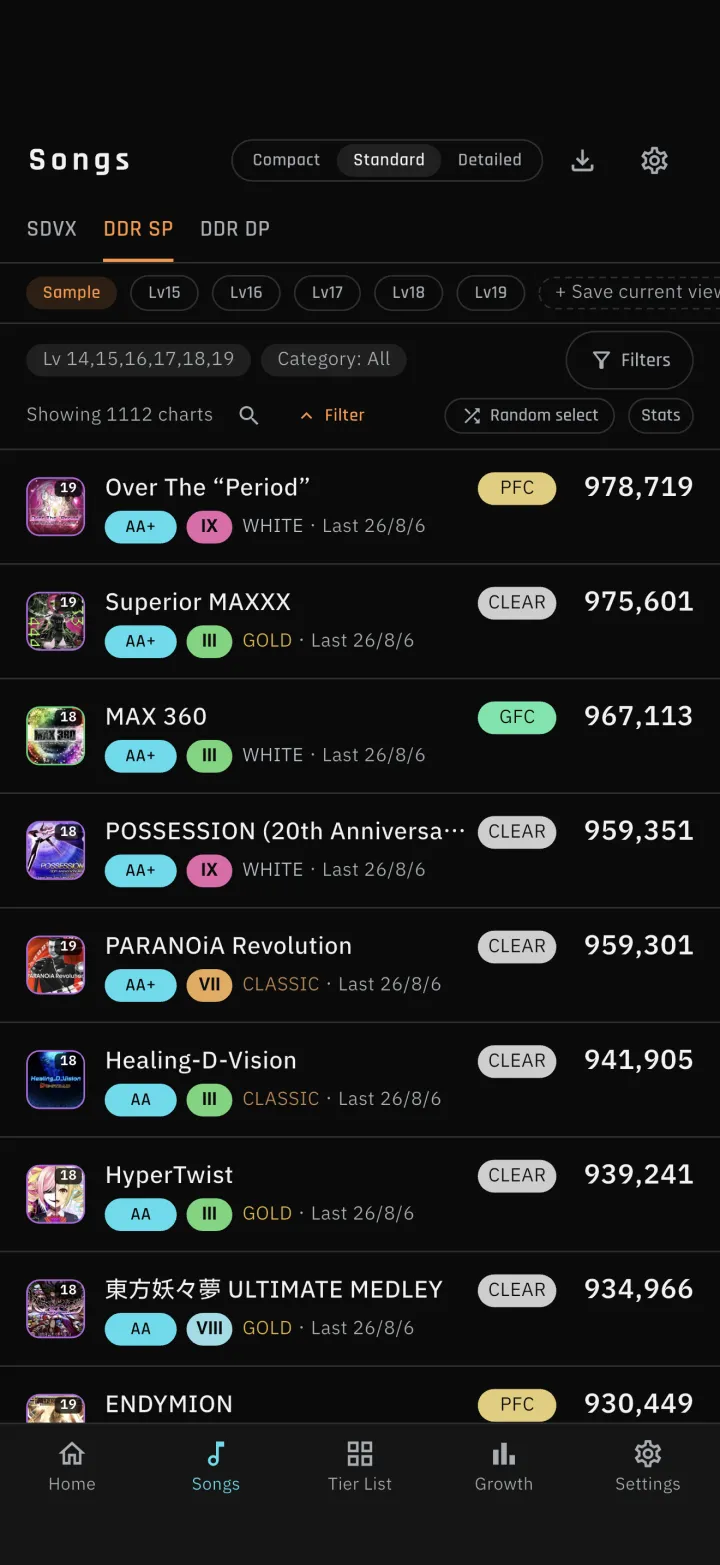
1-1Song jacketsJackets are shown in the song list, on Home, in song details and in the Tier List. Looking for the art is faster than reading through titles. Shared images (results, Tier List, target songs) use tiles as well. 1-2Search for songsTap the magnifier on the row that shows the song count, and that row becomes a search field. Type part of a title, an artist, a kana reading or a romaji reading to narrow the list.2Colors and display
2-1Five color themesPick the app's colors in Settings from five themes: dark, light and three more. The section dividers on Home were reworked so each game is marked with its own color. 2-2Tier List achievement by brightness and a markSongs you have achieved are dimmed and marked with a check; songs you have not are left at full color. You no longer have to rely on color alone. Shared images use the same treatment. 2-3Clear lamp and medal colorsReworked the colors of clear lamps, flare ranks and SDVX medals so the tiers are easier to tell apart at a glance. S-PUC is now white-based and clearly distinct from PUC. The bands in the growth chart were adjusted to match.3Judge offset
3-1Judge-timing reference for each songSong details show how far the timing tends to sit ahead of or behind the judge timing on that song. Tap the apply button and the value goes into that song's judge offset. For now it shows an estimate; once more players have set their own offset on a song, it switches to their average. The screen tells you which one you are seeing. 3-2Save a judge offset and a memo per songAdjust the offset with the − / + buttons (hold to repeat). The value is per song, shared across SP/DP and all difficultiesSettings has a default value per game. Songs you adjusted individually keep their own value when the default changesA memo holds up to 50 characters per chartBoth are included in backups and exports, and are never overwritten by sync. Memos are backed up encrypted and are never used for statistics4Recommendations and Flare Skill
4-1Recommendations no longer skew too hardRecommendations used to be sorted only by how much your rating could gain, so high-level charts crowded the top. They are now ranked by how many players at a similar skill level reach each goal, so goals many people achieve come first. Each song is now one row, and the BEST30 entry requirement moved to the category header. Two entries show by default; the arrow on the right expands to five.DDR: the goal is the lowest flare rank that gets a song into your BEST30. Songs already in the 30 aim one rank up; songs outside aim a jump of several ranks. Lower-level songs qualify when they can break into your 30SDVX: the goal is the nearest grade or medal that raises your current VOLFORCESongs without enough statistics are ordered realistically, based on your own record (how many songs at the same level and flare rank or above you have achieved) and everyone's average scoreThe five entries in the card alternate between "raise a current rank by one", "finish off your top row" and "jump several ranks into a new spot" so no single type dominates 4-2Flare Skill target songs follow the official pageThe target song list you open from Flare Skill on Home now uses the same order and numbering as the Flare Skill page on e-amusement. Shared images match it.5DDR chart viewer
5-1MIRROR and other arrow placementsThe chart viewer gained an "arrow placement" option so you can check your footing in advance. Options are shown as the arrows themselves, left to right. The chart viewer now covers level 11 and up.SINGLE offers NORMAL, MIRROR, LEFT, RIGHT and SHUFFLE; DOUBLE offers NORMAL and MIRROR (the same range as the cab)With SHUFFLE you pick from the same 8 patterns as the cab 5-2Scroll while playingDrag the chart while it is playing to scroll it. Playback resumes from where you let go.6Sync and import fixes
6-1Same-title songs now importWhen two songs shared the same title (such as "朱と碧のランページ" and its cover version), the app could not tell them apart and skipped both. Songs are now identified by song ID on DDR and by artist on SDVX, so their scores import reliably.7Tutorial and backup
7-1Tutorial display fixesWith many presets, the add button could sit off screen and could not be tapped, so the tutorial could not proceed. The row now scrolls sideways to follow the step being explainedOn the first page of the Tier List tutorial, the explanation overlapped the page indicator. It now stays clear of itThe bottom of the explanation could run off screen. It now fits on screen, or shows a scroll hint when it cannot 7-2Presets no longer multiply after a restoreRestoring a backup re-enabled every default preset, so presets kept increasing. Extra presets are now cleaned up on restore.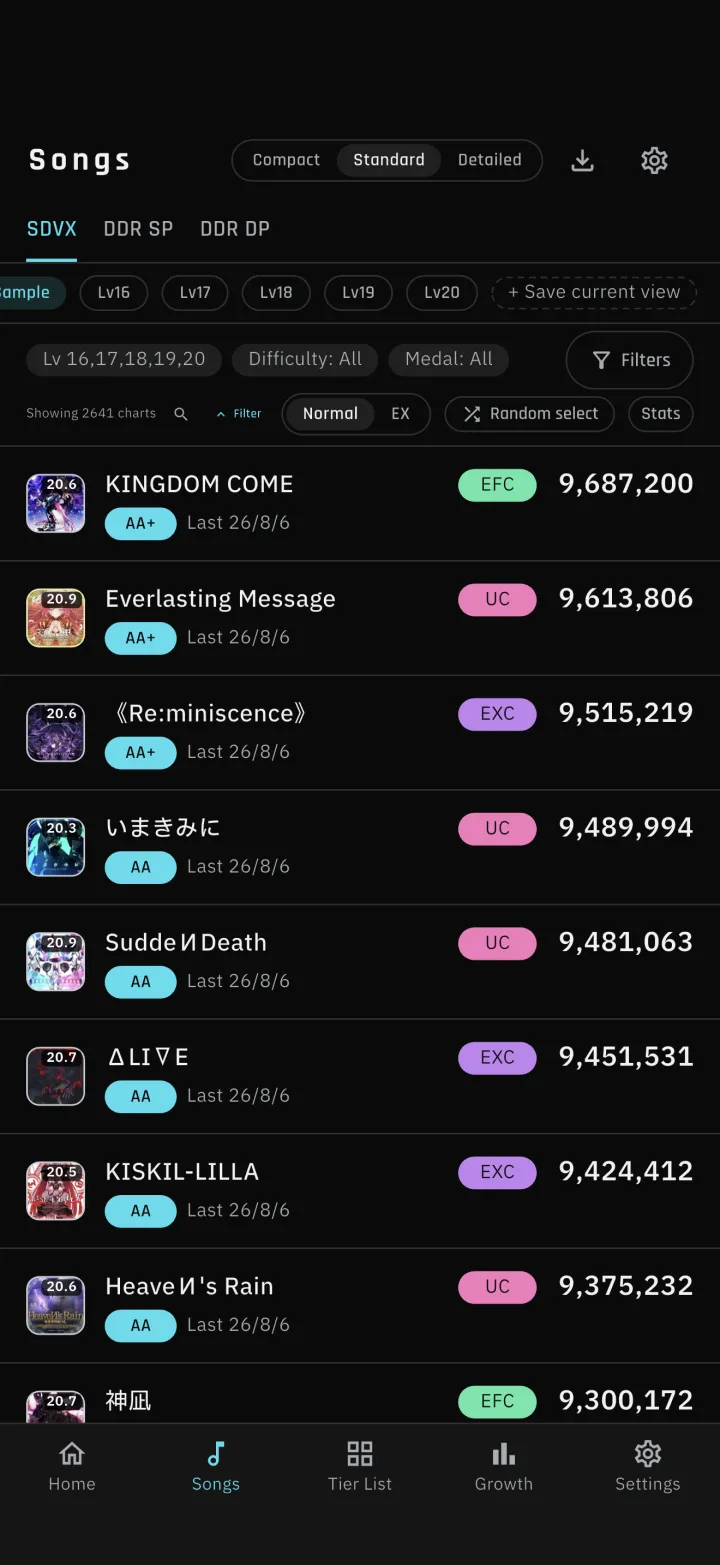
1-1
-
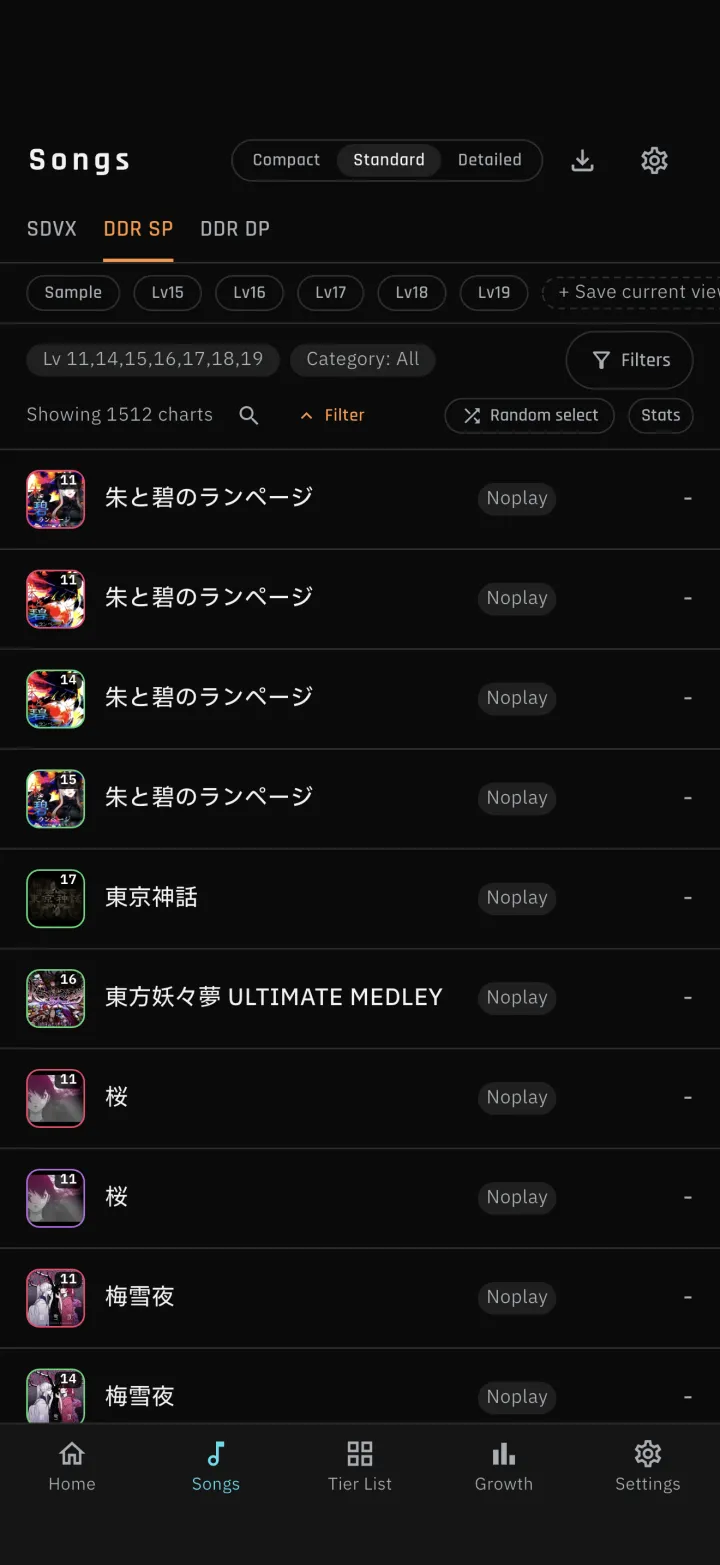
1-1Song jackets
Jackets are shown in the song list, on Home, in song details and in the Tier List. Looking for the art is faster than reading through titles. Shared images (results, Tier List, target songs) use tiles as well.
-
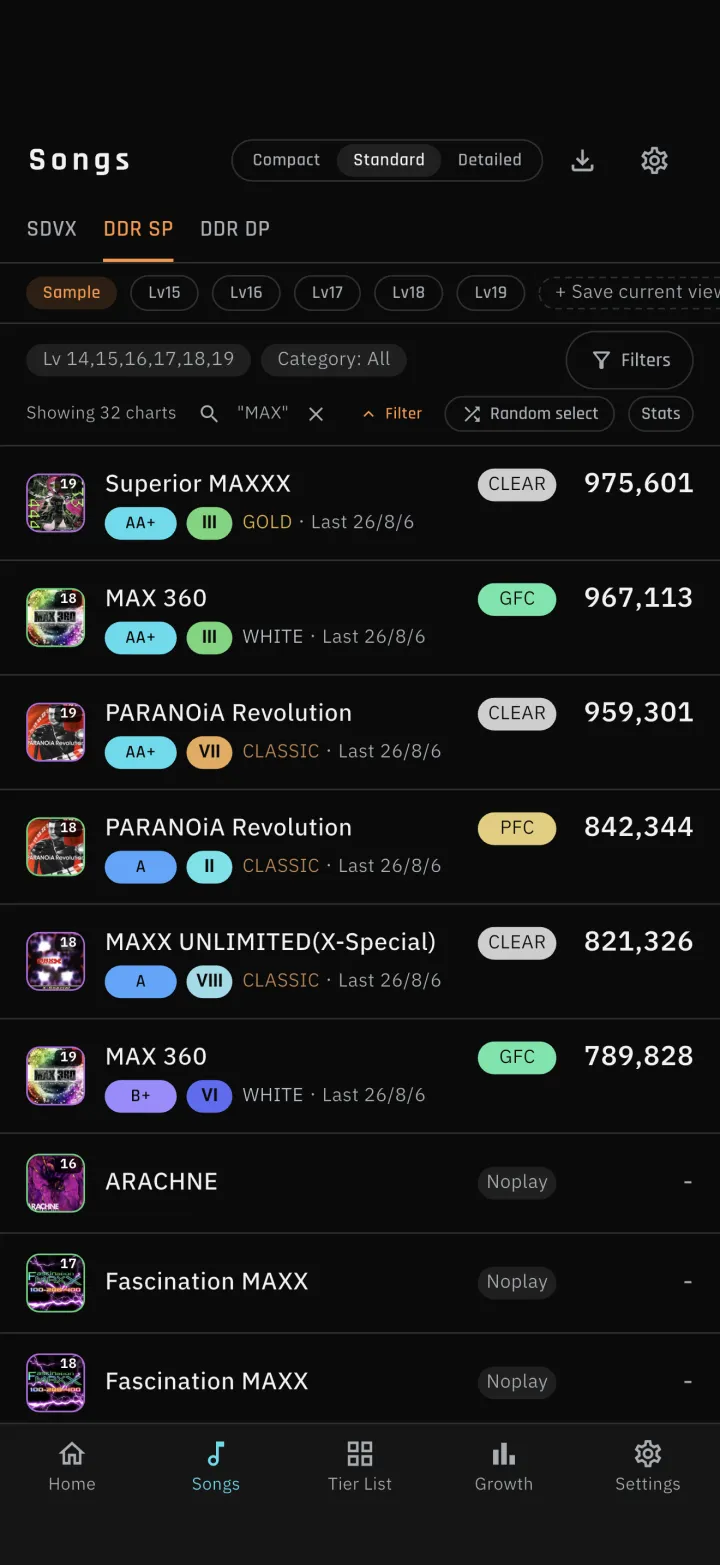
1-2Search for songs
Tap the magnifier on the row that shows the song count, and that row becomes a search field. Type part of a title, an artist, a kana reading or a romaji reading to narrow the list.
-
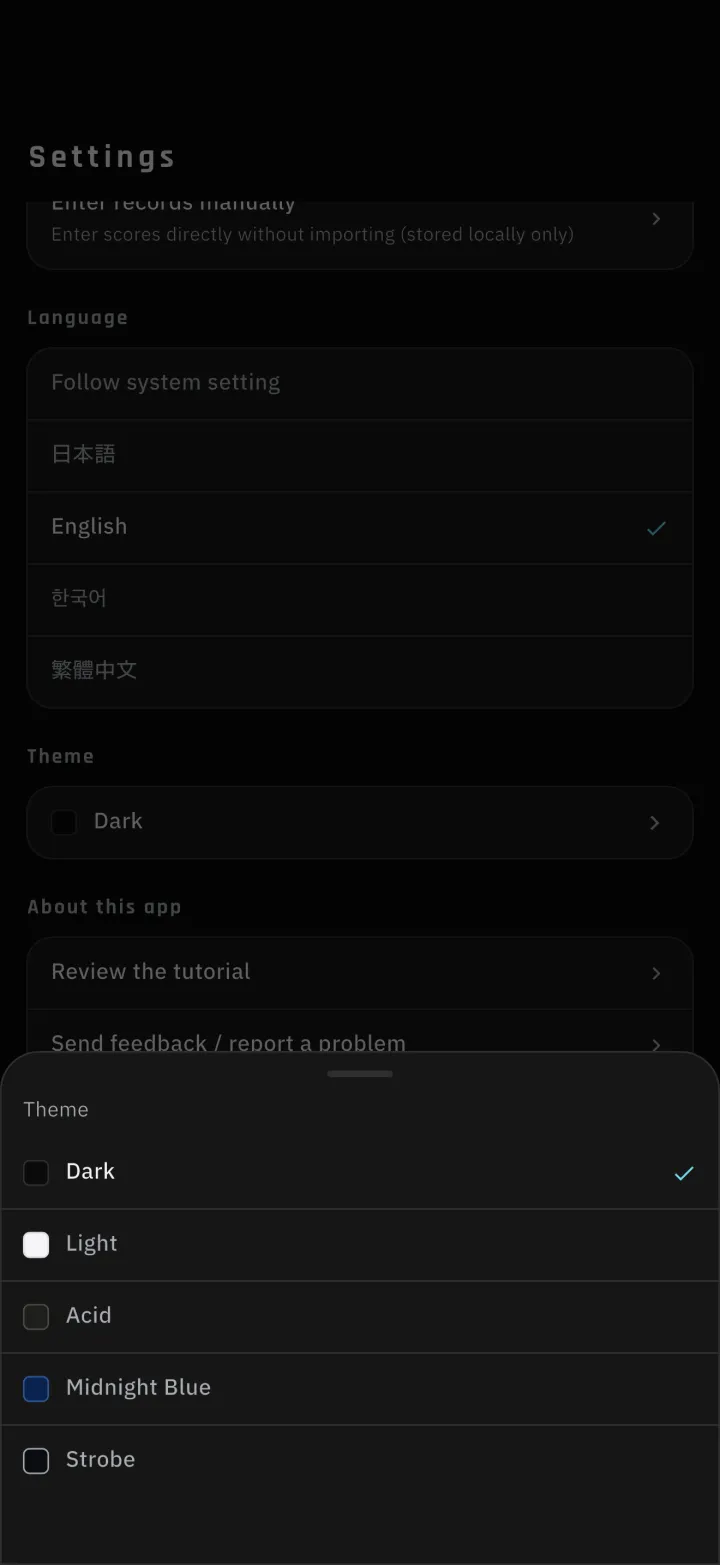
2-1Five color themes
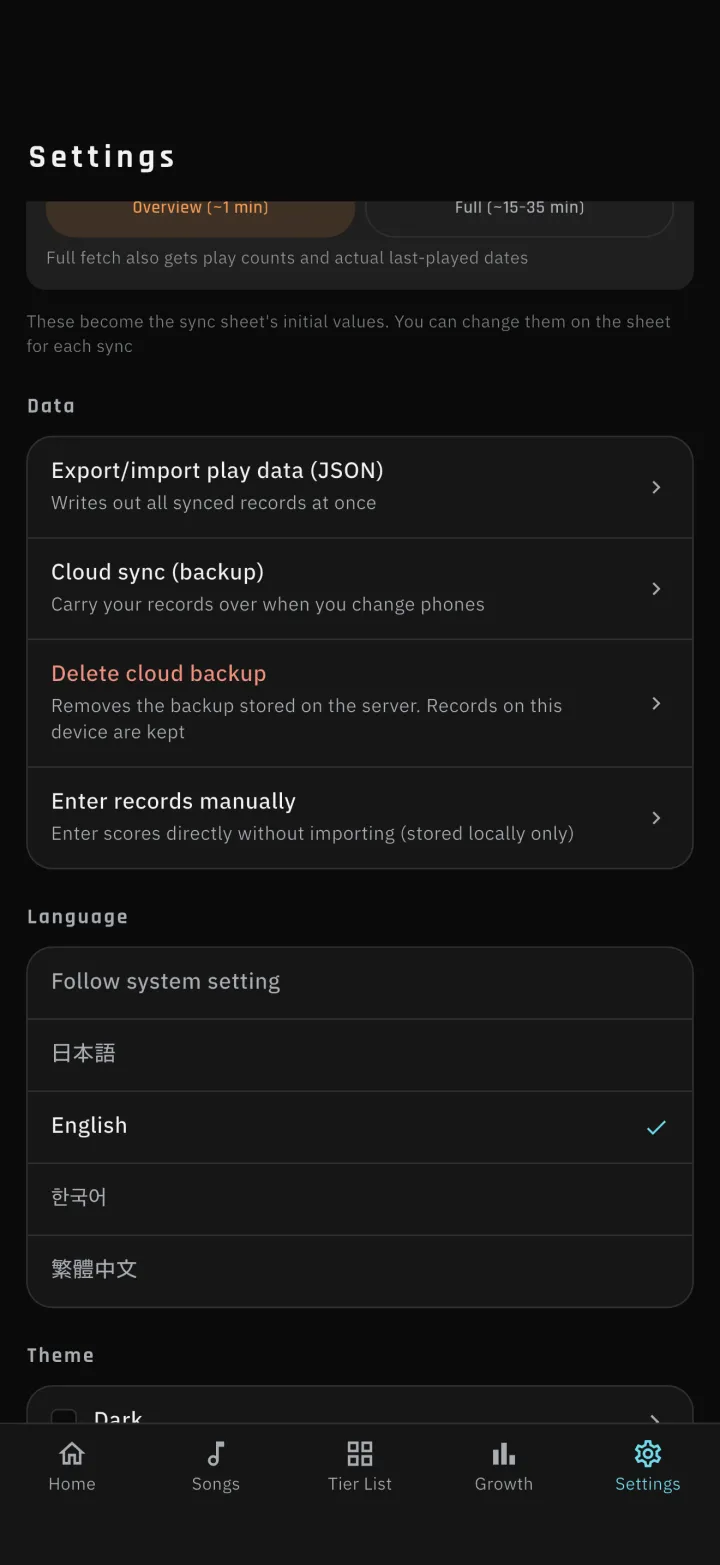
Pick the app's colors in Settings from five themes: dark, light and three more. The section dividers on Home were reworked so each game is marked with its own color.
-
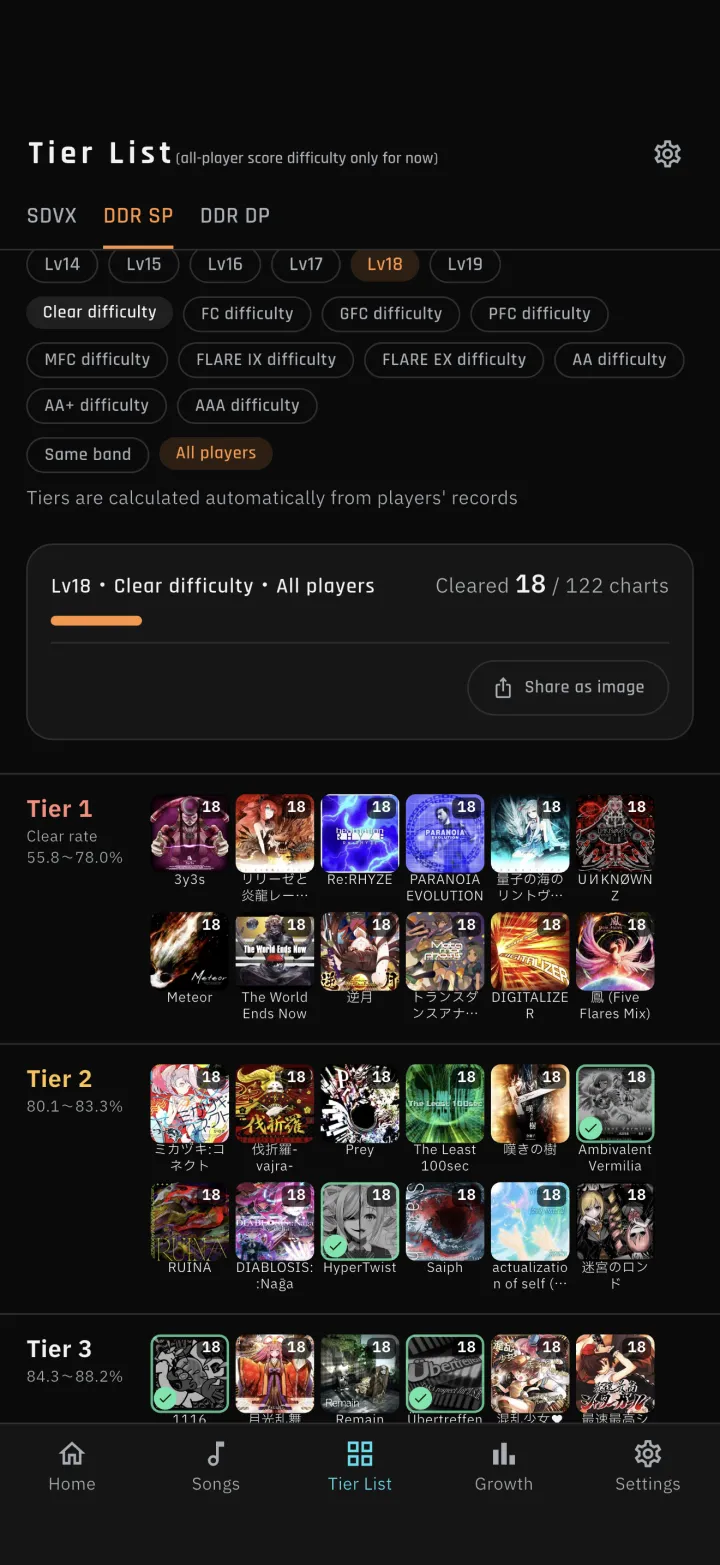
2-2Tier List achievement by brightness and a mark
Songs you have achieved are dimmed and marked with a check; songs you have not are left at full color. You no longer have to rely on color alone. Shared images use the same treatment.
-
2-3Clear lamp and medal colors
Reworked the colors of clear lamps, flare ranks and SDVX medals so the tiers are easier to tell apart at a glance. S-PUC is now white-based and clearly distinct from PUC. The bands in the growth chart were adjusted to match.
-
3-1Judge-timing reference for each song
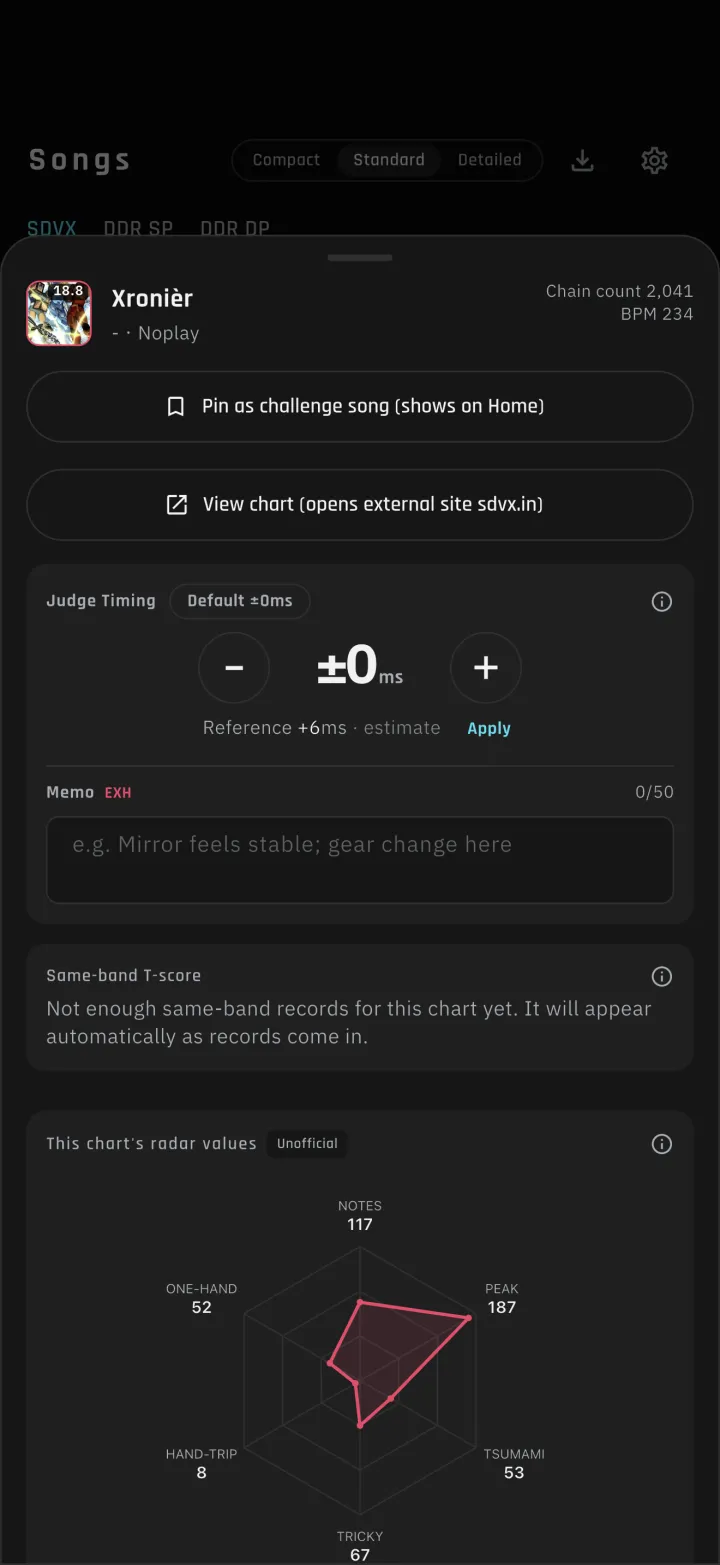
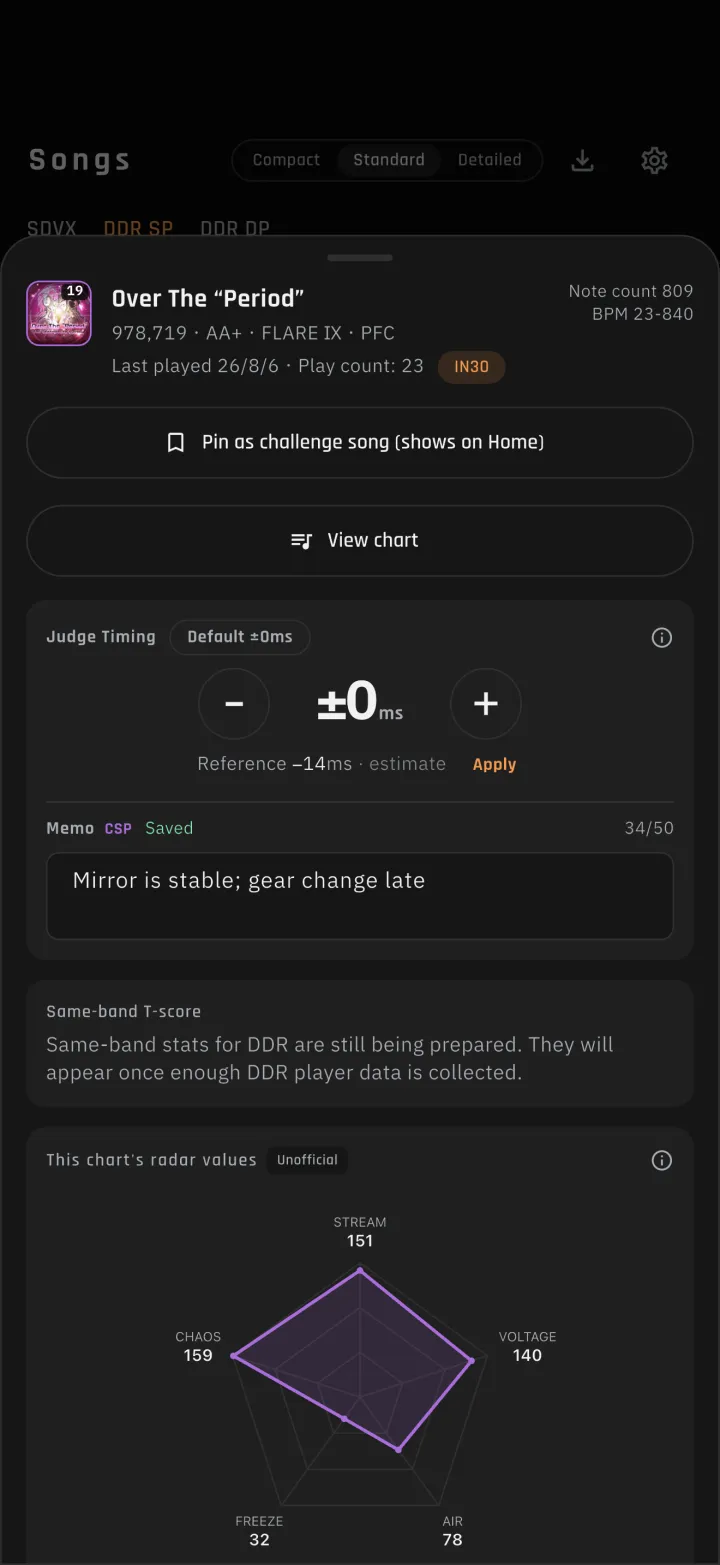
Song details show how far the timing tends to sit ahead of or behind the judge timing on that song. Tap the apply button and the value goes into that song's judge offset. For now it shows an estimate; once more players have set their own offset on a song, it switches to their average. The screen tells you which one you are seeing.
-
3-2Save a judge offset and a memo per song
Adjust the offset with the − / + buttons (hold to repeat). The value is per song, shared across SP/DP and all difficultiesSettings has a default value per game. Songs you adjusted individually keep their own value when the default changesA memo holds up to 50 characters per chartBoth are included in backups and exports, and are never overwritten by sync. Memos are backed up encrypted and are never used for statistics
-
4-1Recommendations no longer skew too hard
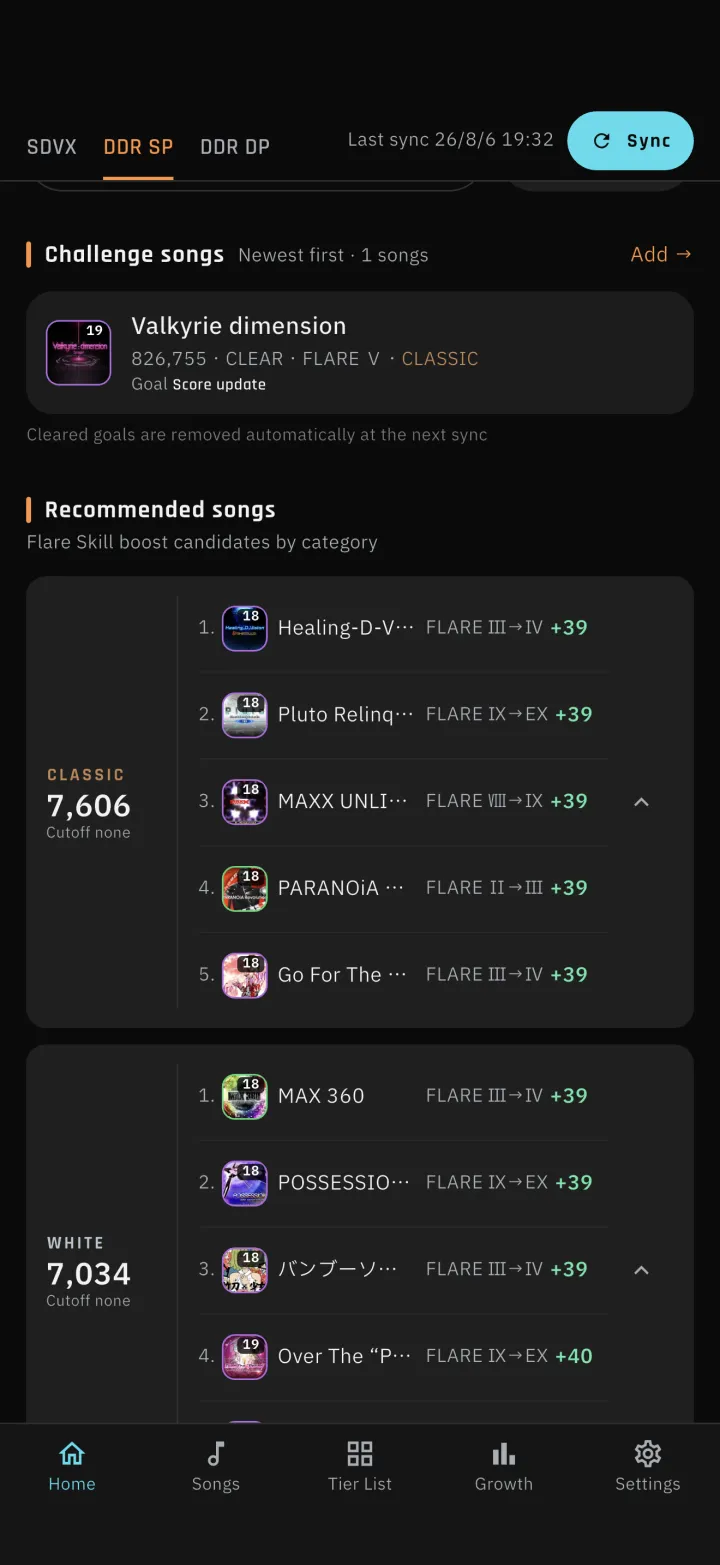
Recommendations used to be sorted only by how much your rating could gain, so high-level charts crowded the top. They are now ranked by how many players at a similar skill level reach each goal, so goals many people achieve come first. Each song is now one row, and the BEST30 entry requirement moved to the category header. Two entries show by default; the arrow on the right expands to five.
DDR: the goal is the lowest flare rank that gets a song into your BEST30. Songs already in the 30 aim one rank up; songs outside aim a jump of several ranks. Lower-level songs qualify when they can break into your 30SDVX: the goal is the nearest grade or medal that raises your current VOLFORCESongs without enough statistics are ordered realistically, based on your own record (how many songs at the same level and flare rank or above you have achieved) and everyone's average scoreThe five entries in the card alternate between "raise a current rank by one", "finish off your top row" and "jump several ranks into a new spot" so no single type dominates
-
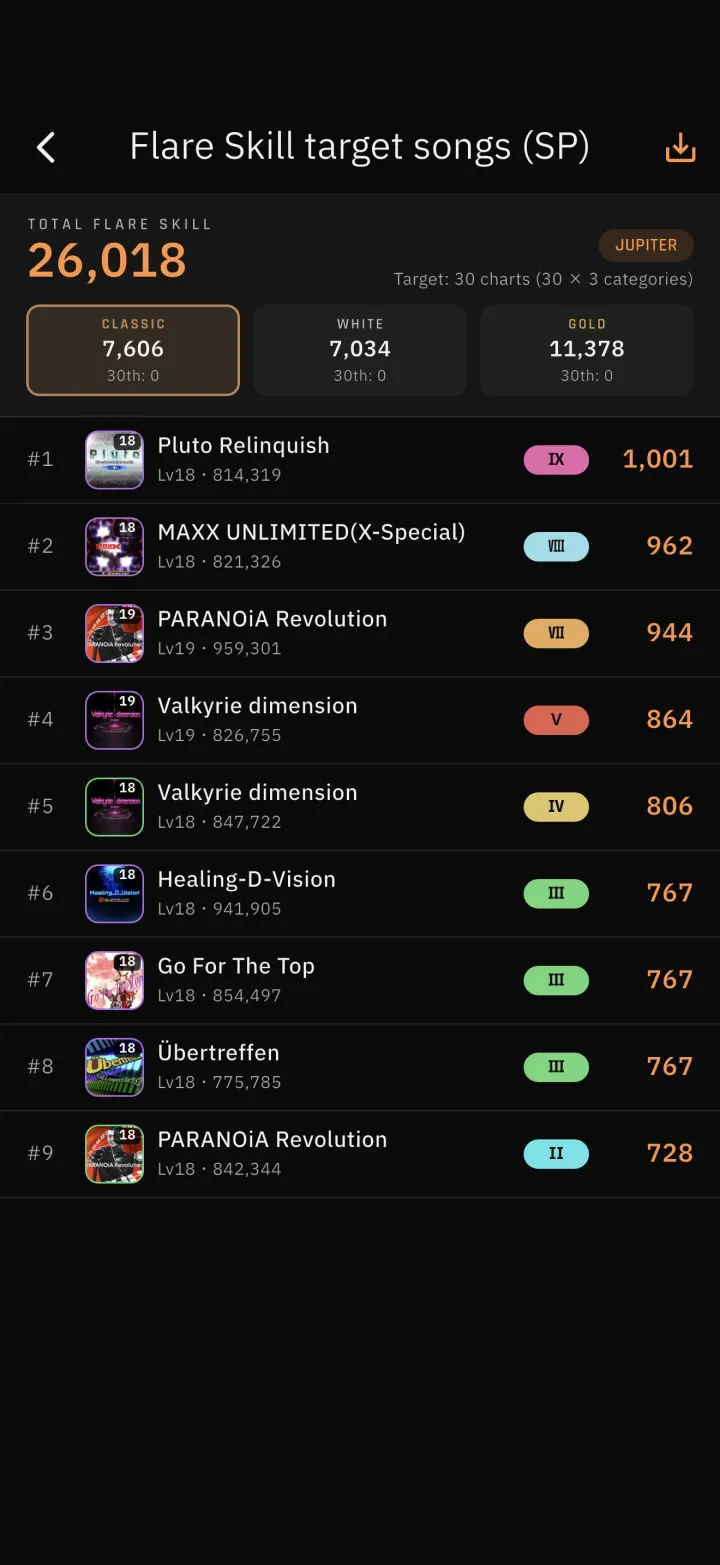
4-2Flare Skill target songs follow the official page
The target song list you open from Flare Skill on Home now uses the same order and numbering as the Flare Skill page on e-amusement. Shared images match it.
-
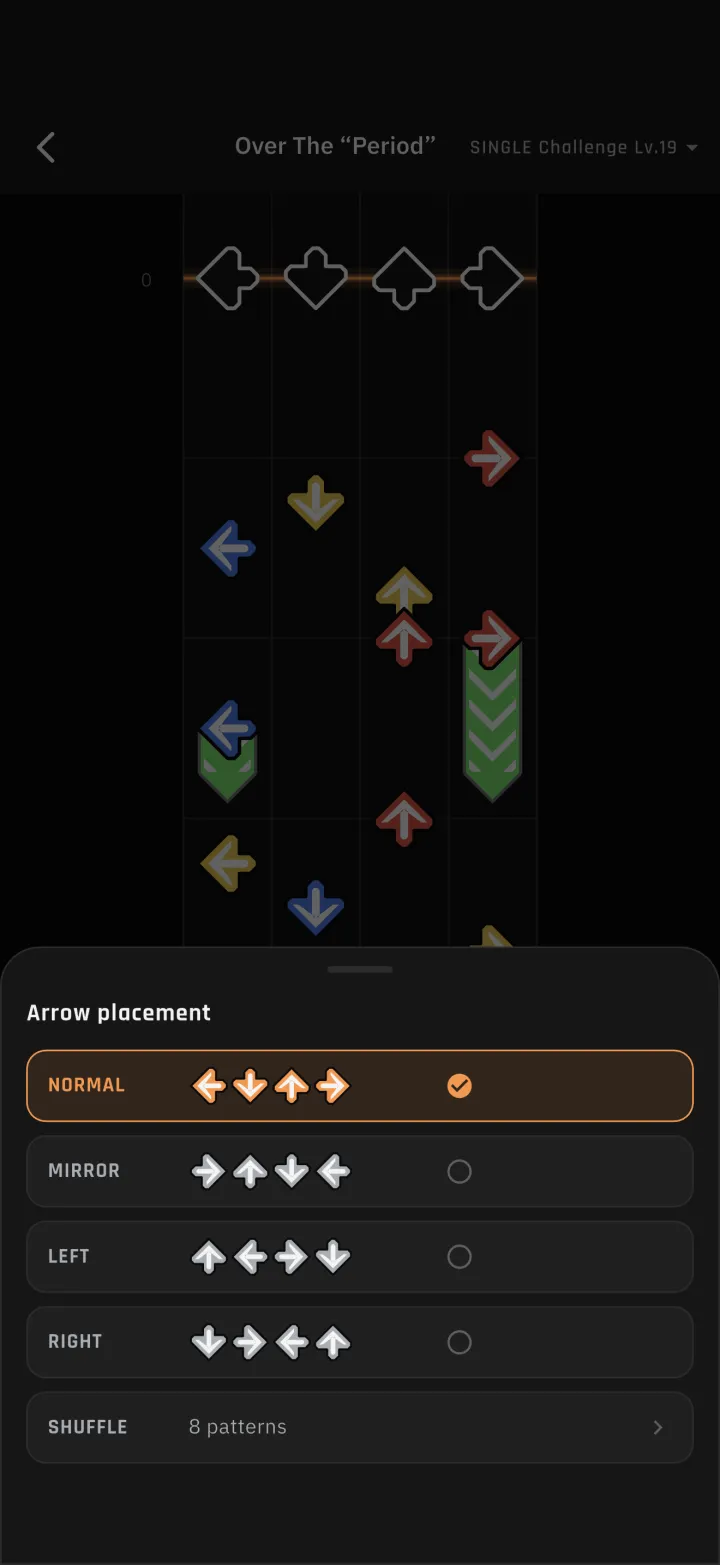
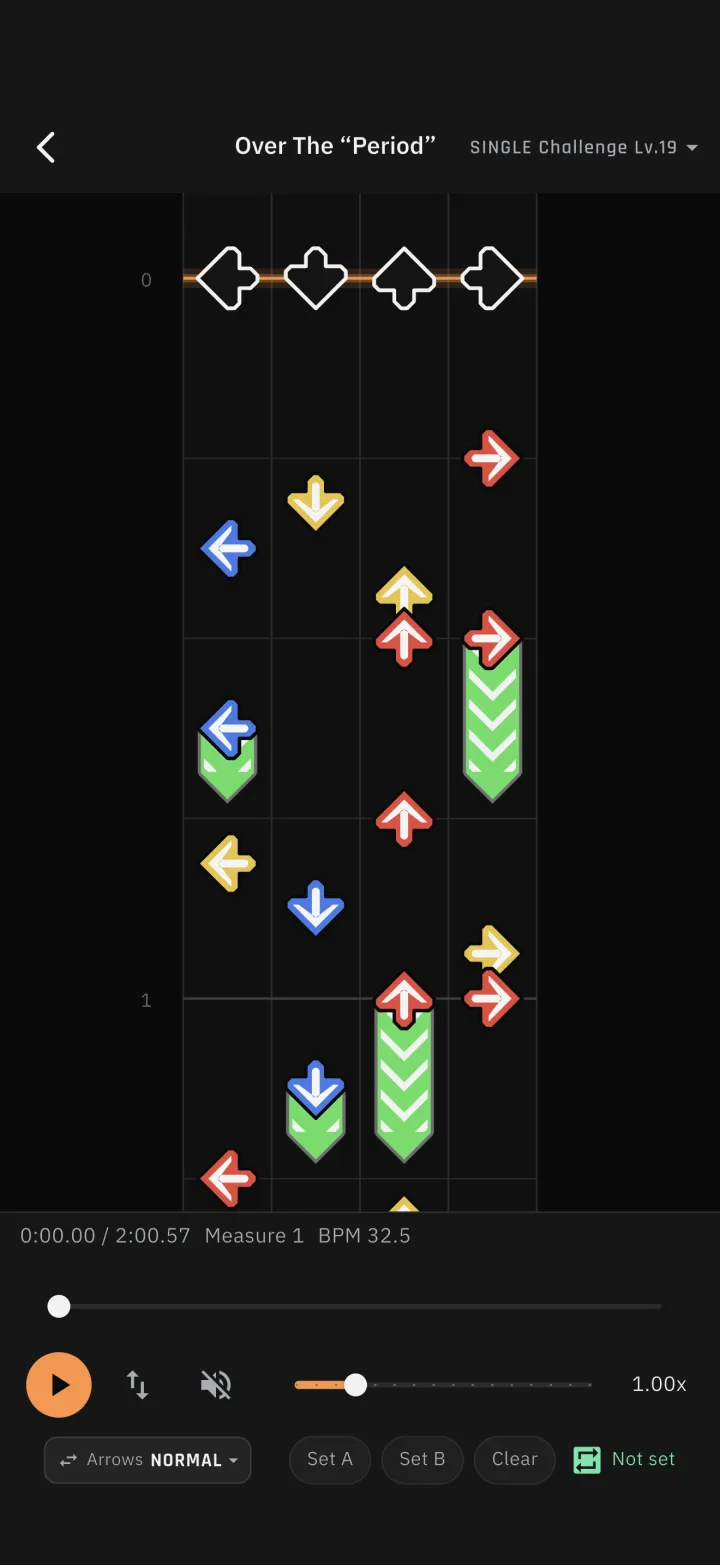
5-1MIRROR and other arrow placements
The chart viewer gained an "arrow placement" option so you can check your footing in advance. Options are shown as the arrows themselves, left to right. The chart viewer now covers level 11 and up.
SINGLE offers NORMAL, MIRROR, LEFT, RIGHT and SHUFFLE; DOUBLE offers NORMAL and MIRROR (the same range as the cab)With SHUFFLE you pick from the same 8 patterns as the cab
-
5-2Scroll while playing
Drag the chart while it is playing to scroll it. Playback resumes from where you let go.
-
6-1Same-title songs now import
When two songs shared the same title (such as "朱と碧のランページ" and its cover version), the app could not tell them apart and skipped both. Songs are now identified by song ID on DDR and by artist on SDVX, so their scores import reliably.
-
7-1Tutorial display fixes
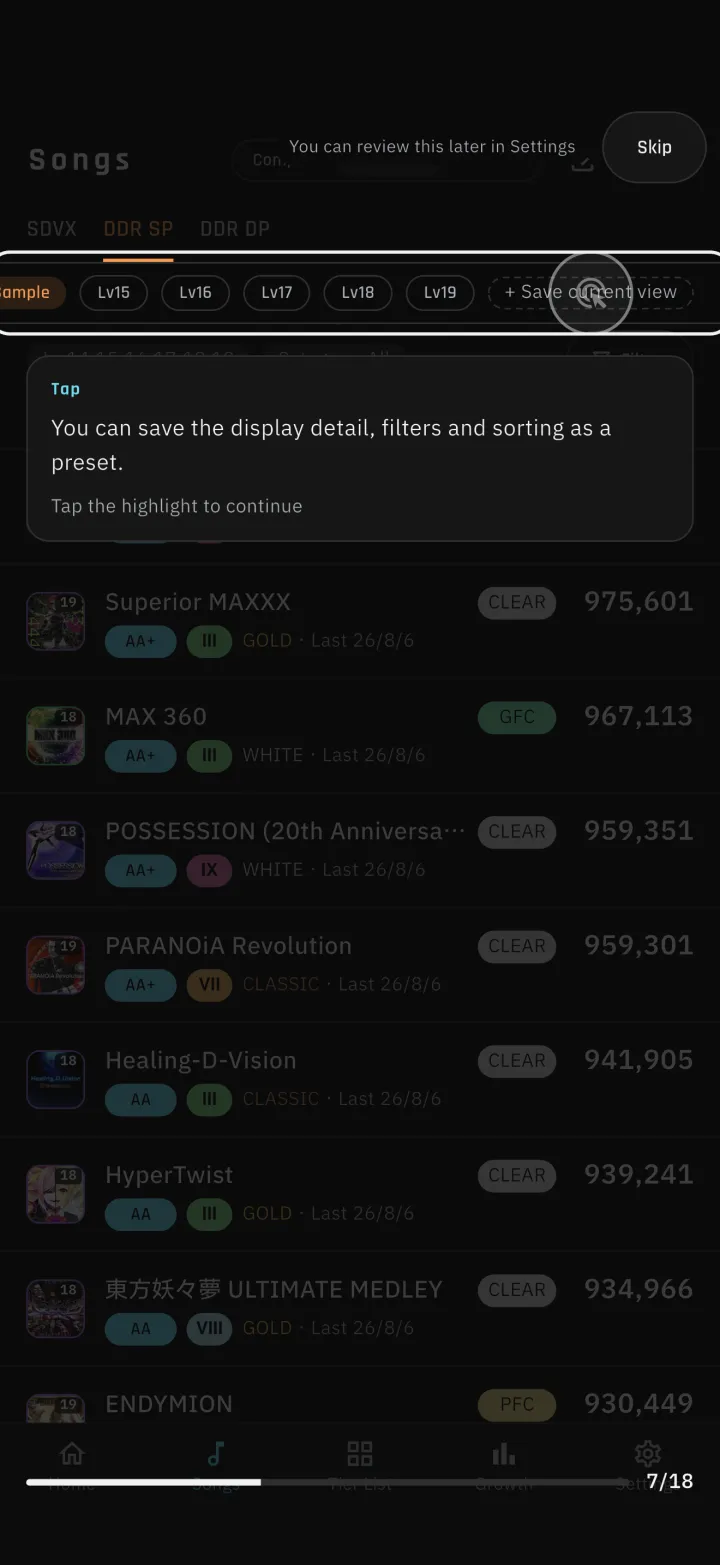
With many presets, the add button could sit off screen and could not be tapped, so the tutorial could not proceed. The row now scrolls sideways to follow the step being explainedOn the first page of the Tier List tutorial, the explanation overlapped the page indicator. It now stays clear of itThe bottom of the explanation could run off screen. It now fits on screen, or shows a scroll hint when it cannot
-
7-2Presets no longer multiply after a restore
Restoring a backup re-enabled every default preset, so presets kept increasing. Extra presets are now cleaned up on restore.