

Compare scores with friends, send them challenges, and build your own Tier Lists
1Friends
1-1Friend listIssue a friend code, then send or accept a request to connect. The fifth tab at the bottom is now Friends. The list shows wins and losses for the game you picked, plus the songs where they passed you. You can give each friend a nickname and tags, and filter the list by tag. 1-2One friend at a glanceOpen one person to see the core metric gap, wins and losses per radar axis, EX score, the charts you are behind on, and the songs they passed you on, all on one screen. 1-3VisibilityYou decide what you share. Pick each item per game, such as score, clear lamp, core metric and play count. You can also stay connected while sharing nothing at all. 1-4Normal, Rival, or Scores hiddenSet each friend to one of Normal, Rival, or Scores hidden. A Rival is the person you are compared against in the song list and on Home. Scores hidden keeps their numbers off your screen.2Challenges
2-1Send a challenge to a friendSend a challenge from song details, a friend's page, or the list of songs they passed you on. Challenges you receive show up on Home. Goals now include EX score, any score you type in, and beating a rival. The song picker is a list with jackets, filters by level, and shows your own record. 2-2Challenge progress in result imagesThe result image after a sync groups your challenge songs first and marks the ones you cleared, with the name of the person who sent each one and the goal. Challenges you have not cleared appear in the same section, so one image shows everything you are working on. For GITADORA it also shows the achievement rate you actually scored during the period.3Custom Tier Lists
3-1Statistical Tier and Custom TierThe Tier List screen now switches between Statistical Tier and Custom Tier. On the custom side you build your own table. Share it with an 8-digit code: whoever receives it just enters the code, and the copy follows the original once a day when the author updates it. 3-2Editing a tableName each row and drag charts into place. You can also start by duplicating a Statistical Tier or an existing table.4Display
4-1Text and jacket sizeText colour is darker. Text size and jacket size can now be chosen from Display in Settings.5DDR chart preview
6Other improvements
7Sync and record fixes
1-1
-
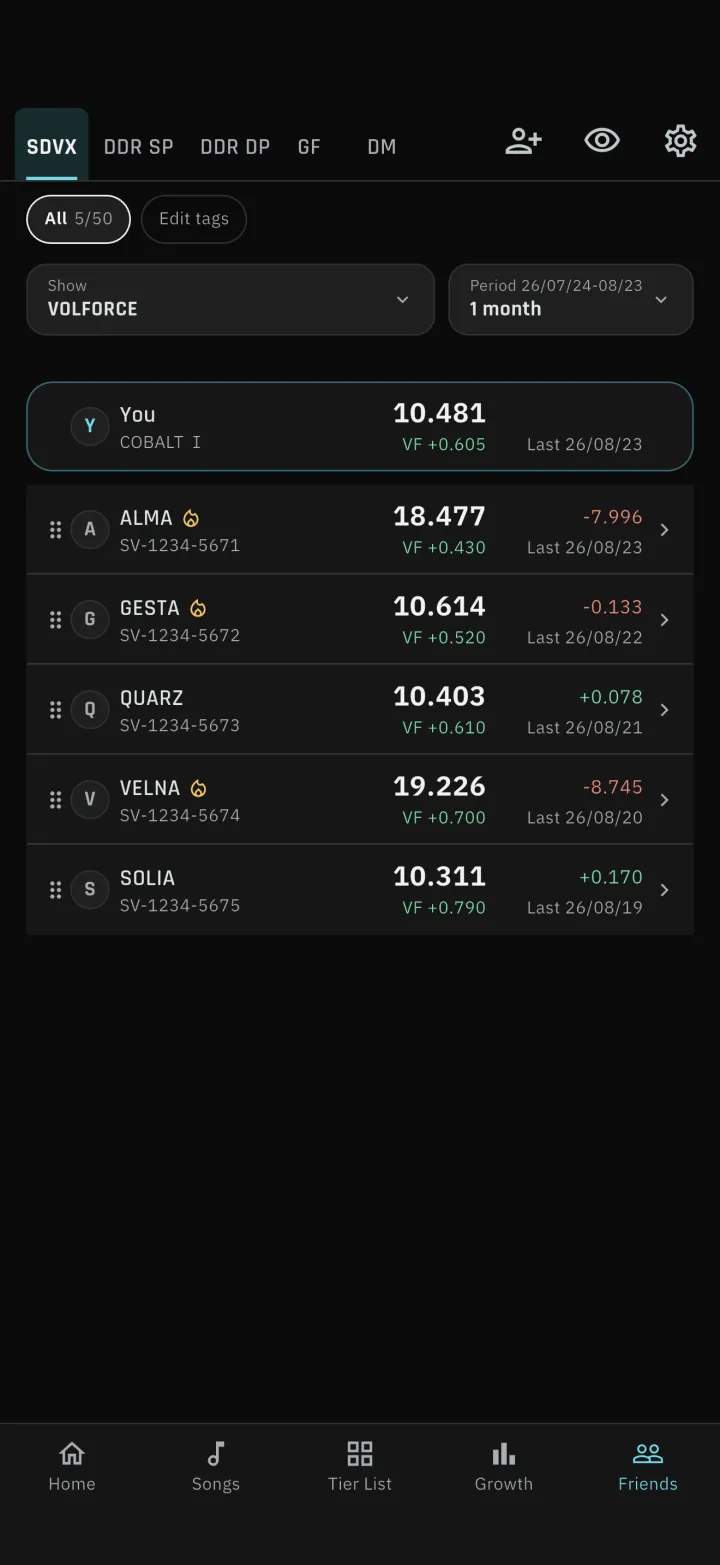
1-1Friend list
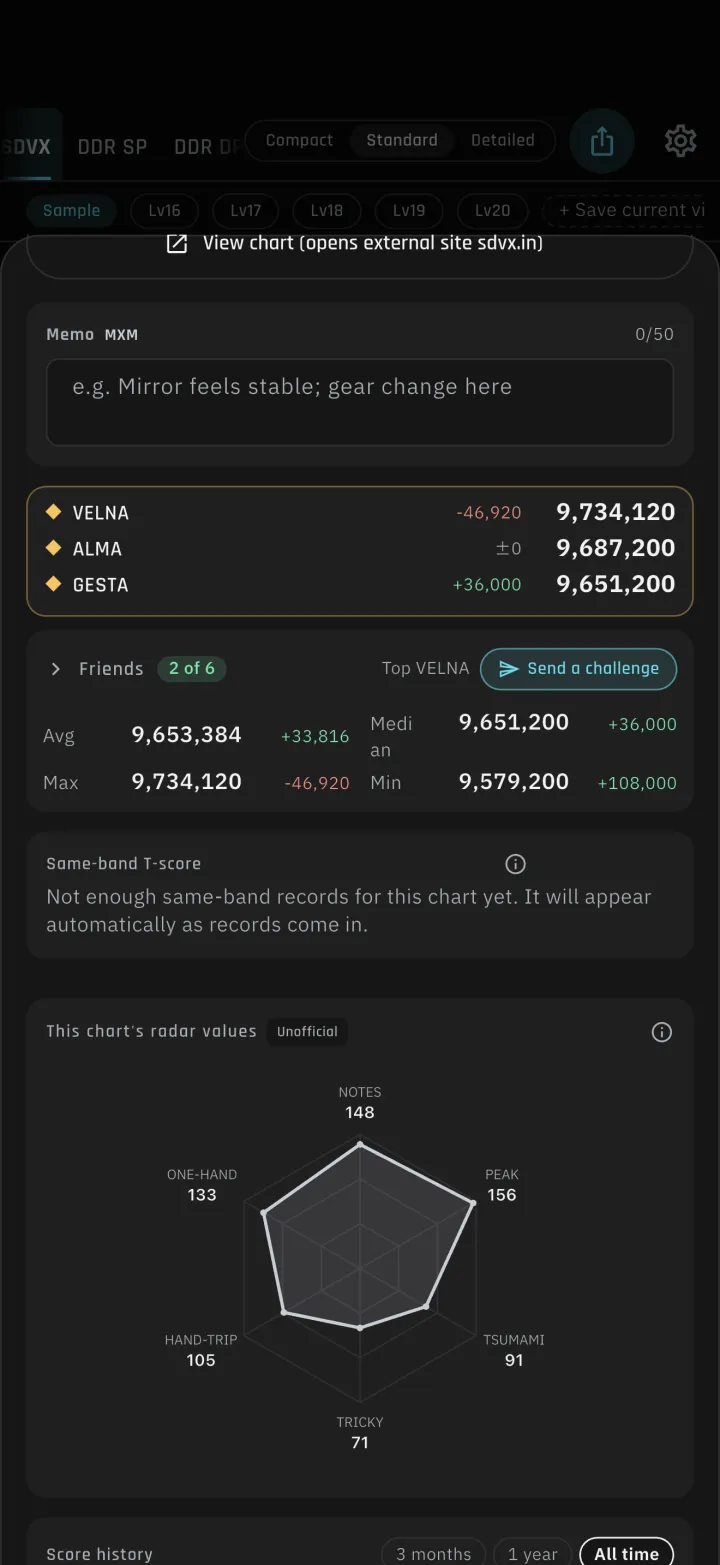
Issue a friend code, then send or accept a request to connect. The fifth tab at the bottom is now Friends. The list shows wins and losses for the game you picked, plus the songs where they passed you. You can give each friend a nickname and tags, and filter the list by tag.
-
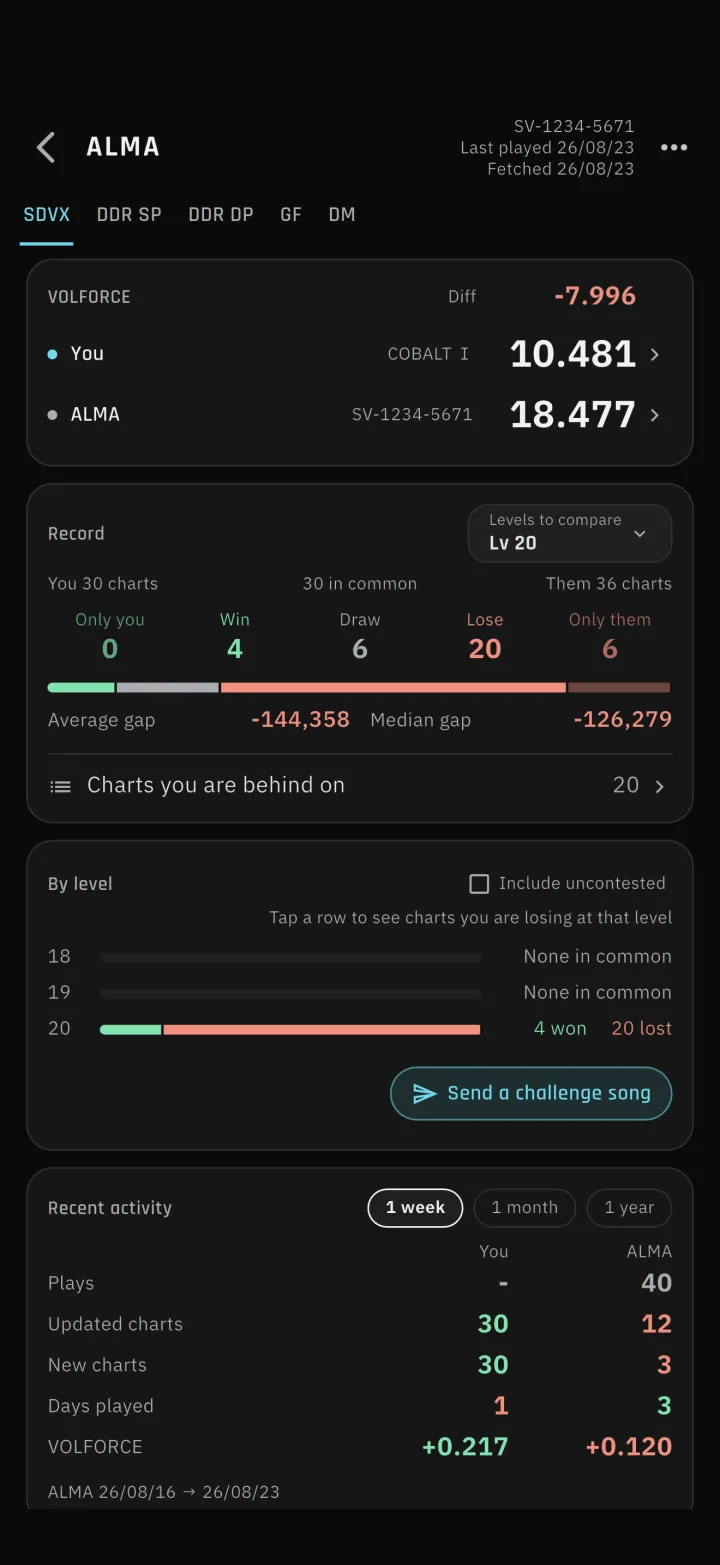
1-2One friend at a glance
Open one person to see the core metric gap, wins and losses per radar axis, EX score, the charts you are behind on, and the songs they passed you on, all on one screen.
-
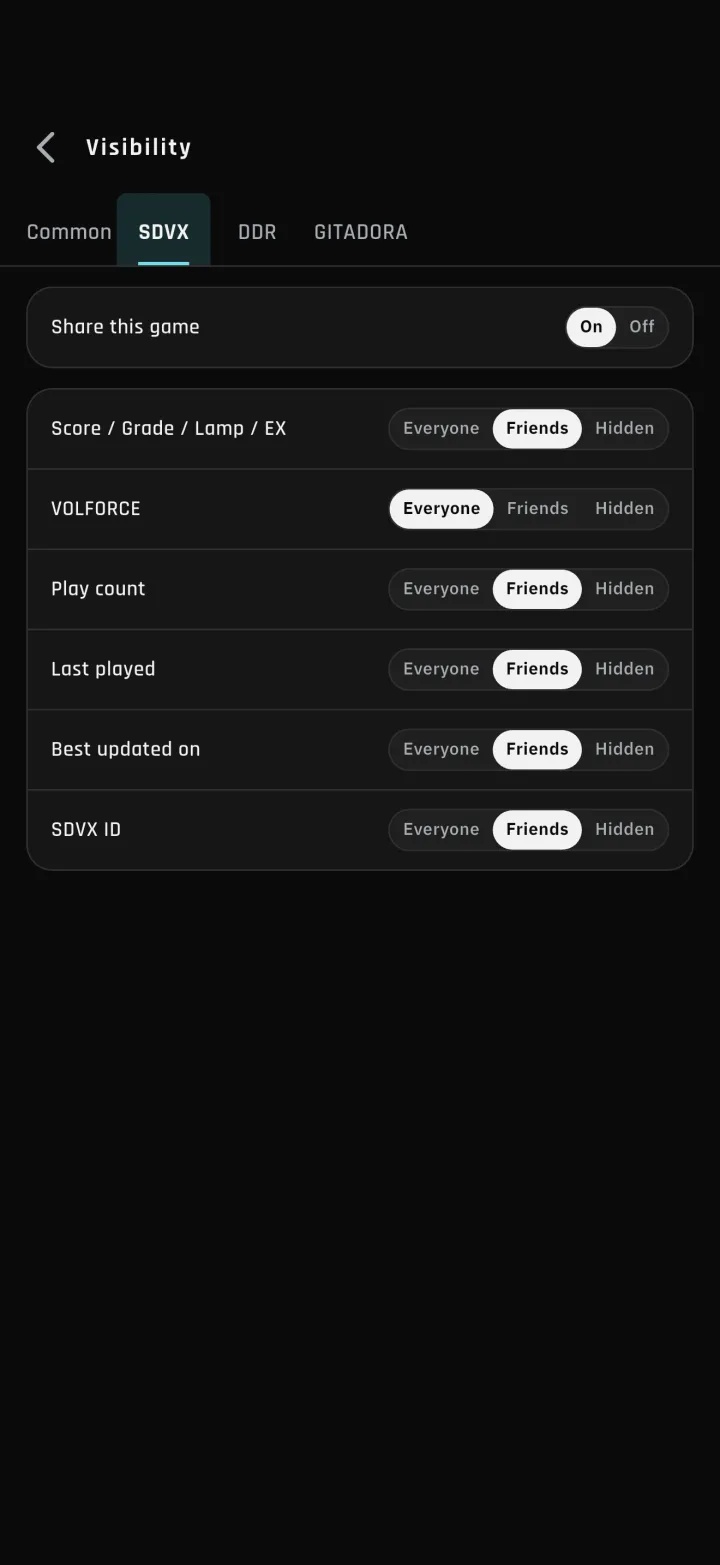
1-3Visibility
You decide what you share. Pick each item per game, such as score, clear lamp, core metric and play count. You can also stay connected while sharing nothing at all.
-
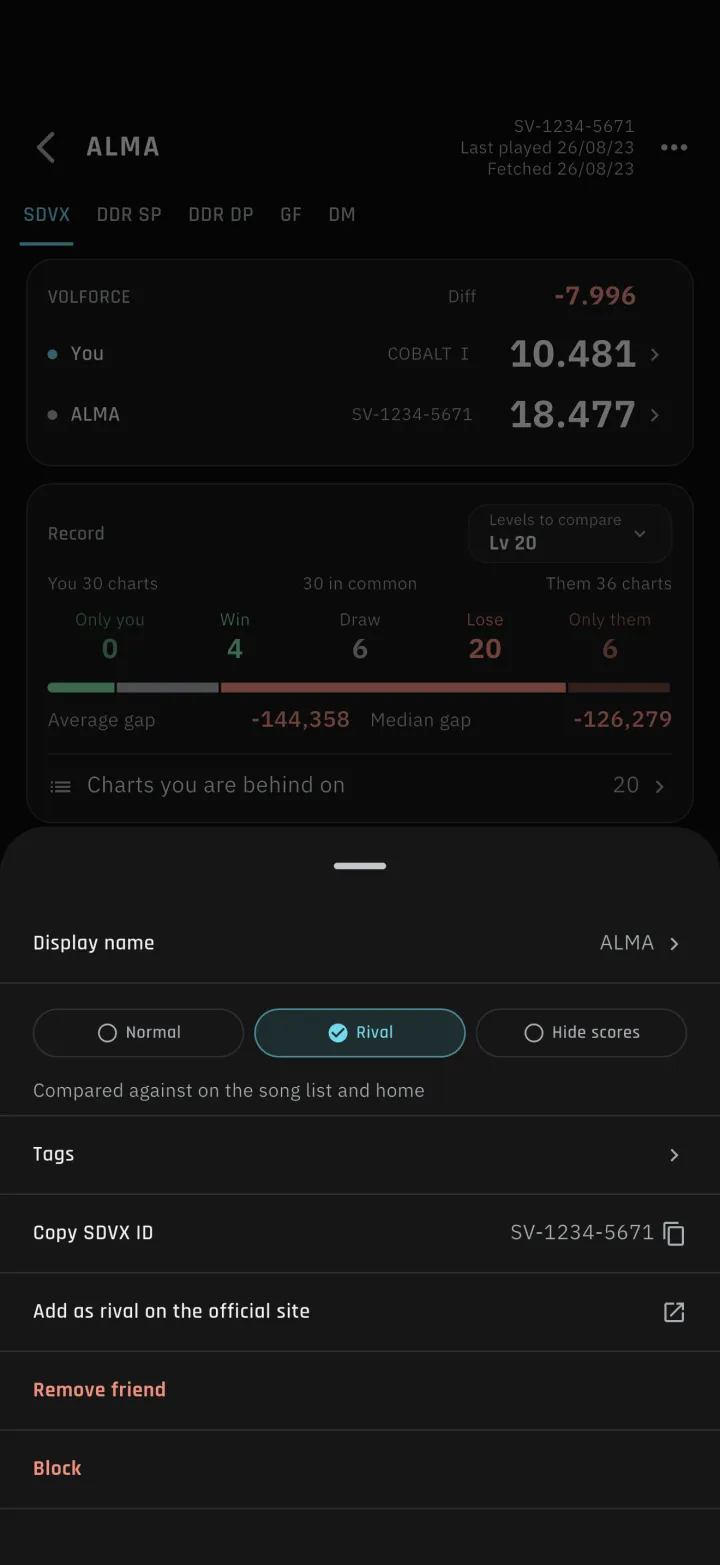
1-4Normal, Rival, or Scores hidden
Set each friend to one of Normal, Rival, or Scores hidden. A Rival is the person you are compared against in the song list and on Home. Scores hidden keeps their numbers off your screen.
-
2-1Send a challenge to a friend
Send a challenge from song details, a friend's page, or the list of songs they passed you on. Challenges you receive show up on Home. Goals now include EX score, any score you type in, and beating a rival. The song picker is a list with jackets, filters by level, and shows your own record.
-
2-2Challenge progress in result images
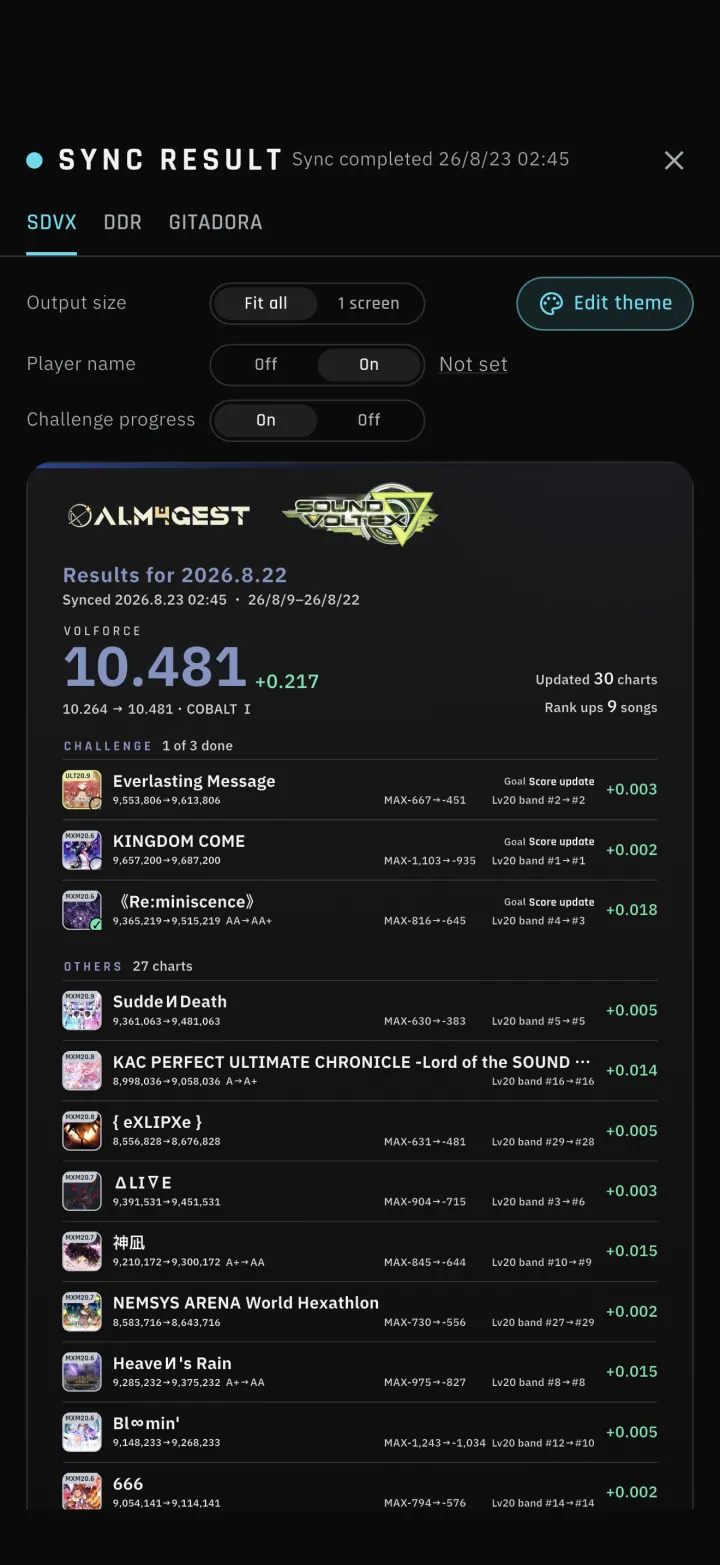
The result image after a sync groups your challenge songs first and marks the ones you cleared, with the name of the person who sent each one and the goal. Challenges you have not cleared appear in the same section, so one image shows everything you are working on. For GITADORA it also shows the achievement rate you actually scored during the period.
-
3-1Statistical Tier and Custom Tier
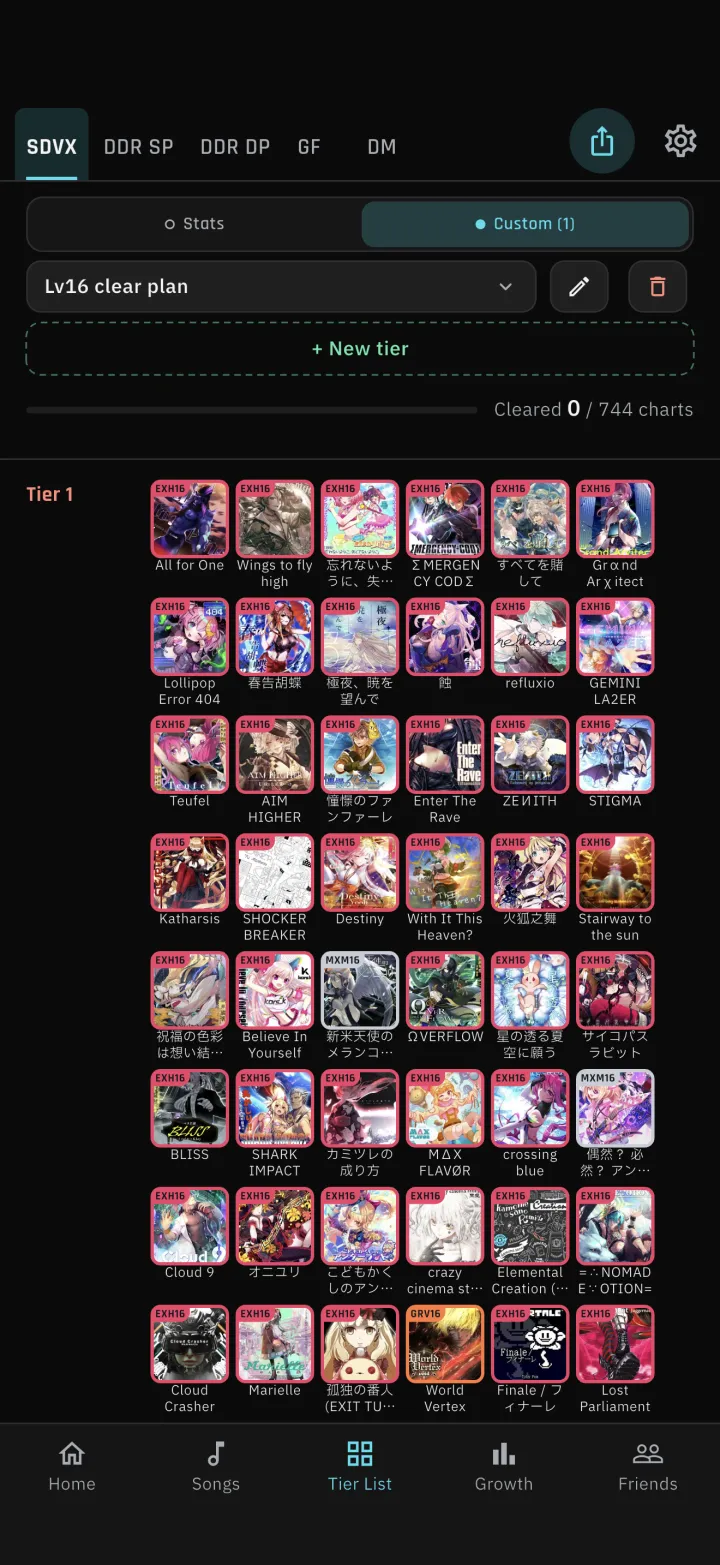
The Tier List screen now switches between Statistical Tier and Custom Tier. On the custom side you build your own table. Share it with an 8-digit code: whoever receives it just enters the code, and the copy follows the original once a day when the author updates it.
-
3-2Editing a table
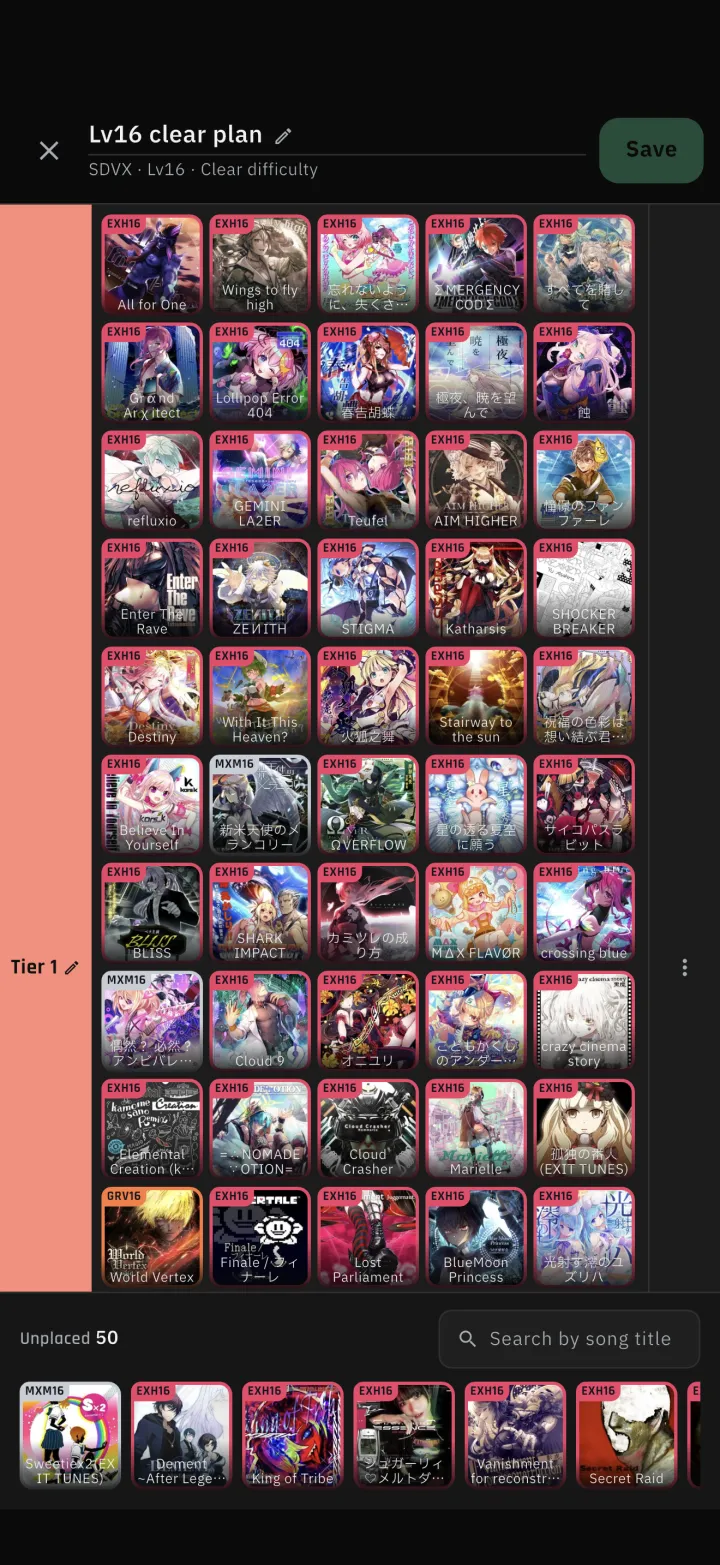
Name each row and drag charts into place. You can also start by duplicating a Statistical Tier or an existing table.
-
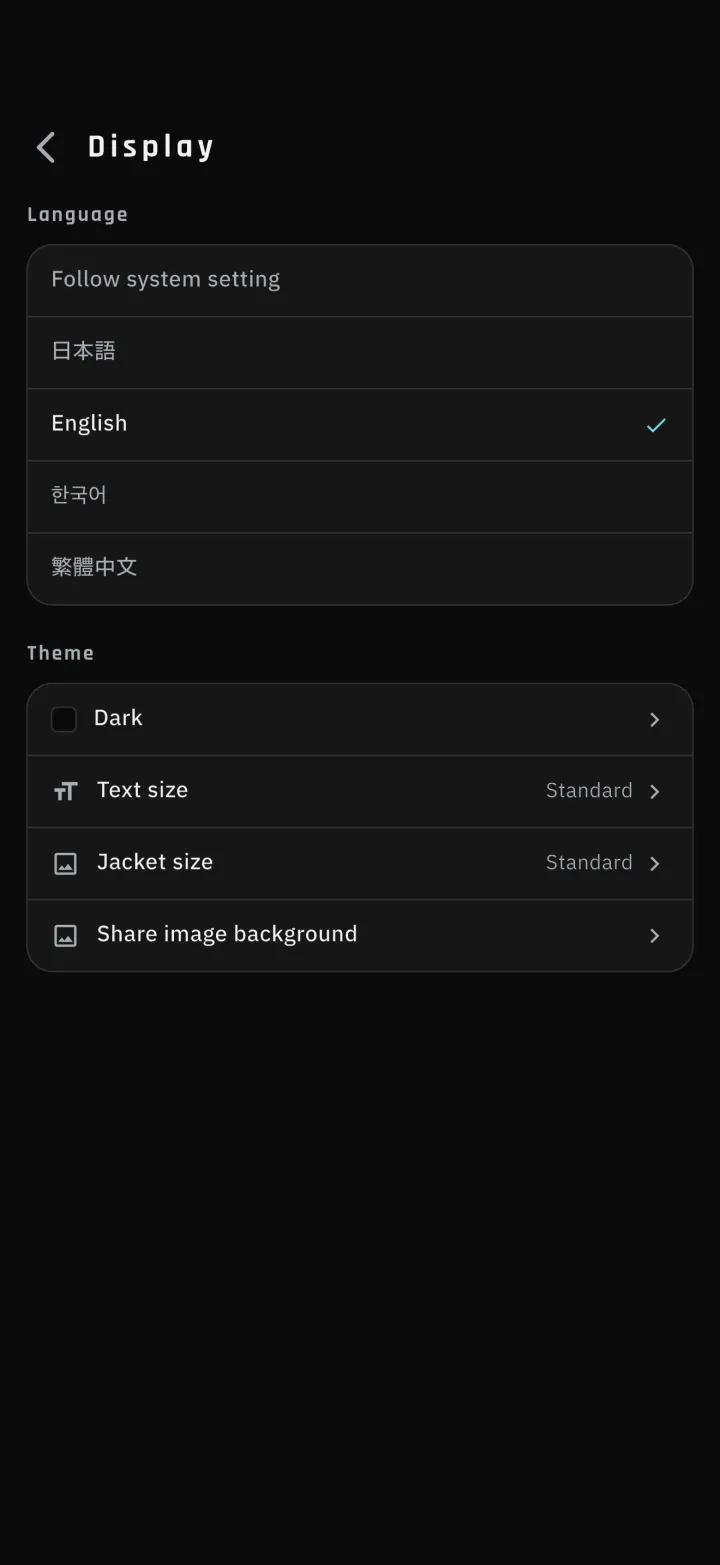
4-1Text and jacket size
Text colour is darker. Text size and jacket size can now be chosen from Display in Settings.