

Strength and new T-scores, tabbed song details, community tips and multi-song Score Attack runs
This release rebuilds the stats around a new Strength score and recalculated T-scores, and splits song details into tabs. It also adds community tips, profile links, multi-song Score Attack runs and reading scores from result photos, and fixes several bugs.
1Stats (Strength and T-scores)
1-1Strength and new T-scoresA new "Strength" score shows how strong or weak you are on each chart. It estimates your expected score from your results on other charts of the same level and compares it with your actual score. 50 means as expected, 70 or more is strong, and 30 or less is weak.T-scores are recalculated as your position among players of a similar skill levelThe song list can be sorted by Strength. In SDVX, both T-score and Strength sorting are available for normal and EX scores
1-2Weakness analysisWeakness analysis and the home weakness card now use Strength, and songs in the weakness analysis open their song detailsDDR weakness analysis shows potential gains as the actual increase to your total Flare Skill
2Song details and community tips
2-1Rebuilt with four tabsSong details are rebuilt with four tabs: "Overview", "Compare", "History" and "More".The T-score comparison bar is redesigned, showing your value, the middle of your skill level and the difference right above each markerScore history is shown as a table with the latest row highlightedMemo headings are now "My notes" and "Community tips" 2-2Share chart tipsPost tips or thoughts on a chart from song details and share them with other players.Filter by "Tips" or "Thoughts", and sort by "Most helpful" or "Newest"Give a like (once per person), and report or delete posts3Profile and friends
3-1Up to 5 linksProfiles can show up to 5 links, such as social media accounts. Service icons appear in the code row of your card, and tapping them opens the list.
3-2Numbers in friend detailsLong numbers in friend details fit on one line.
4Score Attack
4-13-4 song runsA new rule lets players compete on 3-4 songs in one run. Submit all song scores together with one total result image. 4-2Read scores from result photosChoose a result photo, and the text is read on your device and filled into the score fields. Result images are shown scaled down instead of cropped. 4-3Read a run's total resultFor a run's total result, songs are matched to the target songs by title.5pop'n music
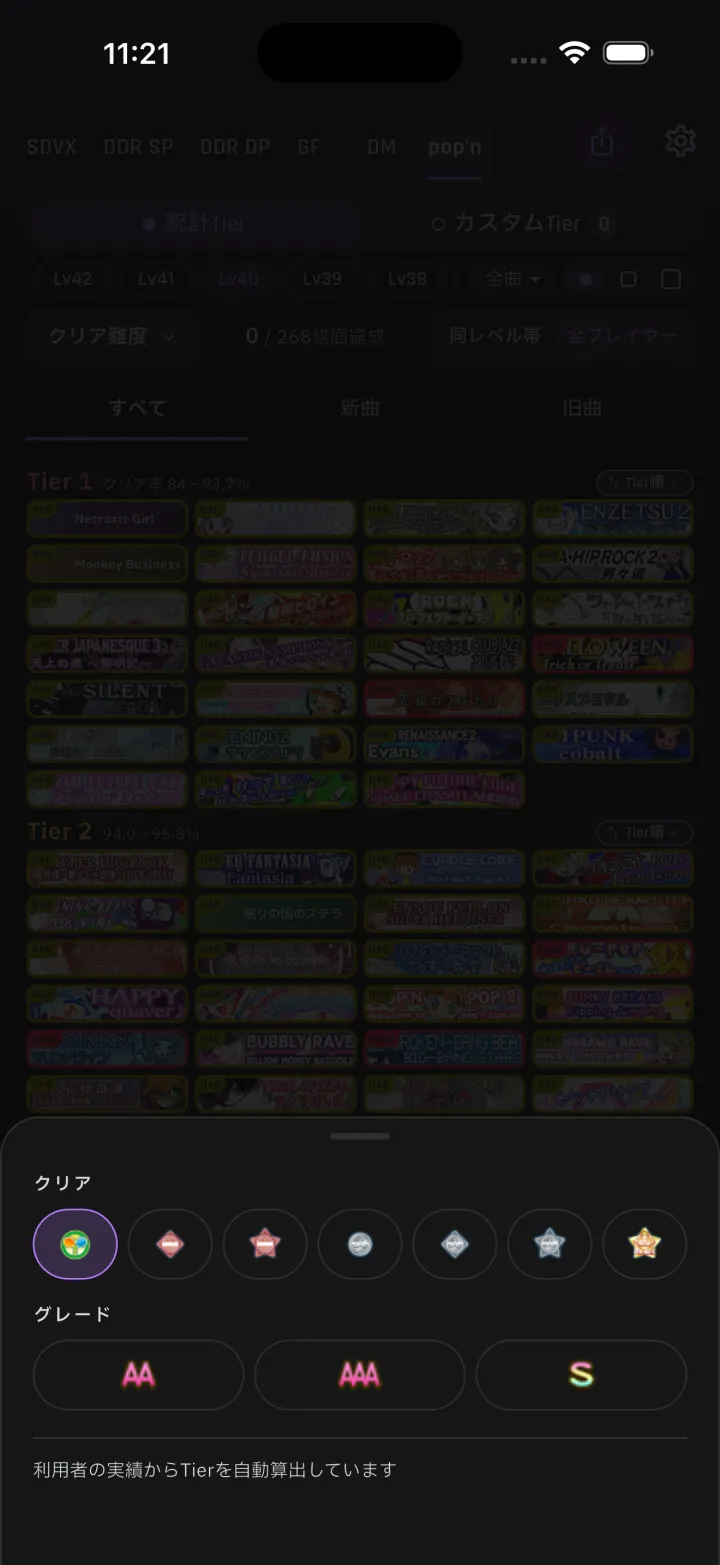
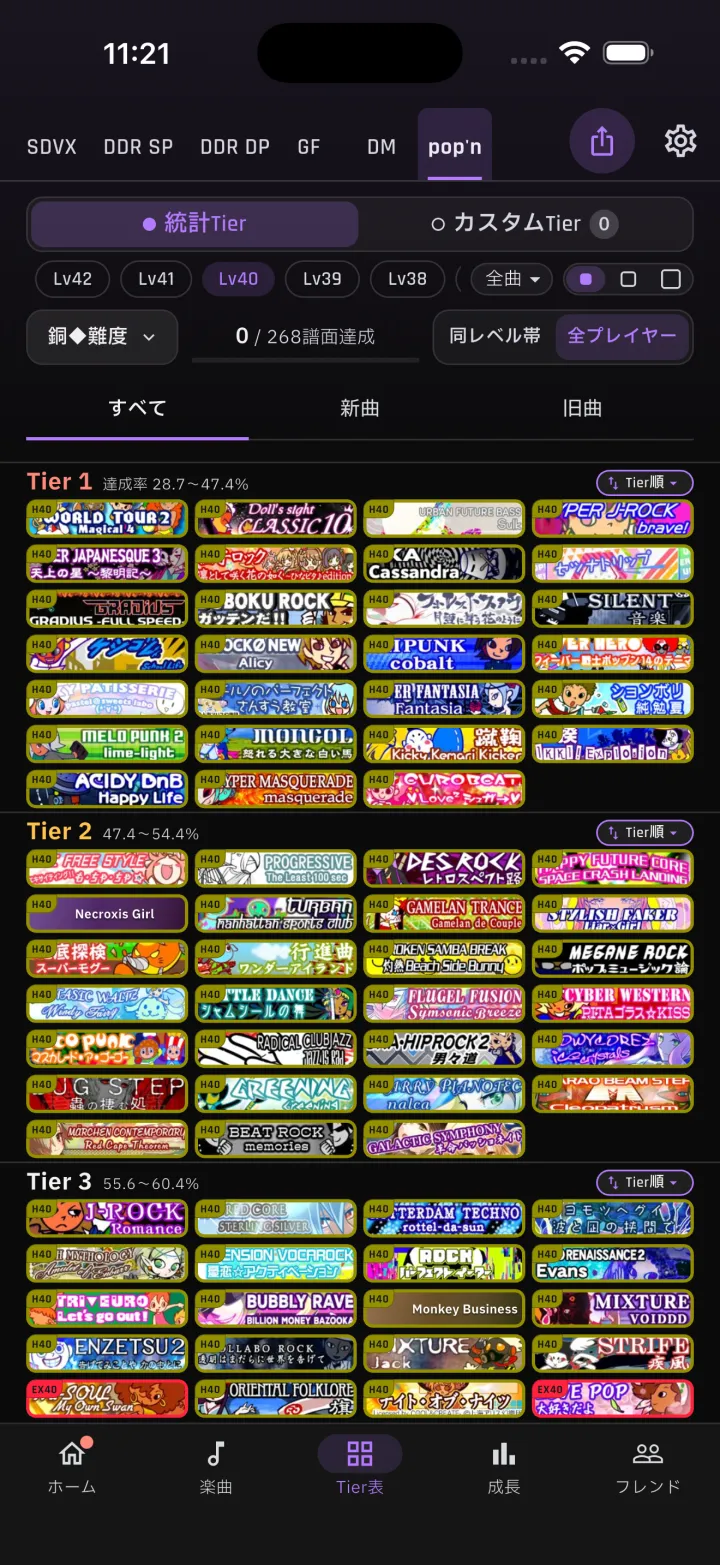
5-1Filter Tier Lists by unlocksTier Lists can be filtered by "All", "Default" and "Unlocks". 5-2Bronze and silver tiersTier List views and growth goals include bronze ◆, bronze ★, silver ◆ and silver ★ tiers. 5-3Tier List by bronze ◆ difficultyA Tier List with the view set to bronze ◆ difficulty.6Growth goals
6-1Goals as a percentageGoals can also be set as a percentage (completion rate). Both the song count and the percentage are shown.7SDVX timing adjustment
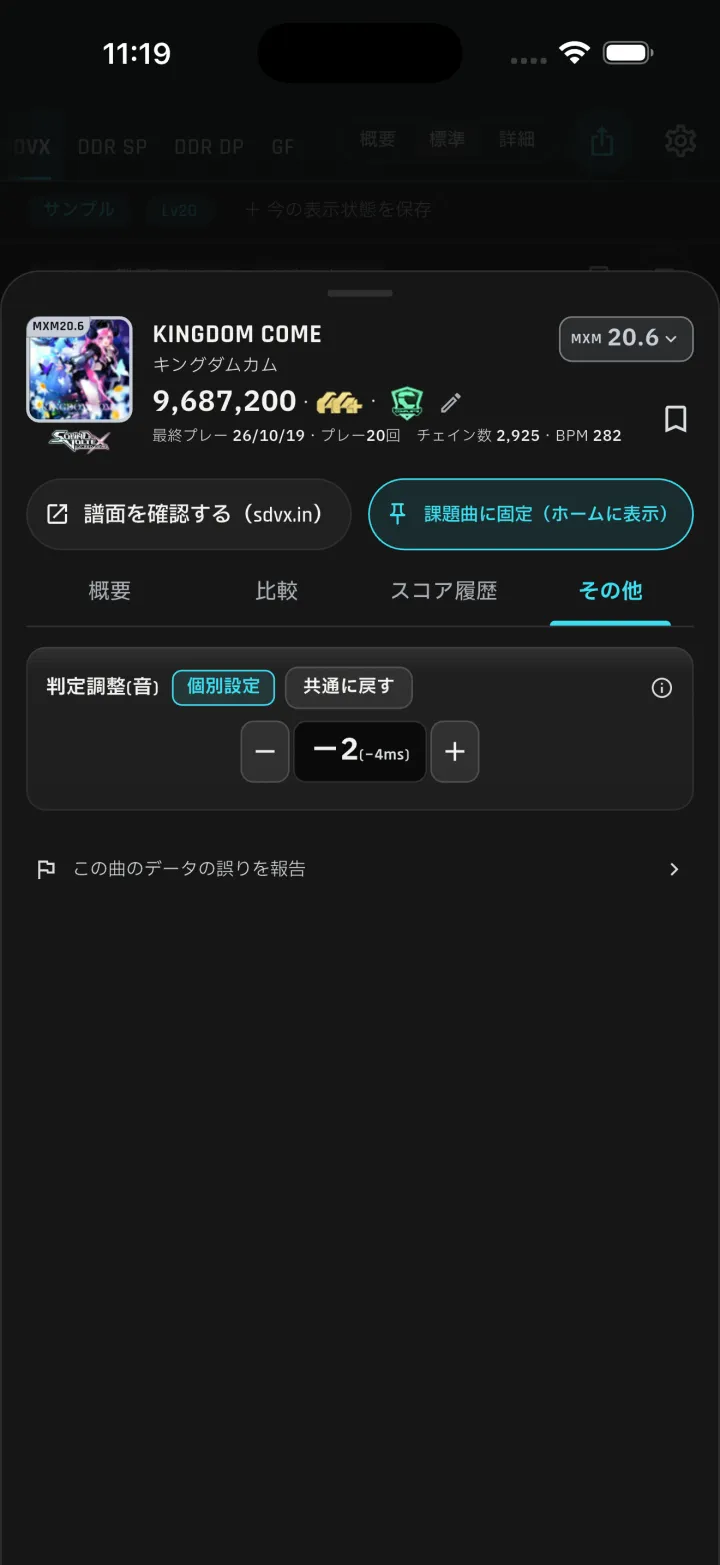
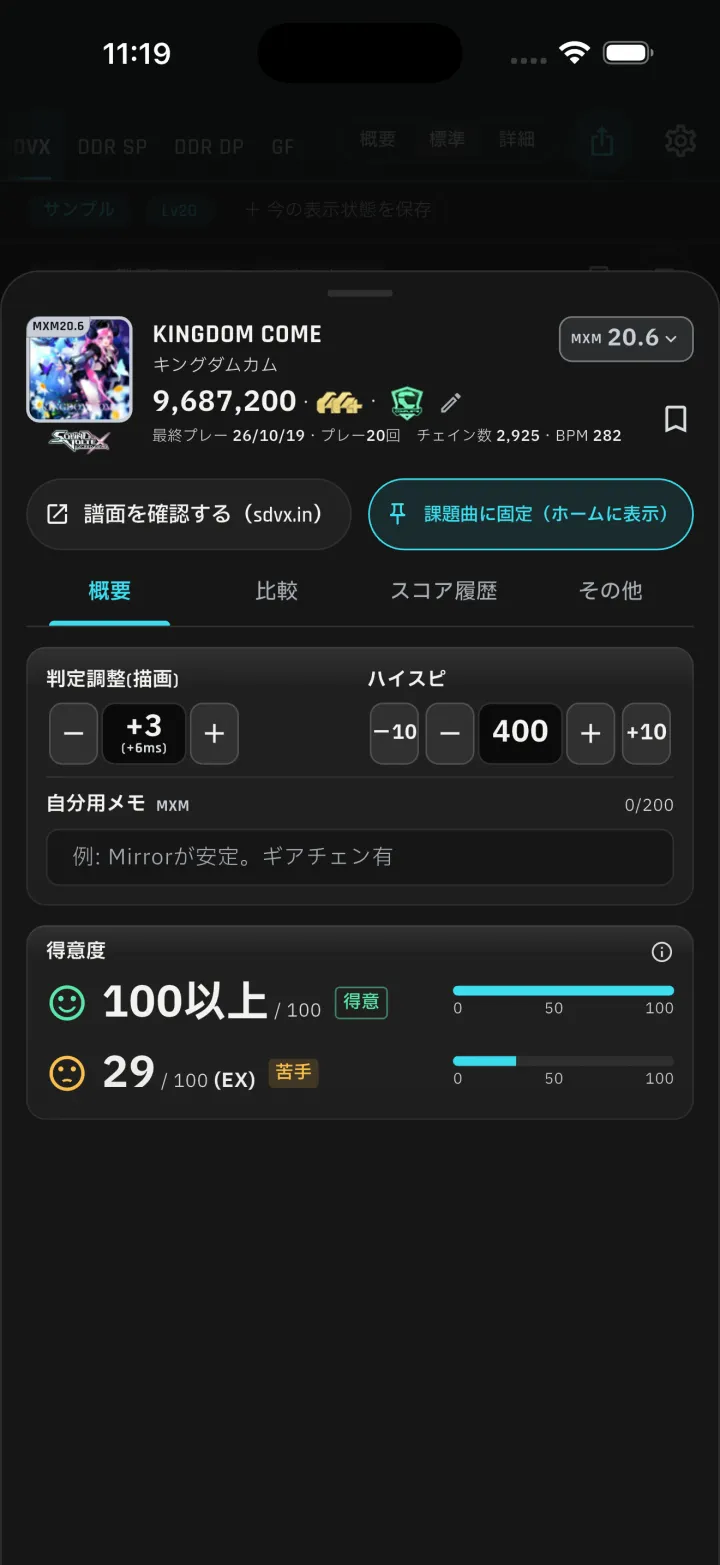
7-1Timing adjustment (audio)Timing adjustment is shown as steps (±50, 1 step = 2 ms) together with ms. 7-2Timing adjustment (visual)Visual timing adjustment also shows steps together with ms.8General improvements and fixes
8-1Sheets stay open while editingSheets with edited input no longer close when you swipe down. Tapping outside the sheet asks for confirmation.
8-2Challenge notificationsChallenges sent to a game not shown on your home screen now clear their badge when you open the notification.
8-3Other improvements and fixesFixed an issue in DDR where "Since last sync" missed older updates on recently played songsSpreadsheet-formatted dates in CSV files can now be readFixed crashes in friend profiles, while capturing song list images, and from Android database locks
1-1
-
5-2Bronze and silver tiers
Tier List views and growth goals include bronze ◆, bronze ★, silver ◆ and silver ★ tiers.
-
5-3Tier List by bronze ◆ difficulty
A Tier List with the view set to bronze ◆ difficulty.
-
7-1Timing adjustment (audio)
Timing adjustment is shown as steps (±50, 1 step = 2 ms) together with ms.
-
7-2Timing adjustment (visual)
Visual timing adjustment also shows steps together with ms.