

Log in again with another KONAMI ID, friends-only Score Attacks, EX score sorting and pop'n class counting
This update adds support for signing in with a different KONAMI ID, friends-only Score Attacks, game-specific calculation and recommendation updates, and bug fixes.
1Account and data
1-1Log in again with another KONAMI IDChoosing "Log in again with another KONAMI ID" clears the previous login before opening the login screen. If you sign in with a different ID, a confirmation screen appears; the app backs up the previous ID's records, shows a recovery code, then imports the new ID's records. If you used a friend code on your previous device, the app tells you that restoring the backup also brings your friends over.Carried over: challenges, goals, memos, favorites, lists, Tier Lists and friendsUnachieved challenge songs and goals start from the values of your first sync with the new ID2SDVX
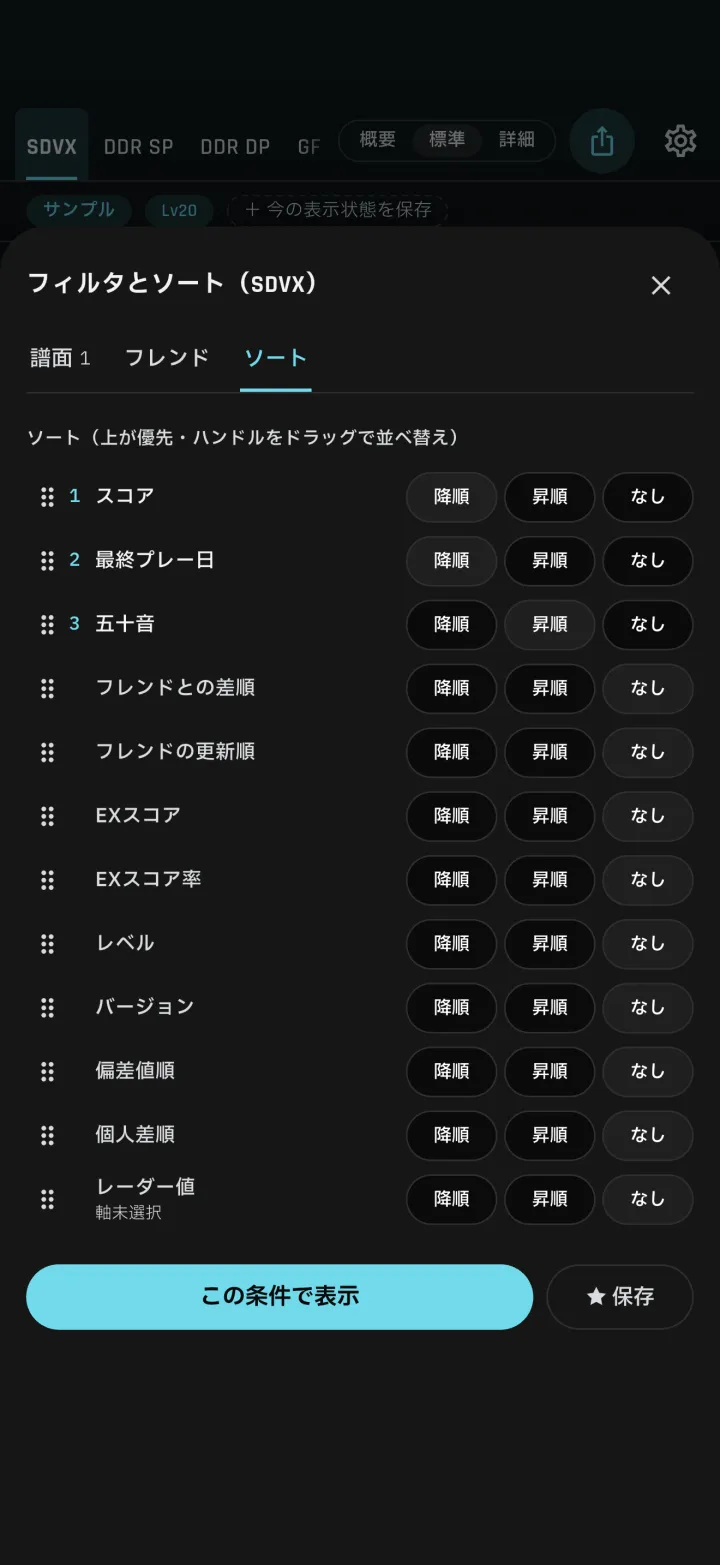
2-1"Improve by score" recommendationsRecommendations now pick played charts and set targets based on your skill. You can add a recommended chart to challenges from its row. Clear lamps also offer an option to open the full list.Target score: the median in the same VF band, or the median of the next band up if reaching the median doesn't raise your VFOrder: smallest score gap firstEach row shows its target score 2-2EX score sorting and displaySong list sort options now include "EX score" and "EX score rate"Song details show the theoretical maximum EX score and the rate3pop'n
4GITADORA
5Score Attacks
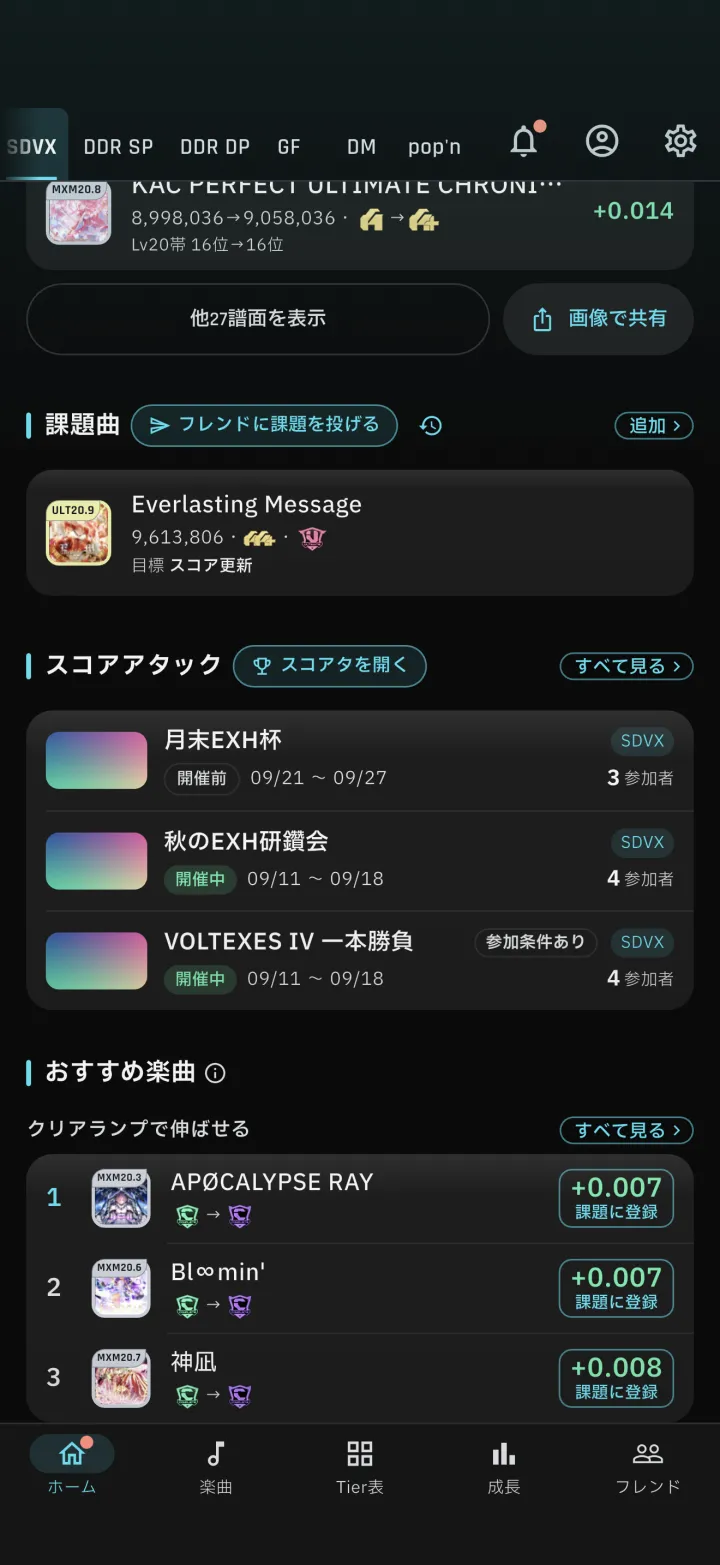
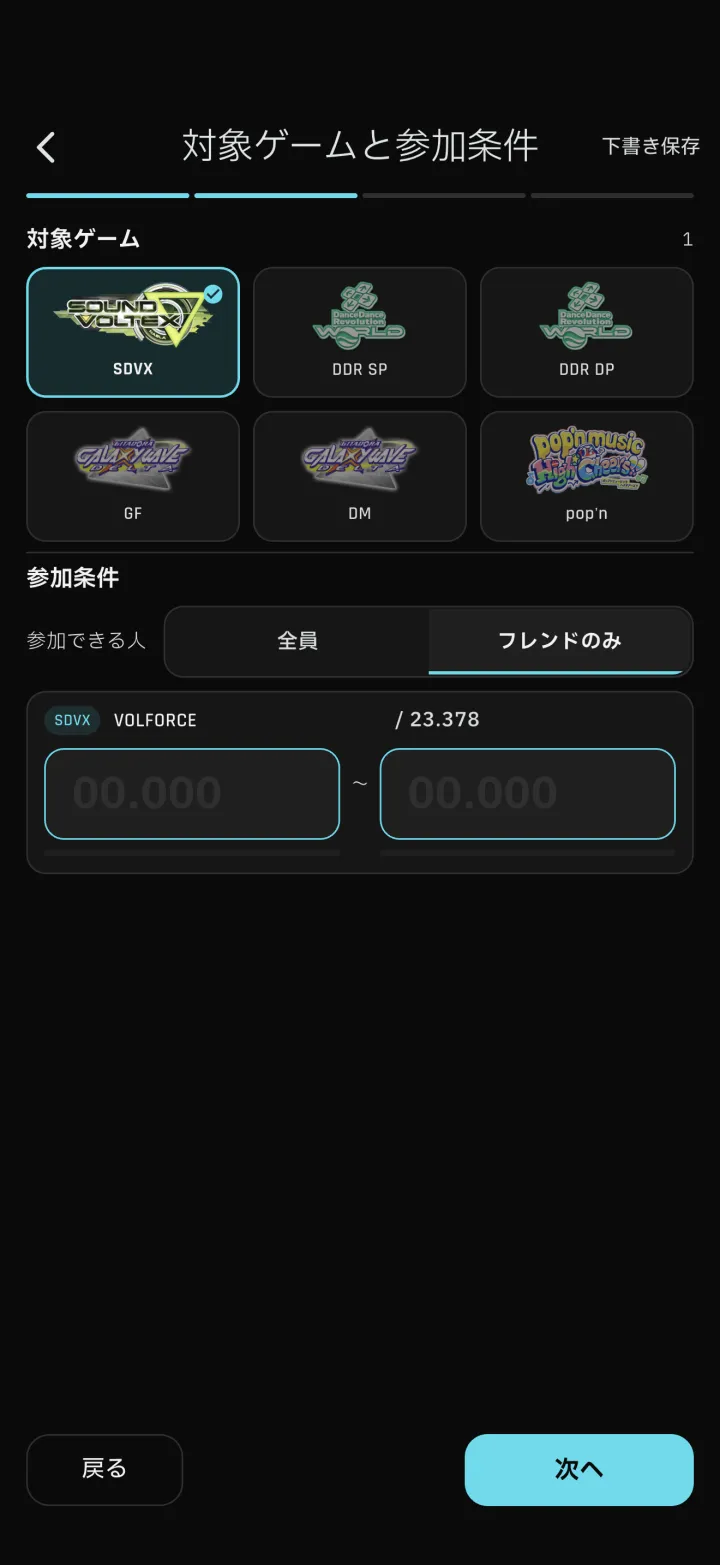
5-1Friends-only Score AttacksWhen hosting a Score Attack, you can set "Who can join" to "Friends only". The Score Attack then appears only in your friends' lists, and only friends can join. Selecting a challenge song in a Score Attack now opens that song's page.6Friends and Tier Lists
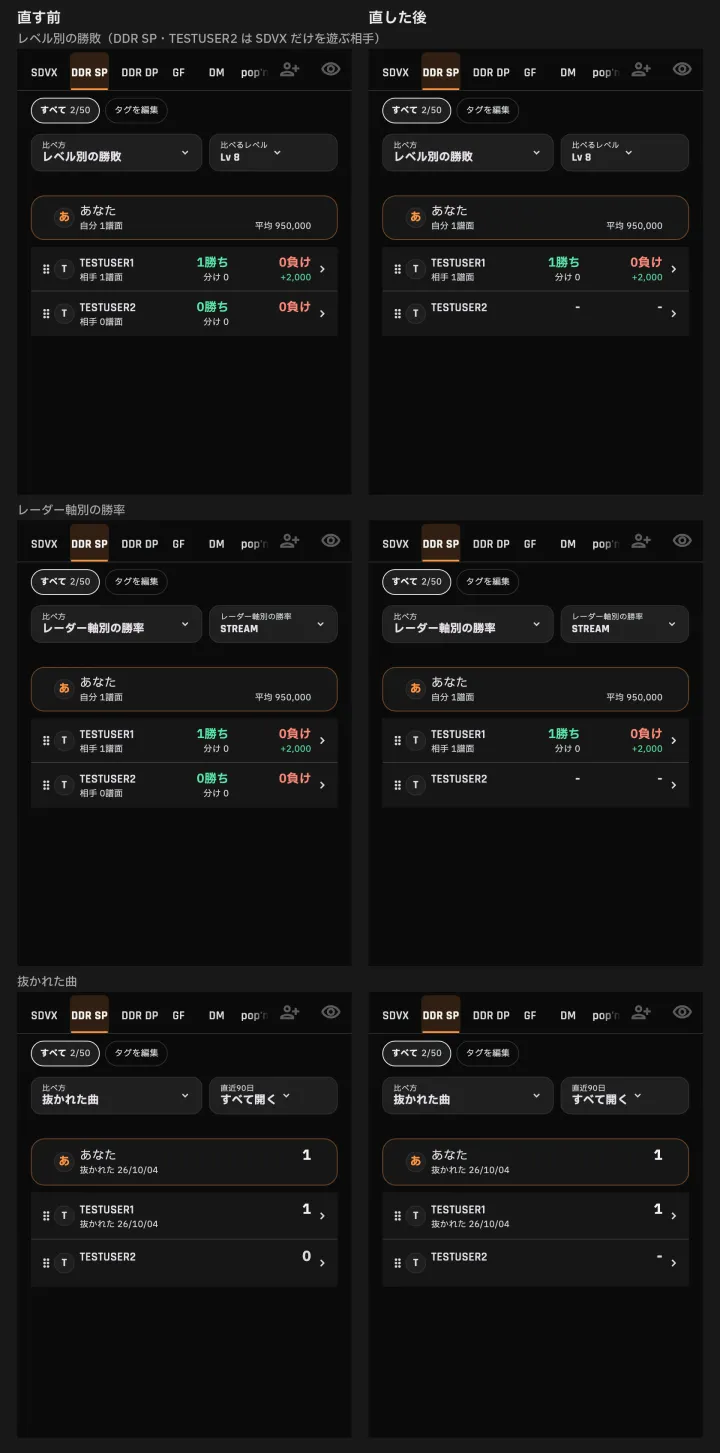
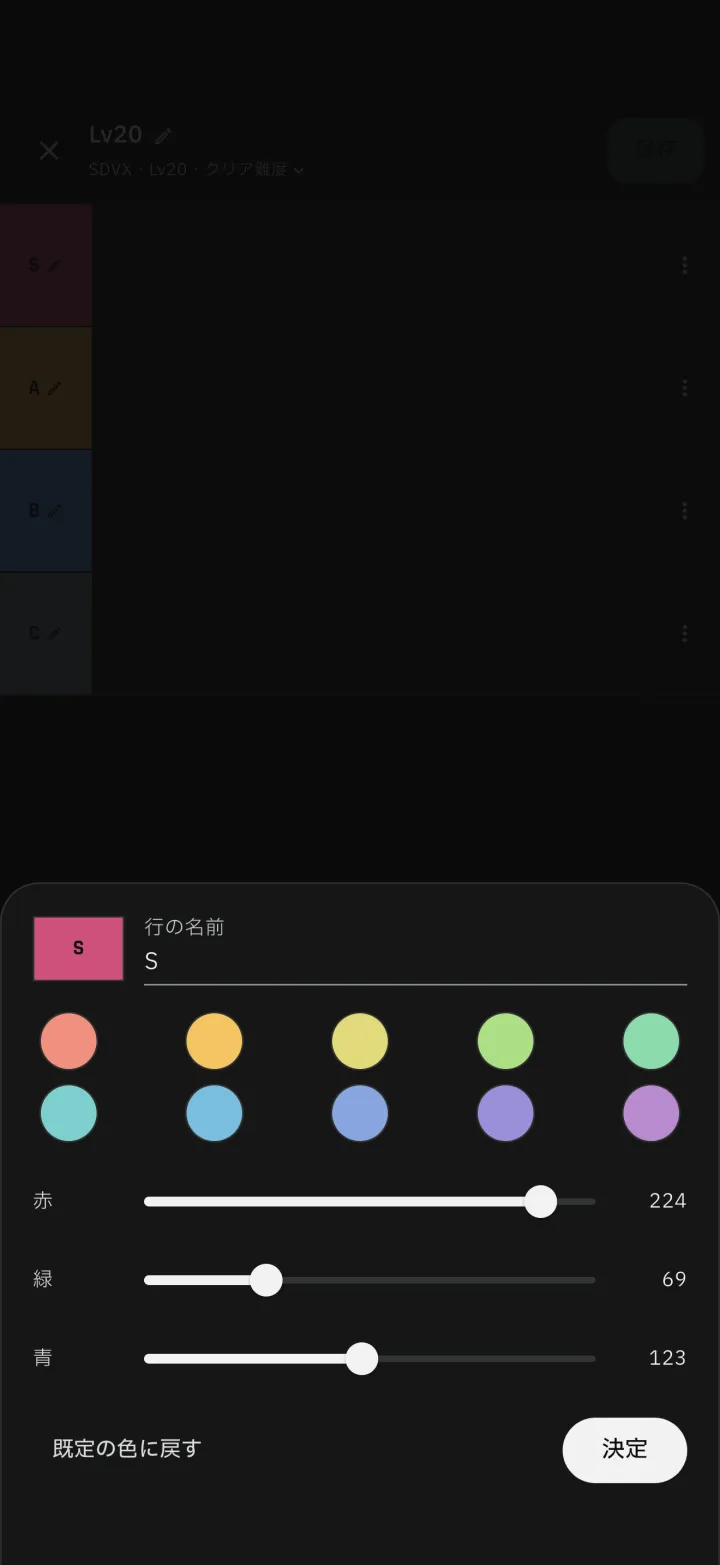
6-1Friend display and song filtersWin, loss and win rate show "-" instead of 0 for games where a friend has no recordsSong list filters let you choose the friend condition from "Any one", "Everyone" or "Rivals"Buttons for choosing who to compare with keep the same size regardless of name length 6-2Tier List row names and colorsIn your own Tier Lists, selecting a tier name opens one screen to edit its name and color. Pick a color from swatches or enter any color.7Display fixes and bug fixes
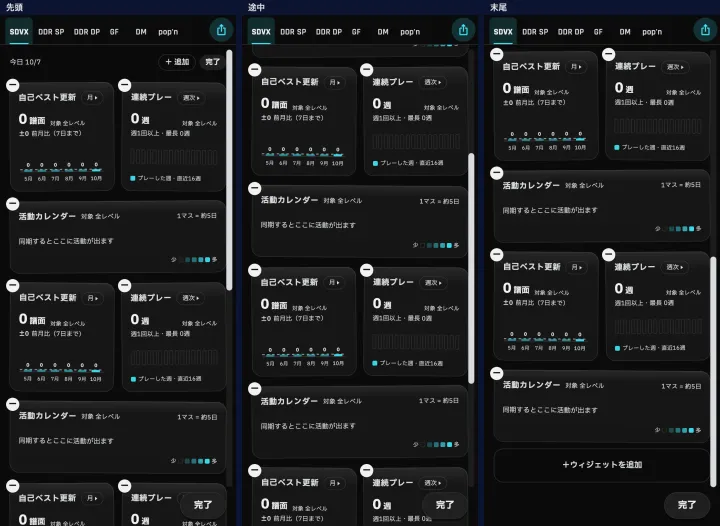
7-1Home screen and growth boardChallenge songs on the home screen take 2 rows instead of 3While editing the growth board, "Done" stays at the bottom right, with a scroll strip over the right edgeNumbers in the growth board's radar and attribute trends no longer spill outside the cards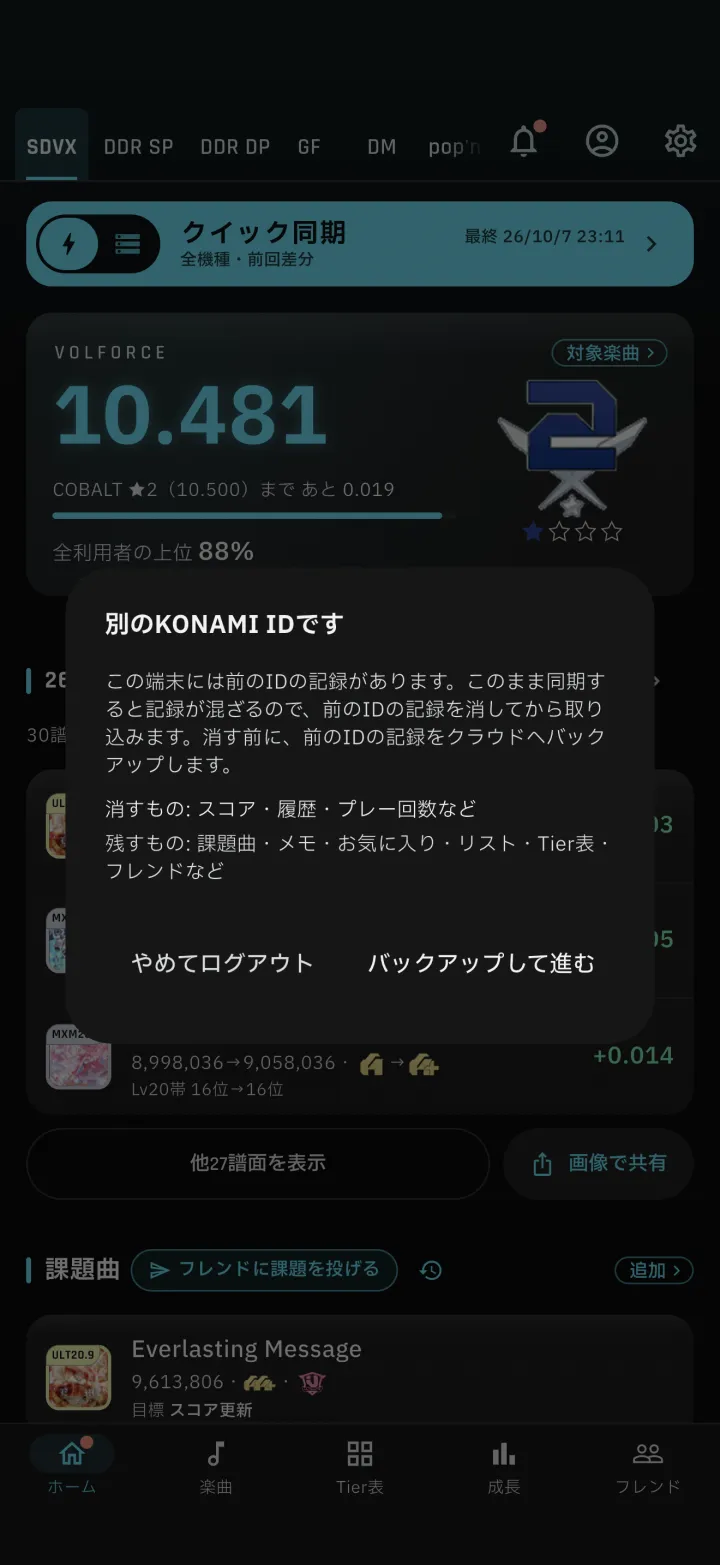
1-1
-
1-1Log in again with another KONAMI ID
Choosing "Log in again with another KONAMI ID" clears the previous login before opening the login screen. If you sign in with a different ID, a confirmation screen appears; the app backs up the previous ID's records, shows a recovery code, then imports the new ID's records. If you used a friend code on your previous device, the app tells you that restoring the backup also brings your friends over.
Carried over: challenges, goals, memos, favorites, lists, Tier Lists and friendsUnachieved challenge songs and goals start from the values of your first sync with the new ID
-
2-1"Improve by score" recommendations
Recommendations now pick played charts and set targets based on your skill. You can add a recommended chart to challenges from its row. Clear lamps also offer an option to open the full list.
Target score: the median in the same VF band, or the median of the next band up if reaching the median doesn't raise your VFOrder: smallest score gap firstEach row shows its target score
-
2-2EX score sorting and display
Song list sort options now include "EX score" and "EX score rate"Song details show the theoretical maximum EX score and the rate
-
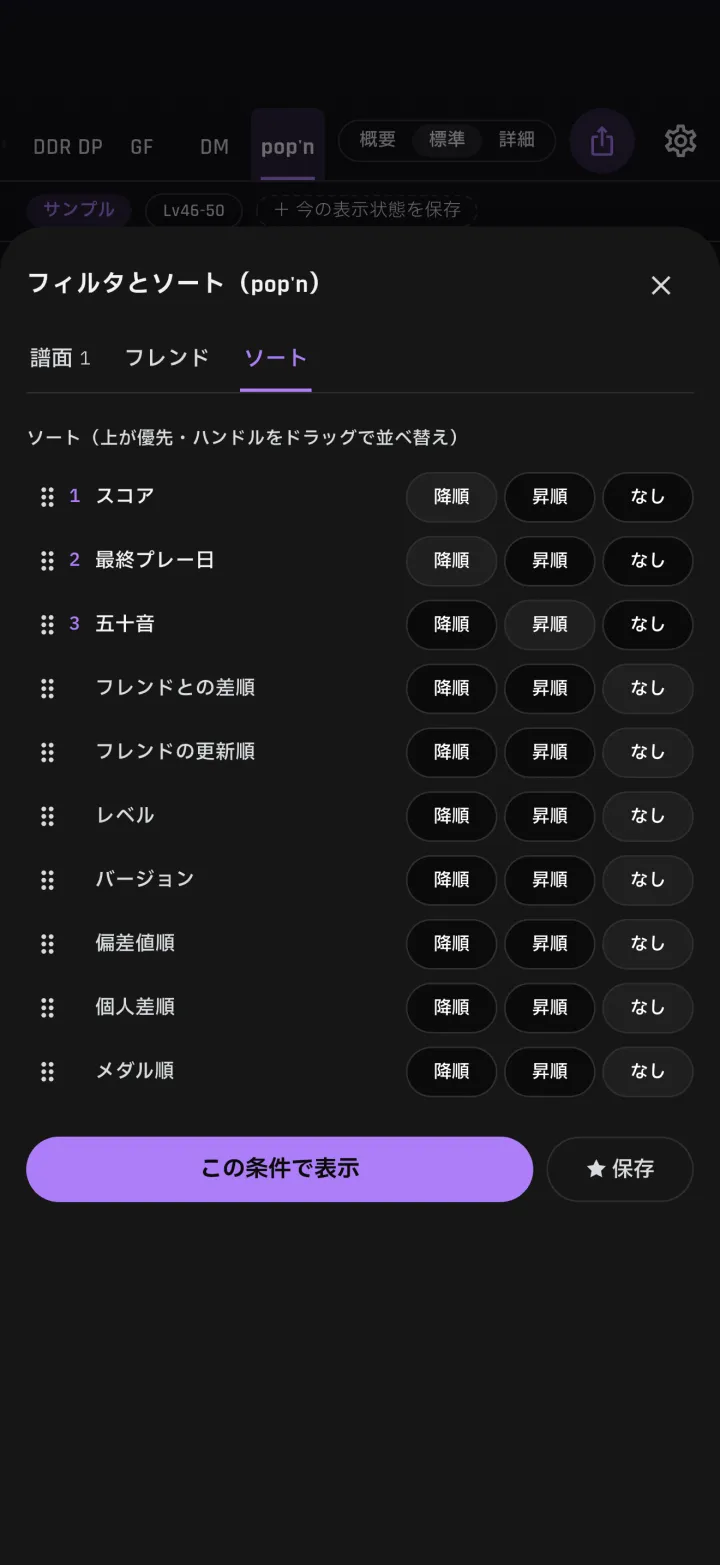
3-2Sort by medal
Song list sort options now include "Medal", ordering songs by medal, such as silver diamond and bronze circle.
-
5-1Friends-only Score Attacks
When hosting a Score Attack, you can set "Who can join" to "Friends only". The Score Attack then appears only in your friends' lists, and only friends can join. Selecting a challenge song in a Score Attack now opens that song's page.
-
6-1Friend display and song filters
Win, loss and win rate show "-" instead of 0 for games where a friend has no recordsSong list filters let you choose the friend condition from "Any one", "Everyone" or "Rivals"Buttons for choosing who to compare with keep the same size regardless of name length
-
6-2Tier List row names and colors
In your own Tier Lists, selecting a tier name opens one screen to edit its name and color. Pick a color from swatches or enter any color.
-
7-1Home screen and growth board
Challenge songs on the home screen take 2 rows instead of 3While editing the growth board, "Done" stays at the bottom right, with a scroll strip over the right edgeNumbers in the growth board's radar and attribute trends no longer spill outside the cards