

Full-width Tier List, choosing panels when sharing the growth board, and a current-version switch for pop'n music
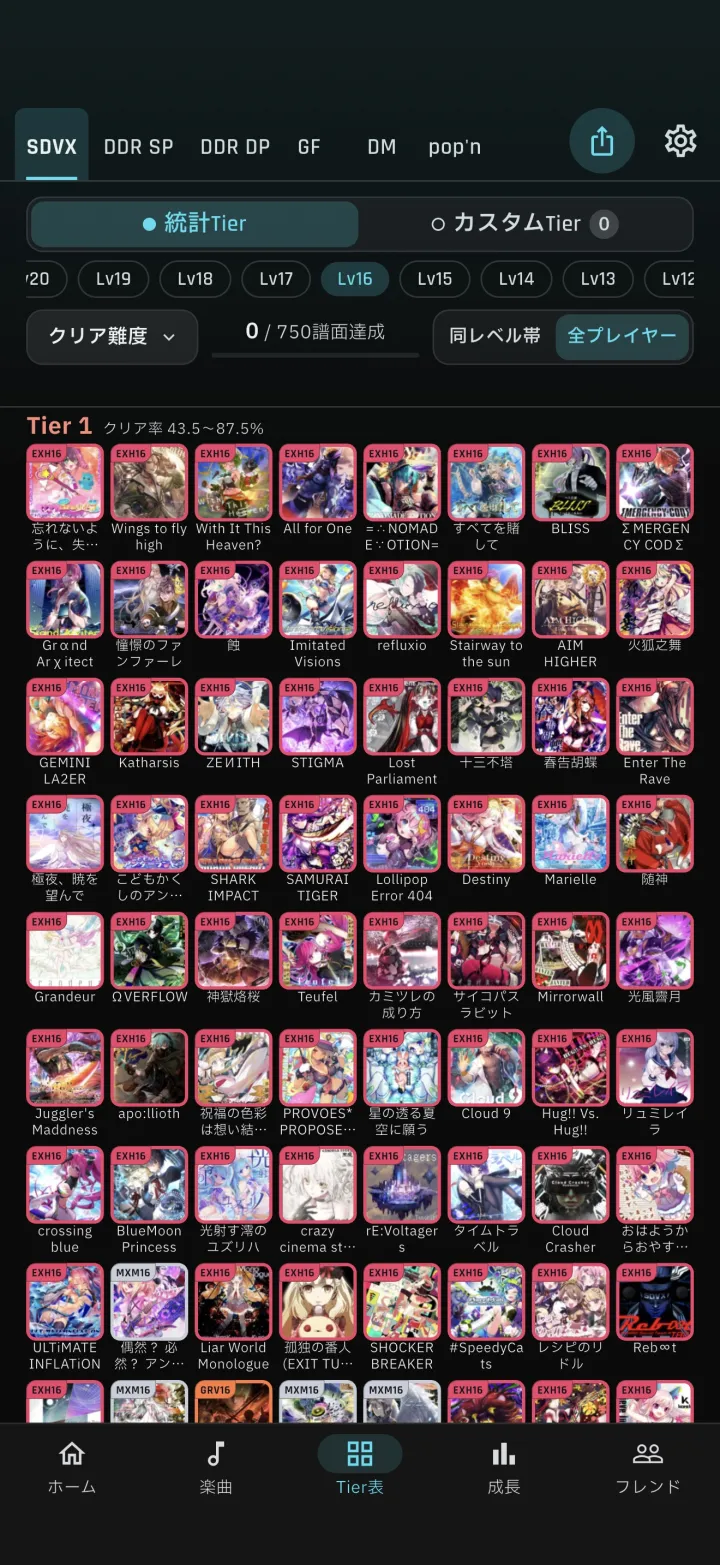
1Full-width Tier List
1-1Full-width grid and achievement bandThe heading moved to one line above the jackets, and the grid is now full width with 8 columns (4 on pop'n music). The achievement band sits in the empty space of the index row and reads "n / m charts achieved".2Song list and song detail
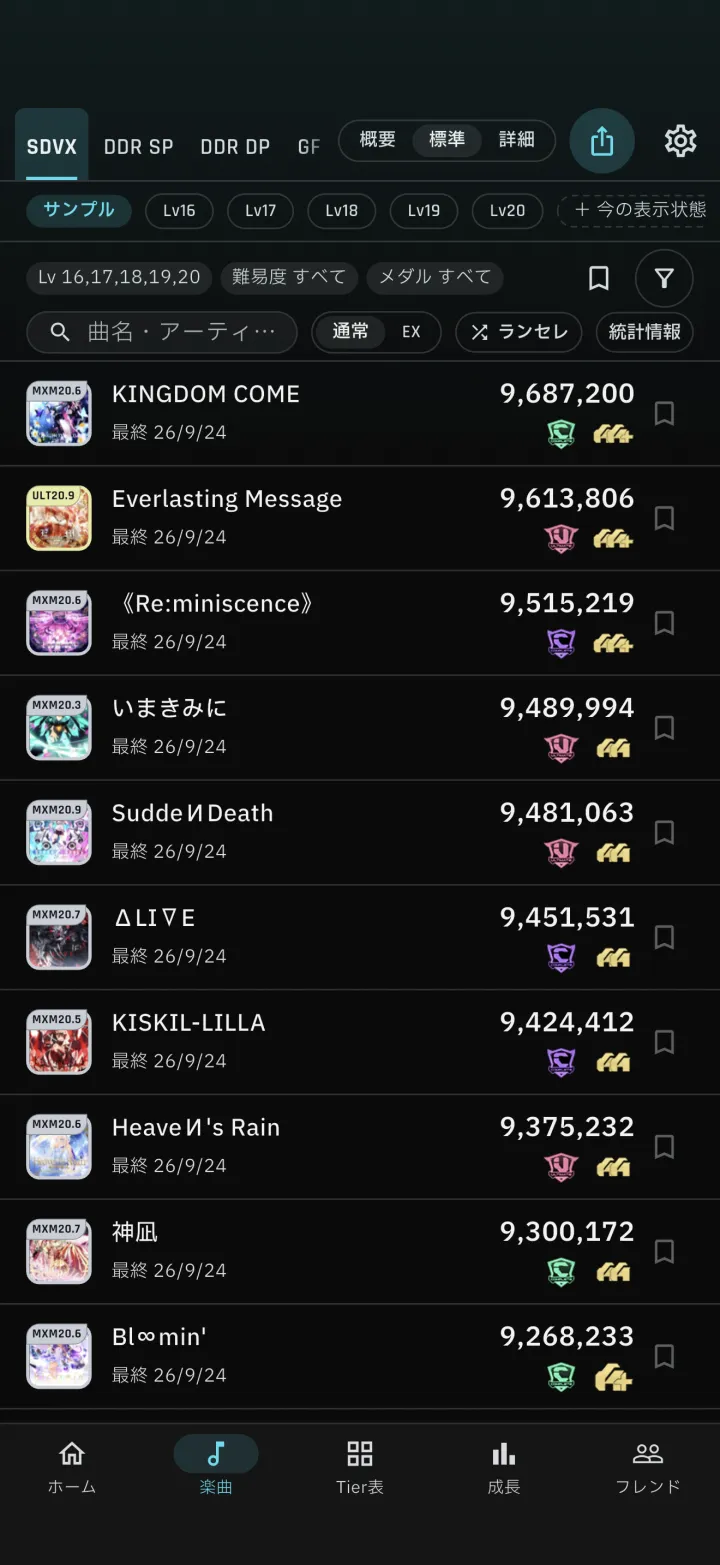
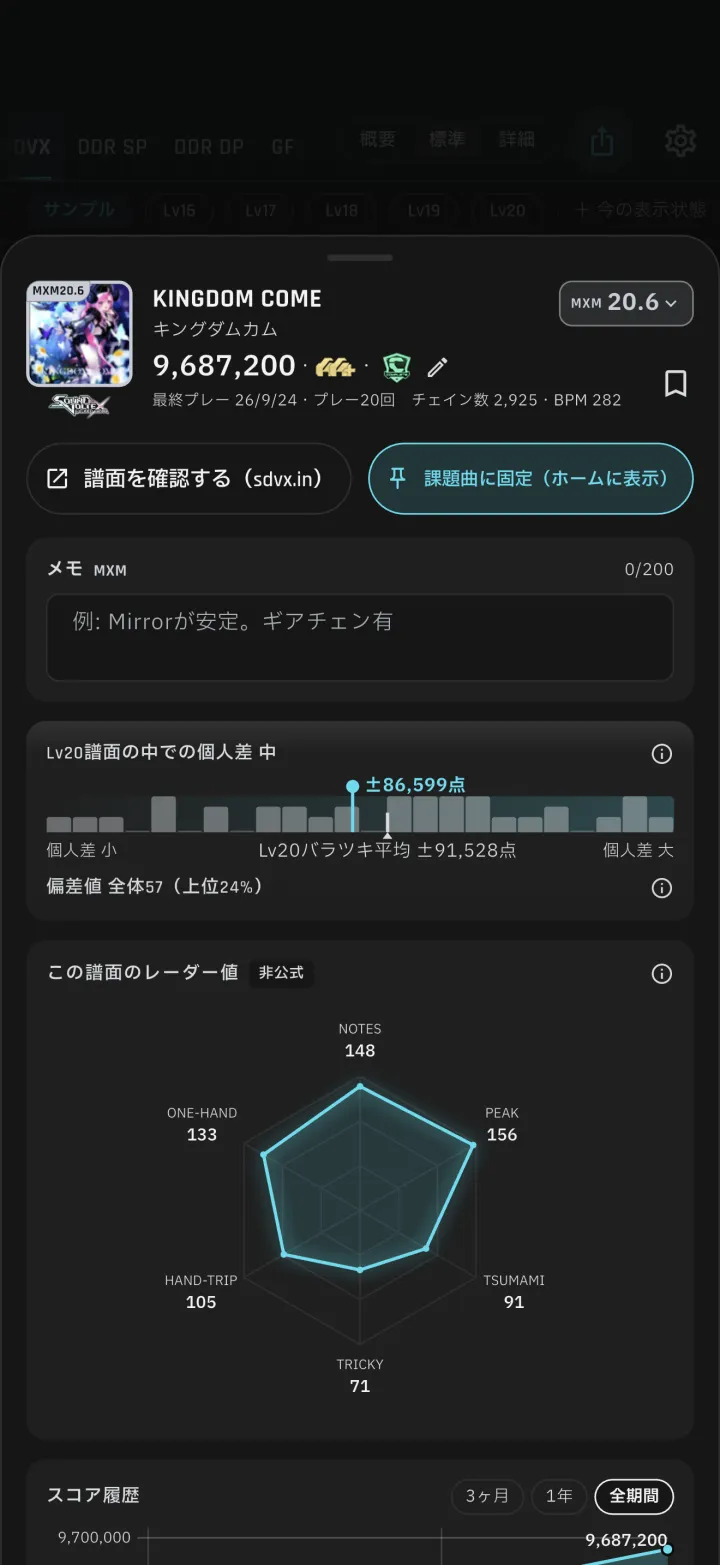
2-1Song listRows are tighter, and jackets grew from 36pt to 40pt. T-scores in detail rows read "T-score: overall N". 2-2Song detailThe variance card moved above the T-scores, and the overall T-score is now a single line at the end. GITADORA's judgement breakdown fits on one line.3Growth board
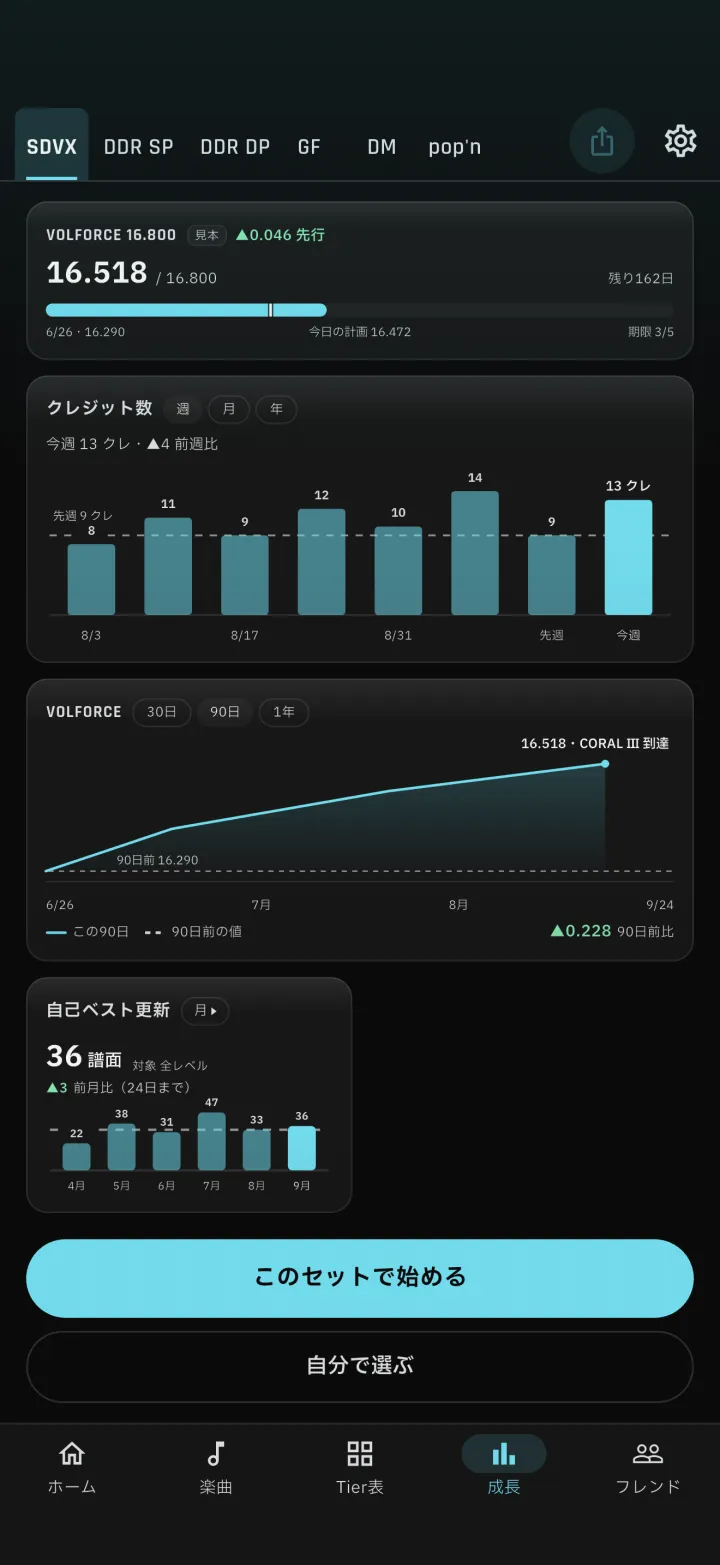
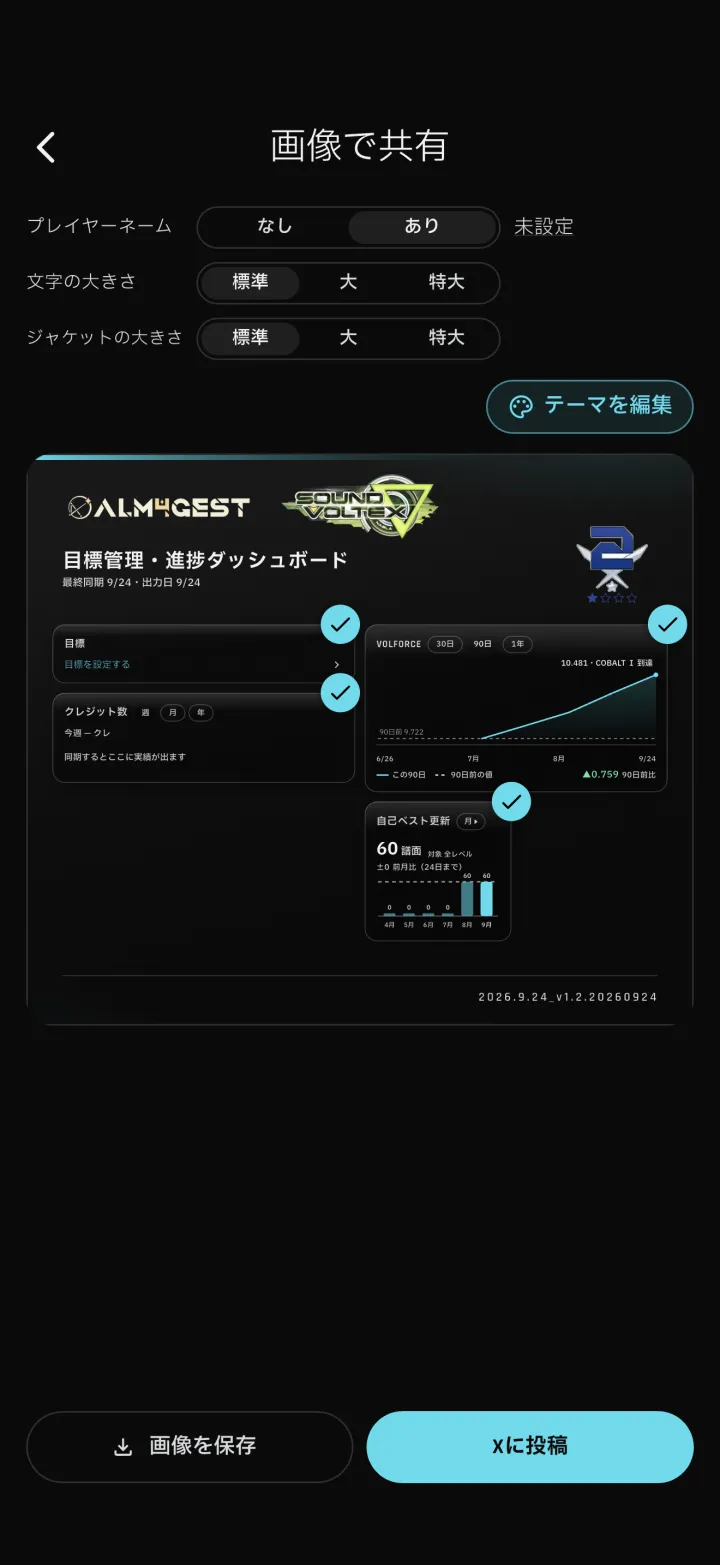
3-1A sample on an empty boardAn empty board now shows a sample, and the start button is pinned to the bottom. Starting from a preset opens the goal sheet.Line charts show the change at the right end of the legend (e.g. ▲0.759 vs 90 days ago)The weekly play-count bars show the date 3-2Choose panels to shareShare goes straight to the preview, where you check the panels to include in the image and reorder them.4pop'n music
5Friends
6Score Attacks
7A visual refresh
7-1Refreshed screensSettings (Play setup, Display, Visibility, Edit profile, Theme), Notices, creating a Score Attack, Score Attack rules, Weakness Analysis, creating a custom Tier List, VOLFORCE target songs, the Stats sheet and share-image backgrounds got a visual refresh.8Other fixes
1-1
-
1-1Full-width grid and achievement band
The heading moved to one line above the jackets, and the grid is now full width with 8 columns (4 on pop'n music). The achievement band sits in the empty space of the index row and reads "n / m charts achieved".
-
2-1Song list
Rows are tighter, and jackets grew from 36pt to 40pt. T-scores in detail rows read "T-score: overall N".
-
2-2Song detail
The variance card moved above the T-scores, and the overall T-score is now a single line at the end. GITADORA's judgement breakdown fits on one line.
-
3-1A sample on an empty board
An empty board now shows a sample, and the start button is pinned to the bottom. Starting from a preset opens the goal sheet.
Line charts show the change at the right end of the legend (e.g. ▲0.759 vs 90 days ago)The weekly play-count bars show the date
-
3-2Choose panels to share
Share goes straight to the preview, where you check the panels to include in the image and reorder them.
-
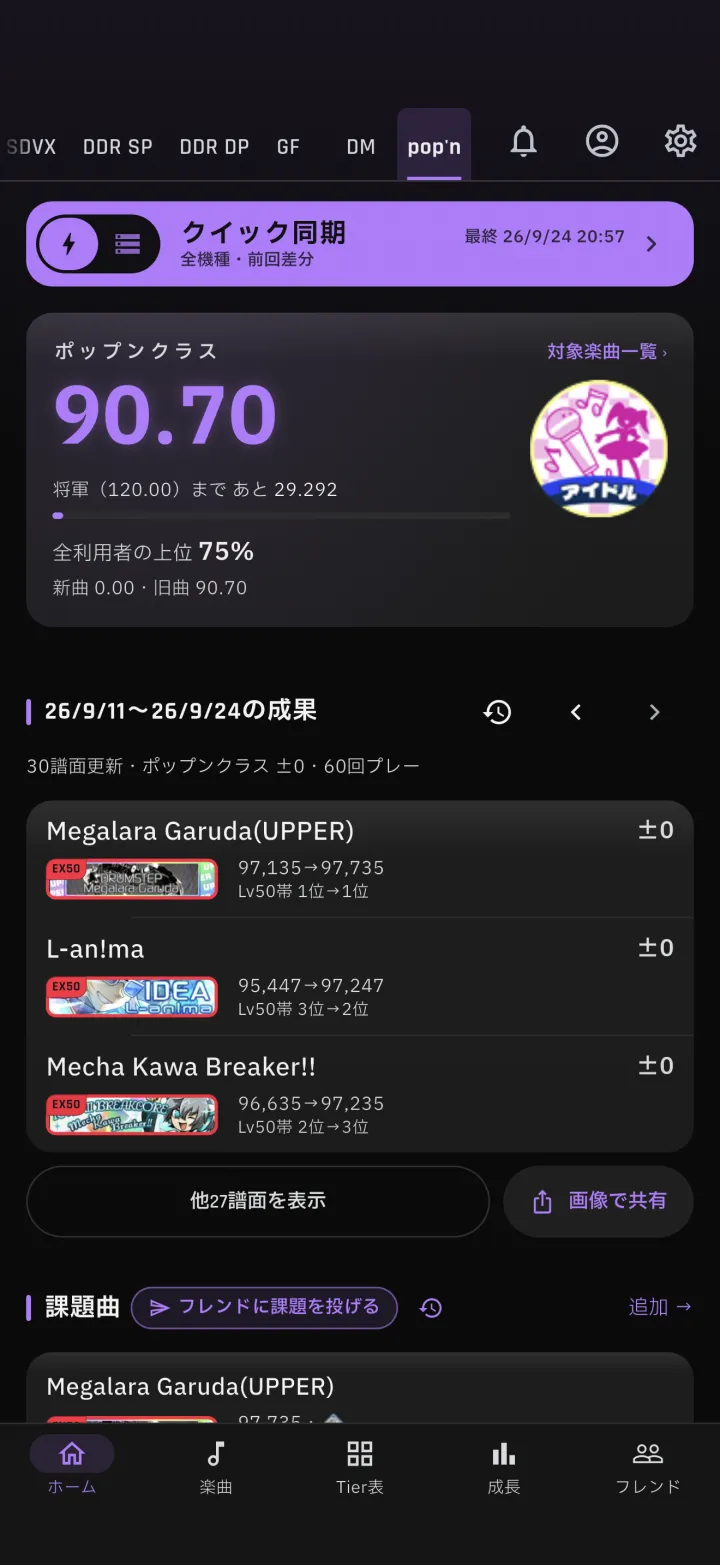
4-2Official dan badge on Home
The results row on Home shows the official dan badge.
-
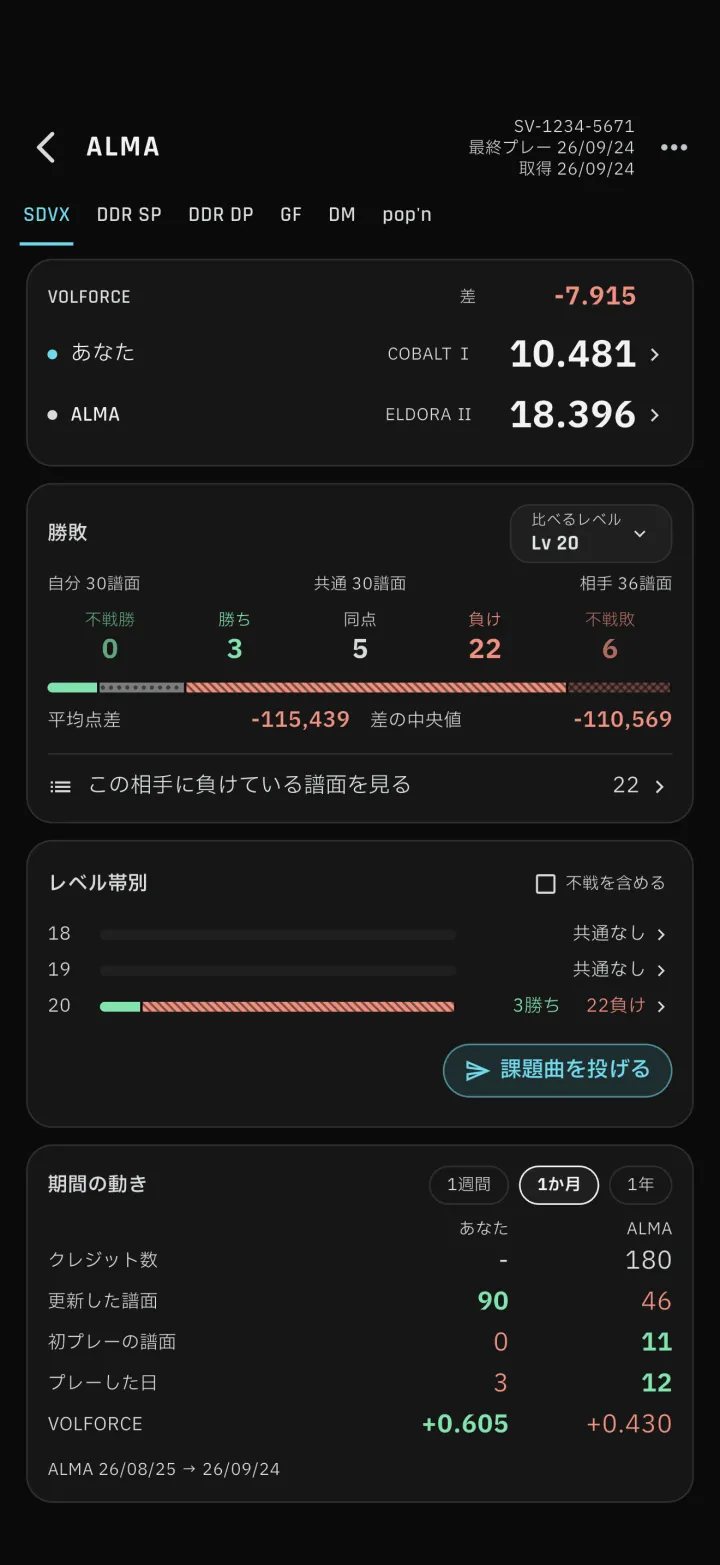
5-2Friend screen
Opens on a monthly periodOnly the higher of the compared numbers is boldWhen an icon image cannot be loaded, the initial is shown instead of an empty circle
-
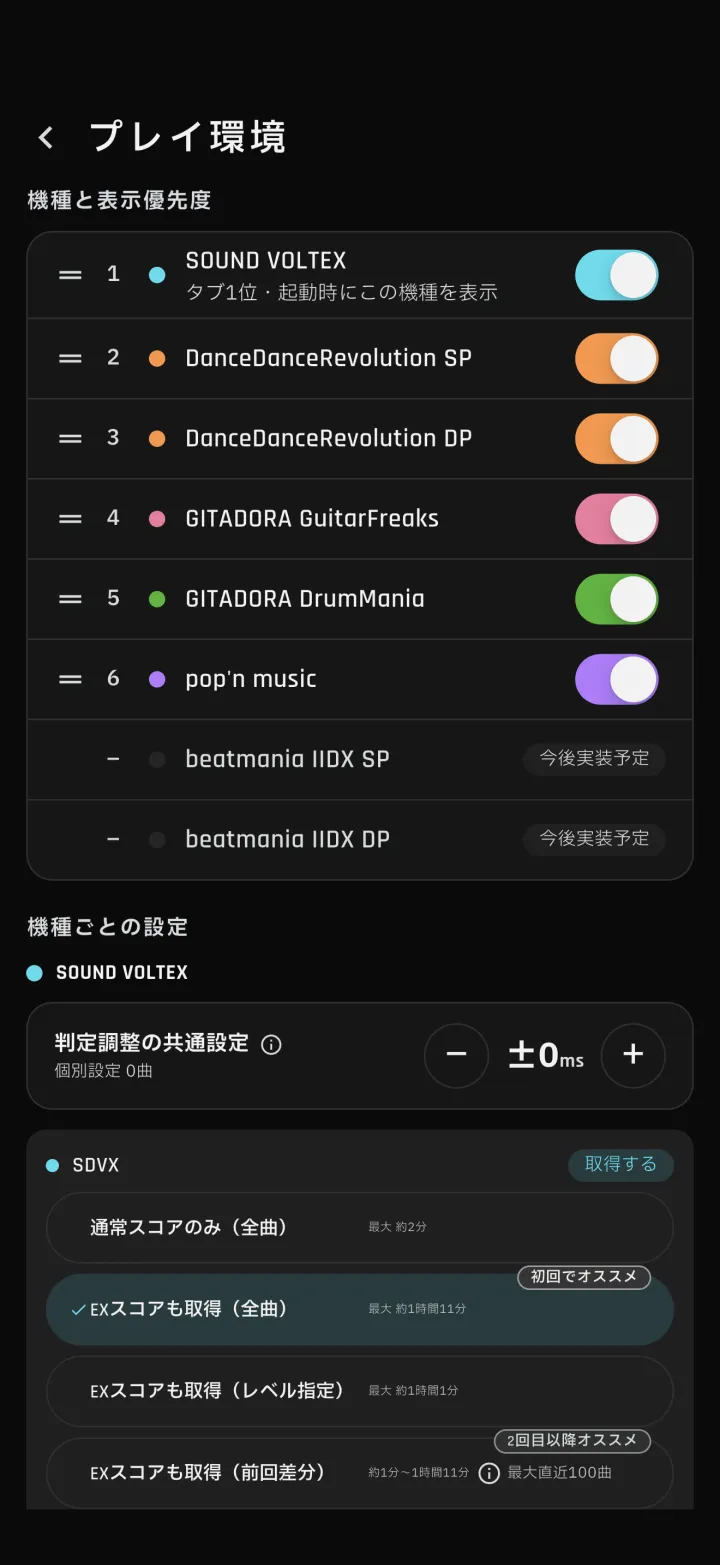
7-1Refreshed screens
Settings (Play setup, Display, Visibility, Edit profile, Theme), Notices, creating a Score Attack, Score Attack rules, Weakness Analysis, creating a custom Tier List, VOLFORCE target songs, the Stats sheet and share-image backgrounds got a visual refresh.