

Score Attack, profiles, Find Friends, and a notification bell
1Score Attack
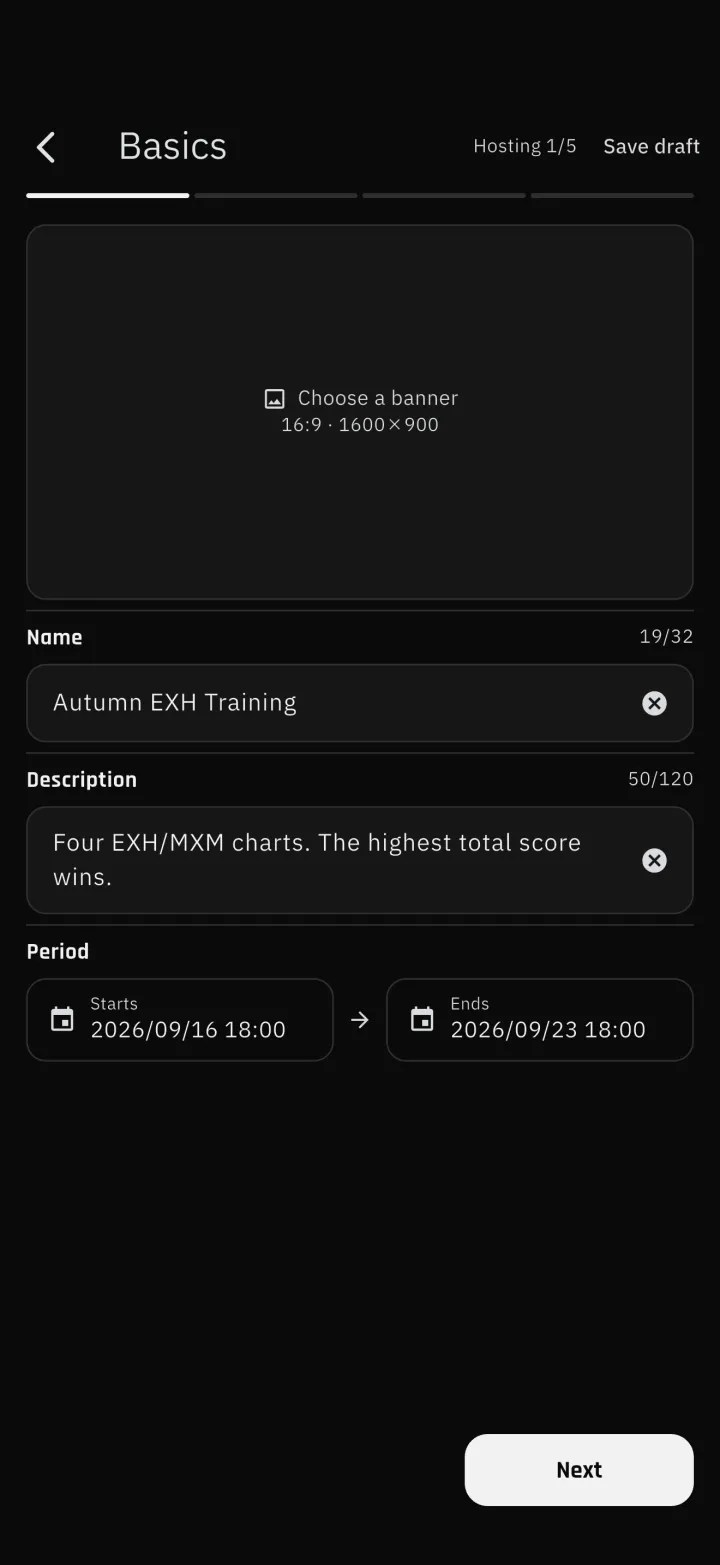
1-1Anyone can hostAnyone can host a Score Attack. Setting one up takes four steps, where you choose the banner image, the entry requirements and how scores are submitted. Your device checks the requirements against your own metric values, so the join button stays disabled for an attack you have not reached yet. The list is split into running and finished, and a finished attack shows when its records will be removed. 1-2The outcome as one imageOnce the period ends you can build two kinds of result image, one for entrants and one for the host. The entrant image shows your rank and how many songs you submitted, the host image shows the standings, and both can carry a short comment. Finished attacks appear in the Score Attack slot on Home, so you can open them from there. 1-3Submissions join the standings right awayA score you enter by hand joins the standings the moment you submit it and is marked as under review until the host looks at it. Only rejected songs drop out of the total. Hosts can exclude entrants or ban them, and a banned player cannot join again.2Profiles and finding friends
2-1ProfilesYour business card, MY SHOWCASE and Score Attack results sit on one page that you can share as an image. You can also pin the charts you like and the ones you struggle with. Visibility defaults to friends only; switching it to public lists you in Find Friends. 2-2Find FriendsLook for players who are public, filtered by game and rank band.Recommended: players of the same game as you, ordered by how close their core metric is to yoursActive: ordered by the most recent syncRequests: the ones you sent and the ones you received, together3Notification bell
4Song details and weakness analysis
4-1Song details reworked on every gameSong titles now run to two lines, so nothing is cut off. "Pin as a challenge" and "View the chart" have a clear primary and secondary, and rows with no value are hidden.5Other improvements and fixes
1-1
-
1-1Anyone can host
Anyone can host a Score Attack. Setting one up takes four steps, where you choose the banner image, the entry requirements and how scores are submitted. Your device checks the requirements against your own metric values, so the join button stays disabled for an attack you have not reached yet. The list is split into running and finished, and a finished attack shows when its records will be removed.
-
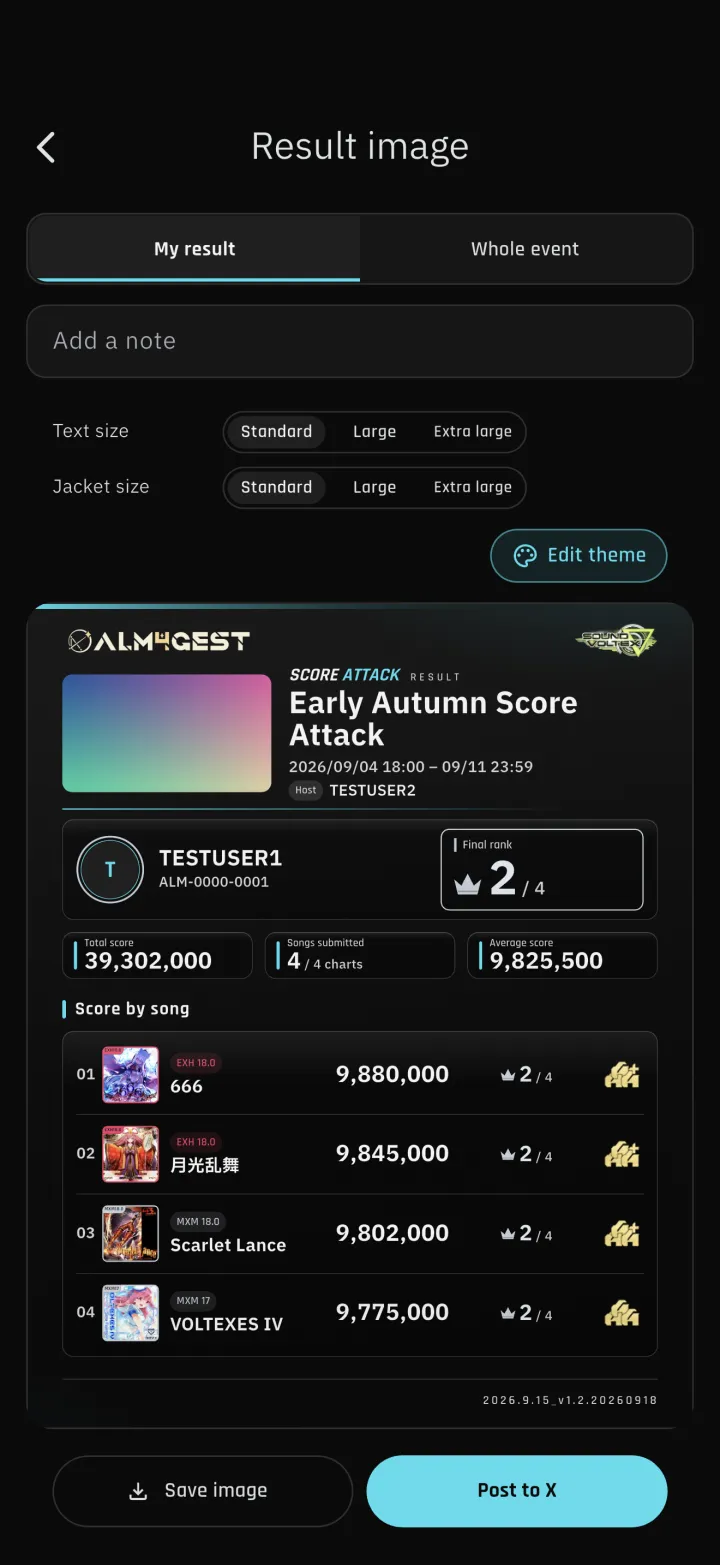
1-2The outcome as one image
Once the period ends you can build two kinds of result image, one for entrants and one for the host. The entrant image shows your rank and how many songs you submitted, the host image shows the standings, and both can carry a short comment. Finished attacks appear in the Score Attack slot on Home, so you can open them from there.
-
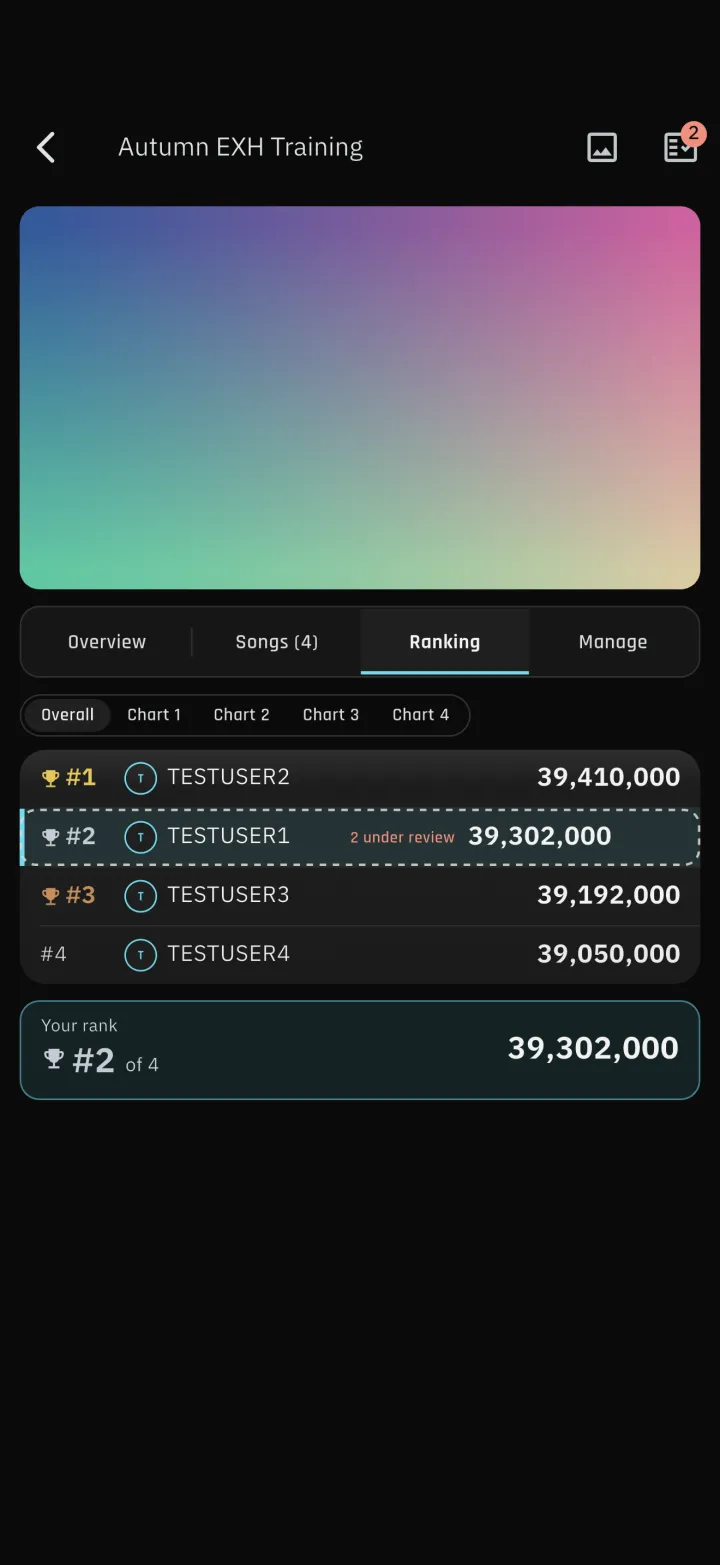
1-3Submissions join the standings right away
A score you enter by hand joins the standings the moment you submit it and is marked as under review until the host looks at it. Only rejected songs drop out of the total. Hosts can exclude entrants or ban them, and a banned player cannot join again.
-
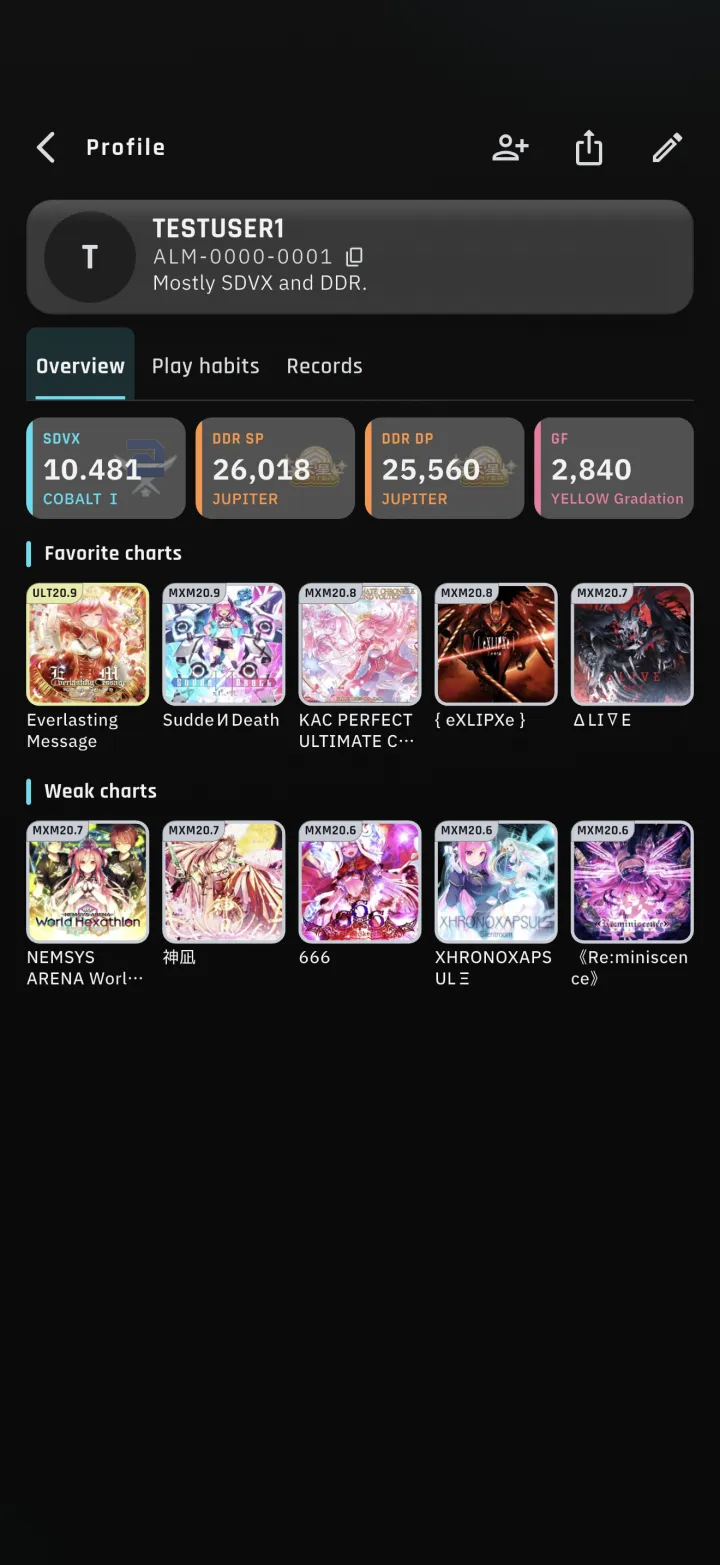
2-1Profiles
Your business card, MY SHOWCASE and Score Attack results sit on one page that you can share as an image. You can also pin the charts you like and the ones you struggle with. Visibility defaults to friends only; switching it to public lists you in Find Friends.
-
2-2Find Friends
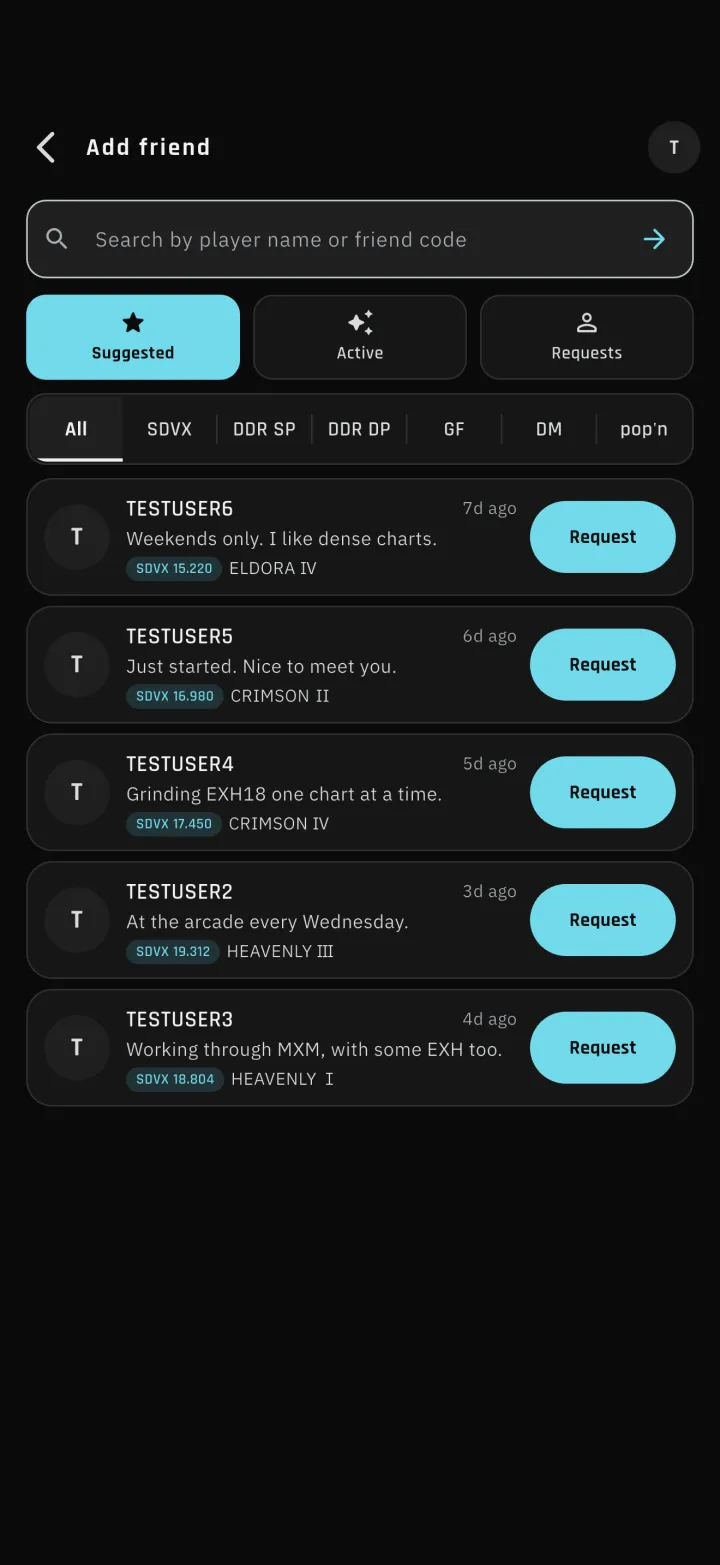
Look for players who are public, filtered by game and rank band.
Recommended: players of the same game as you, ordered by how close their core metric is to yoursActive: ordered by the most recent syncRequests: the ones you sent and the ones you received, together
-
4-1Song details reworked on every game
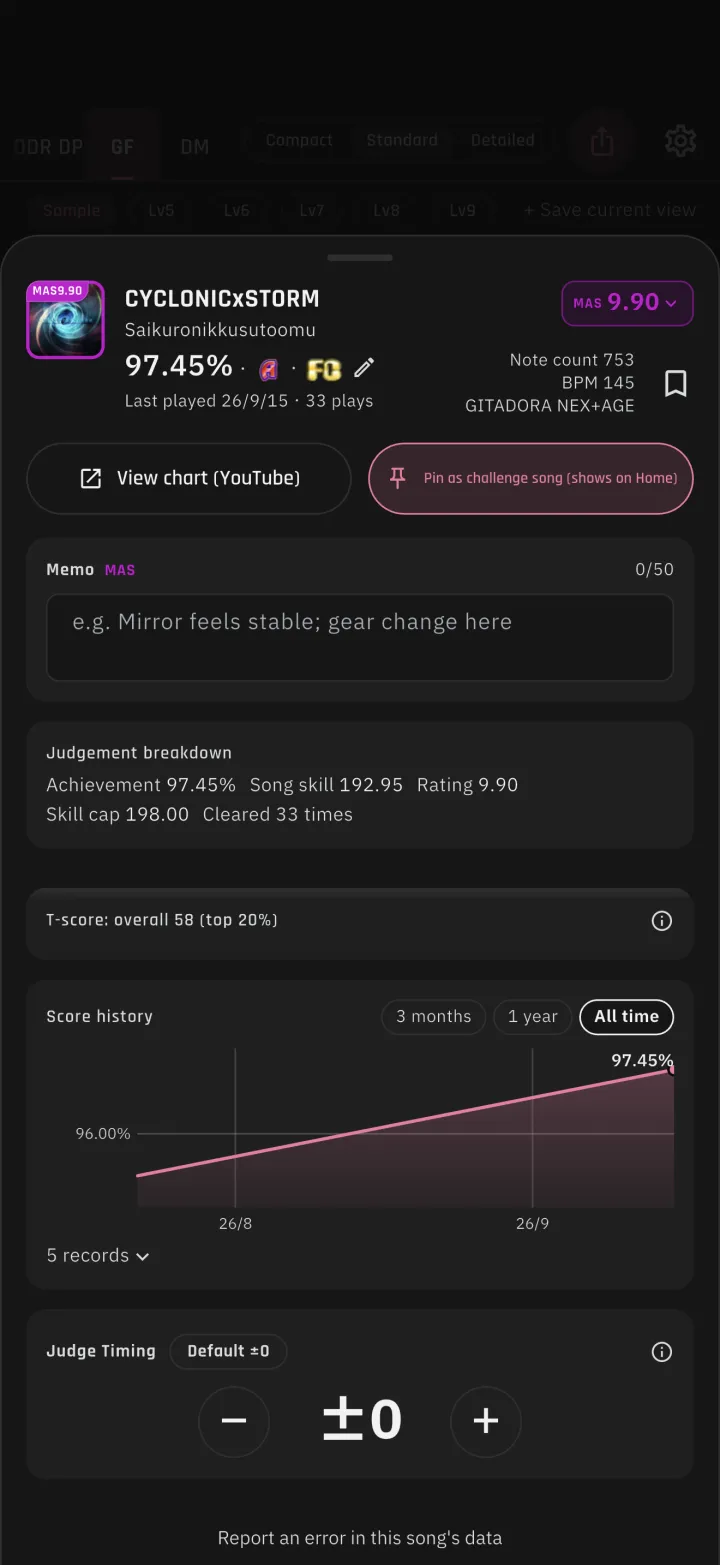
Song titles now run to two lines, so nothing is cut off. "Pin as a challenge" and "View the chart" have a clear primary and secondary, and rows with no value are hidden.