

Health sync, saved song lists, and one-tap quick sync from Home
1Health and weight
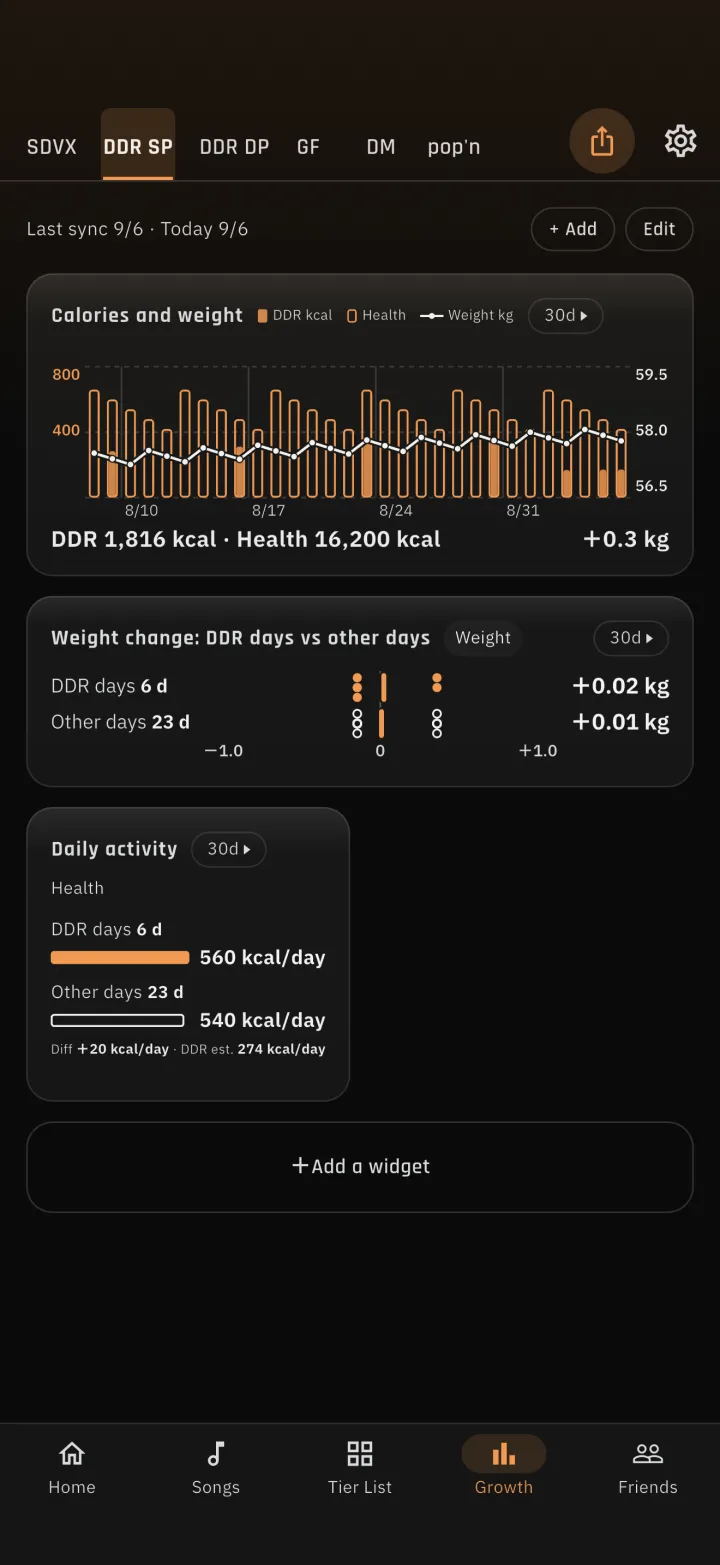
1-1Three health widgets on the growth boardALM4GEST now reads weight, body fat percentage and active energy from Apple Health (Health Connect on Android) and shows them as three widgets on the growth board. A stacked bar chart puts your play volume next to your weight, so you can see how your weight changes on days you played DDR and days you did not. 1-2Weight entry and a device guideYou can enter weight in the app, and send it to the weight field on the official site. Settings and the weight sheet now list scales and trackers that work with Apple Health or Health Connect, and show which of the values this app reads (weight, body fat, active energy) each device supports. 1-3Fill in past weight by handWeight joins the manual backfill for past records. Records from Health take priority: manual entry and CSV import never overwrite a day that came from Health.2Song list and saved lists
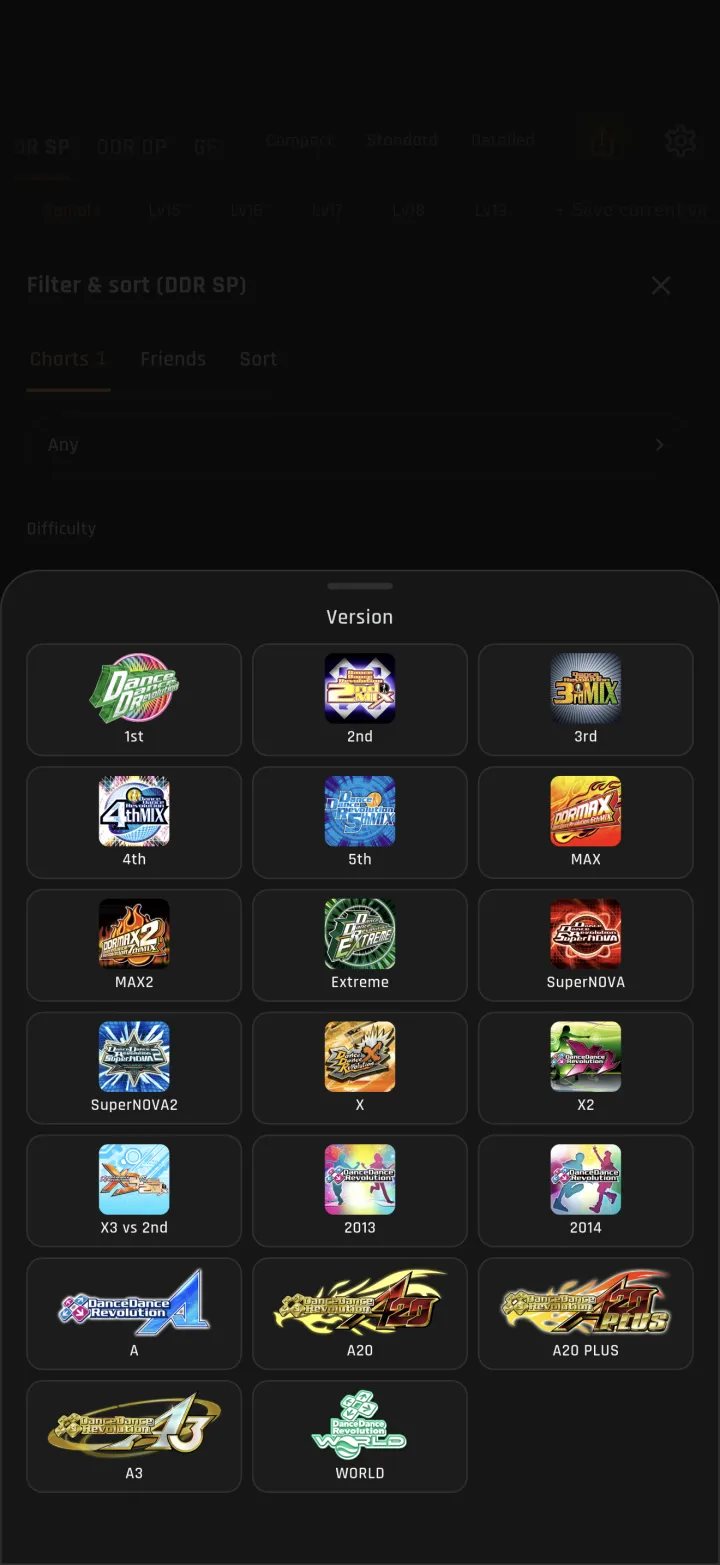
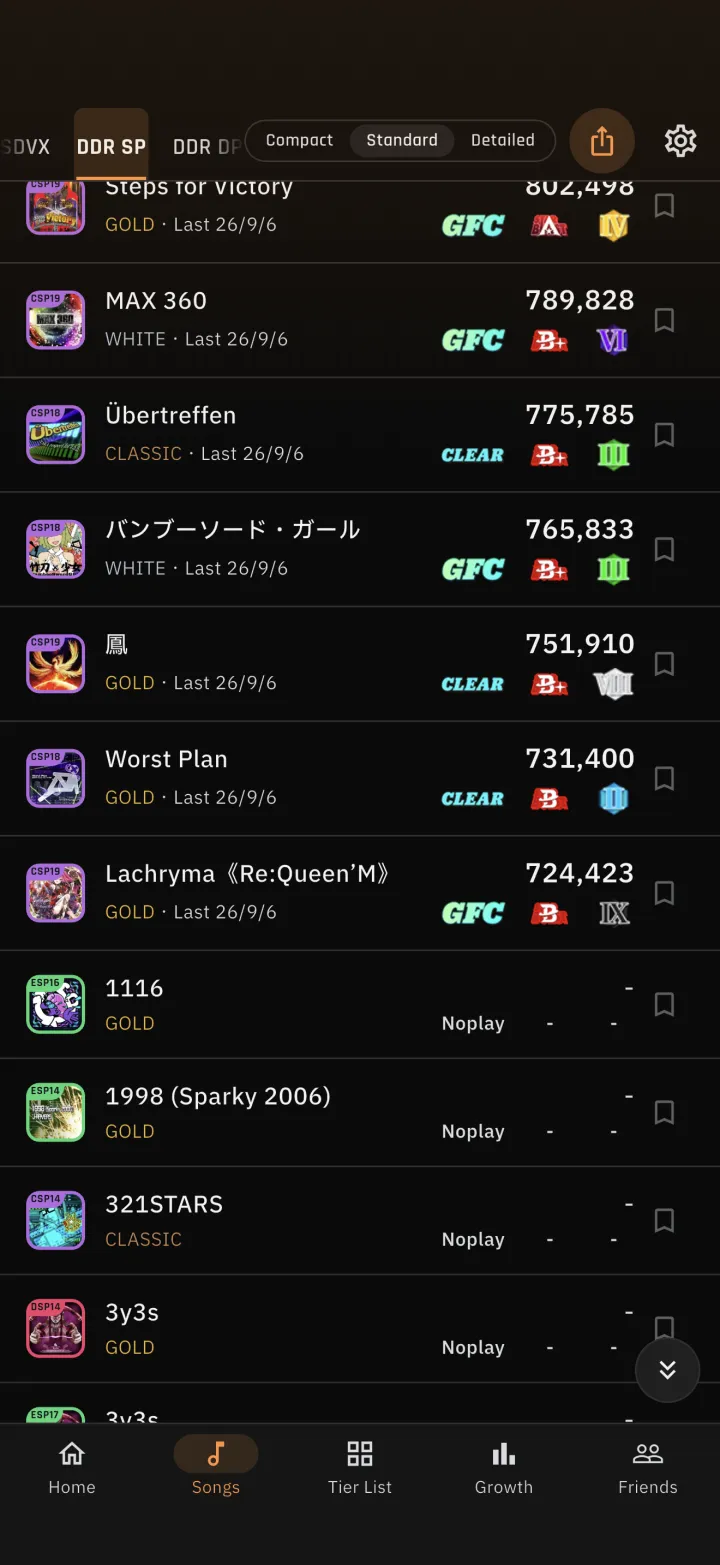
2-1Favorites became saved listsA chart can belong to several lists, and each list can be reordered by hand. The song list can be filtered by list. 2-2Filter by versionAll four games can now be filtered and sorted by the version a song first appeared in. Versions are chosen from their official logos. 2-3More room in the listScrolling down hides the filter row, so the list gets taller. Buttons appear to jump straight to the bottom when you scroll down, and to the top when you scroll up.3pop'n: current version and all time
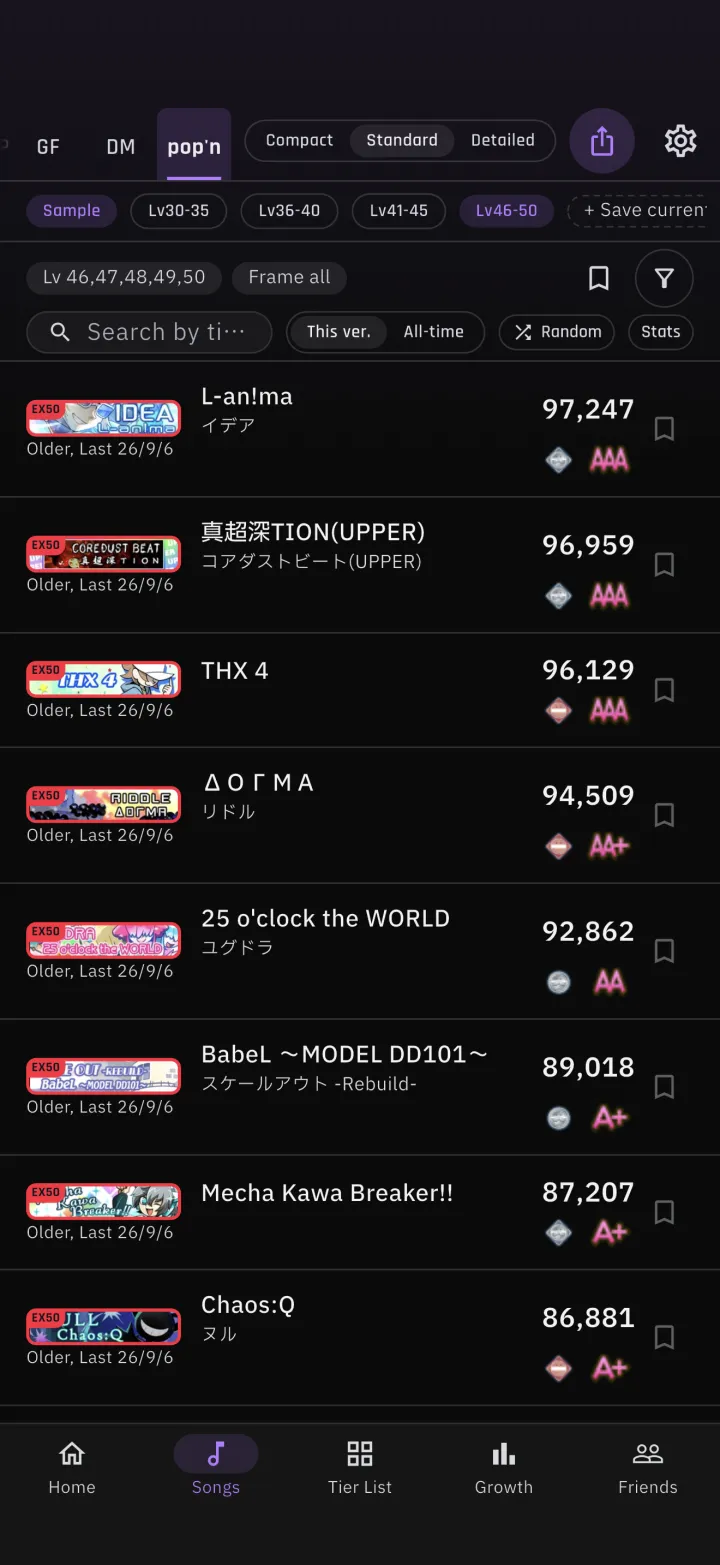
3-1Switch between current and all timeThe song list, target songs, recommendations and pop'n class can all be read from either the current version or your all-time records. The switch sits to the right of "Recommended songs" on the target song list. You can also filter by whether a current-version score exists.4Tier Lists
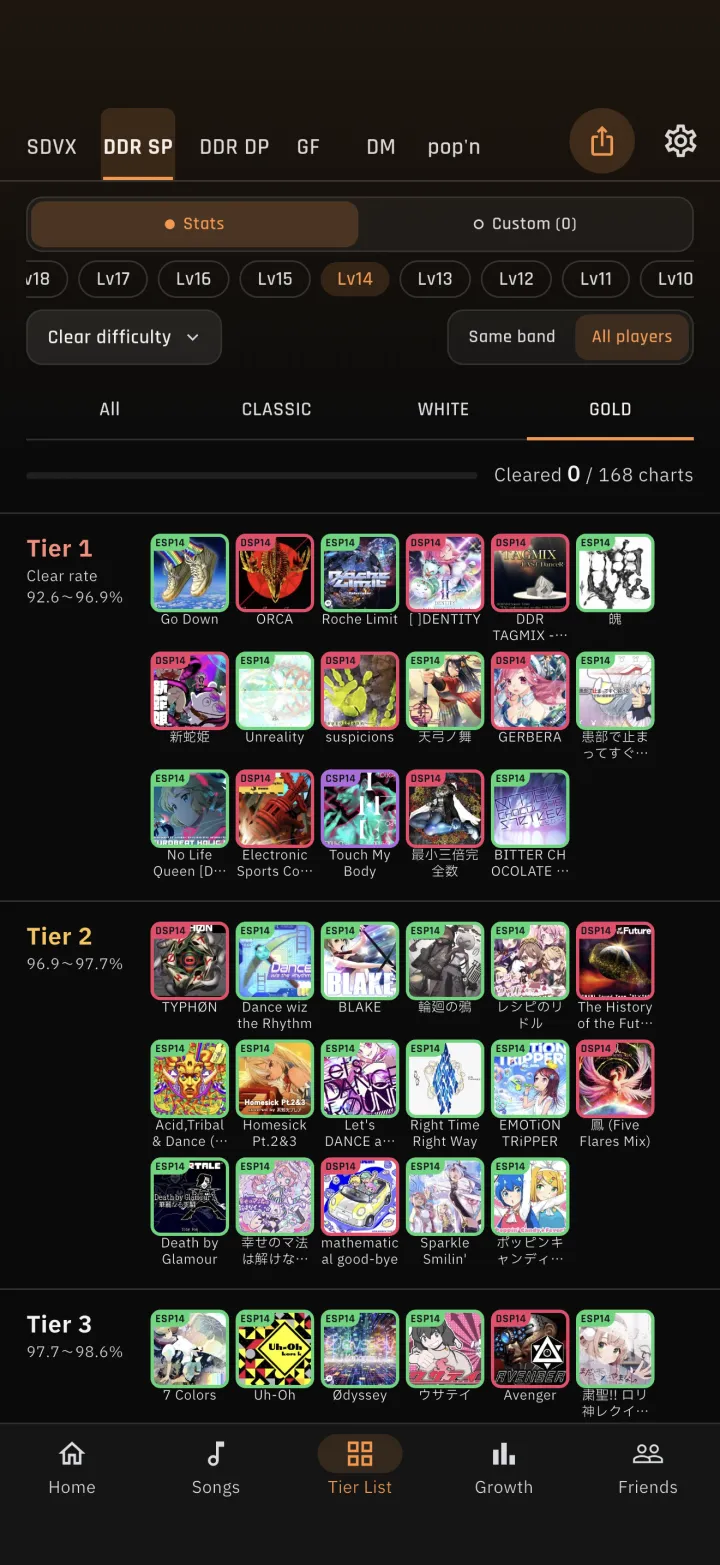
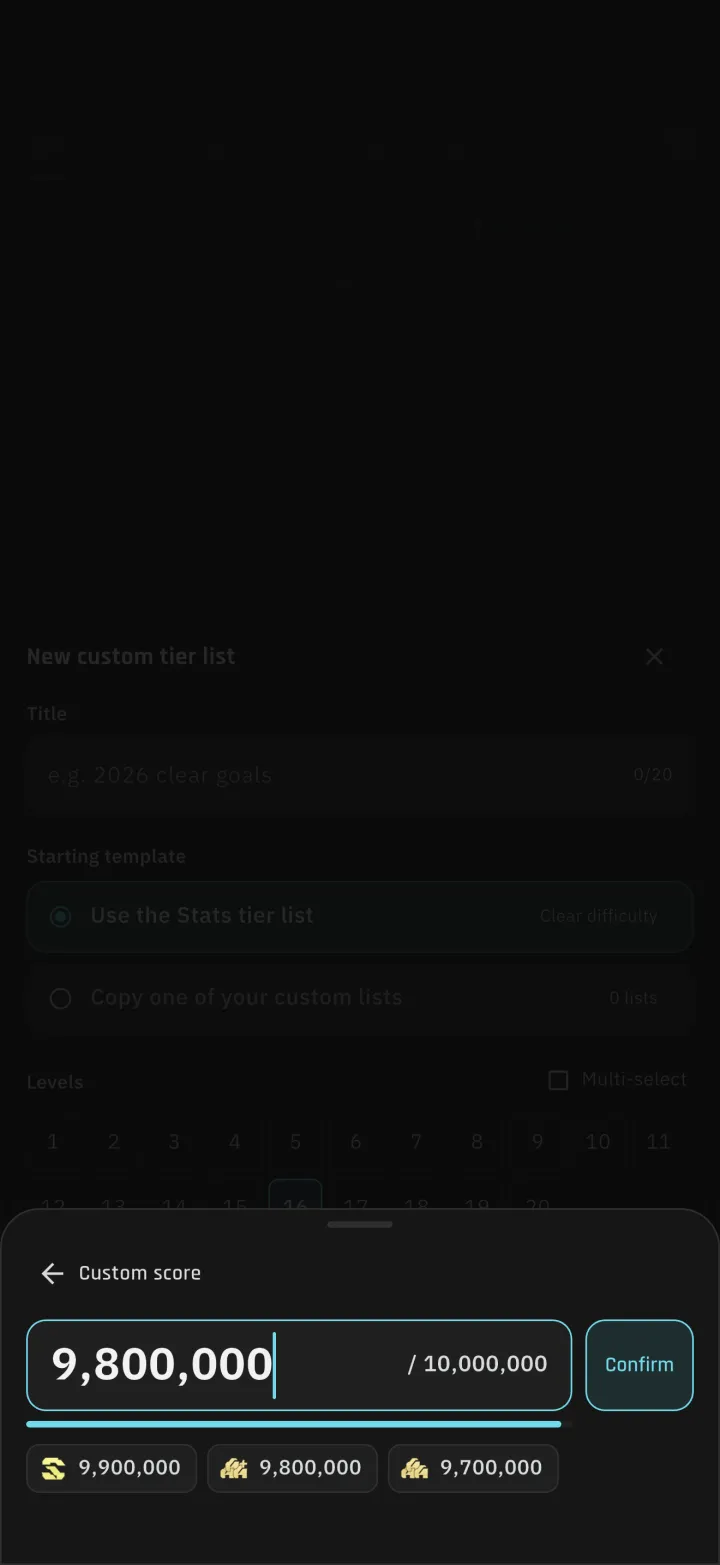
4-1Category tabsDDR, pop'n and GITADORA Tier Lists gained category tabs, so you can show only the category you care about. The bar that counts what you have cleared now sits between the tabs and the table. 4-2Any threshold in a custom Tier ListGoal thresholds can be typed in directly, including values that are not in the preset list. The level picker and the category editor were rebuilt as well.5Sync and play history
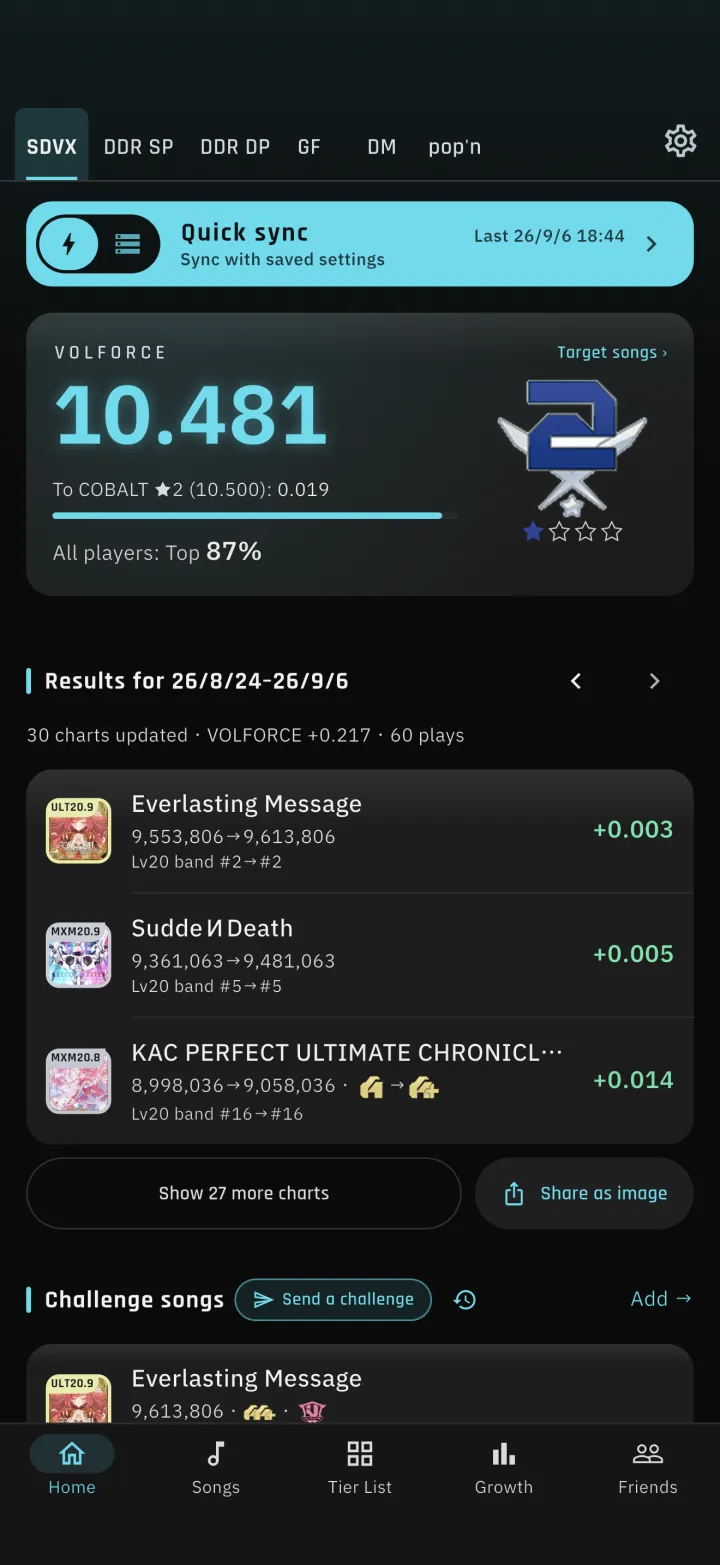
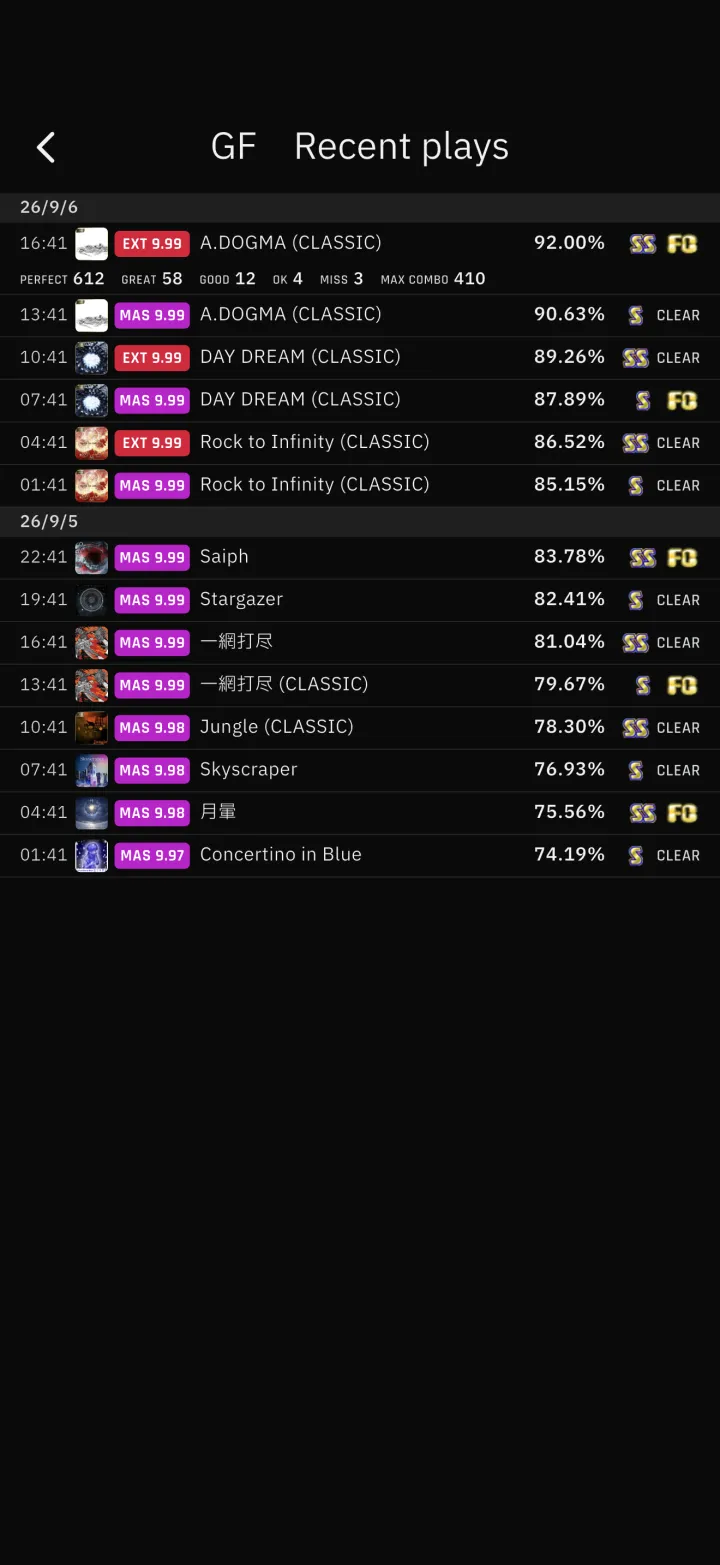
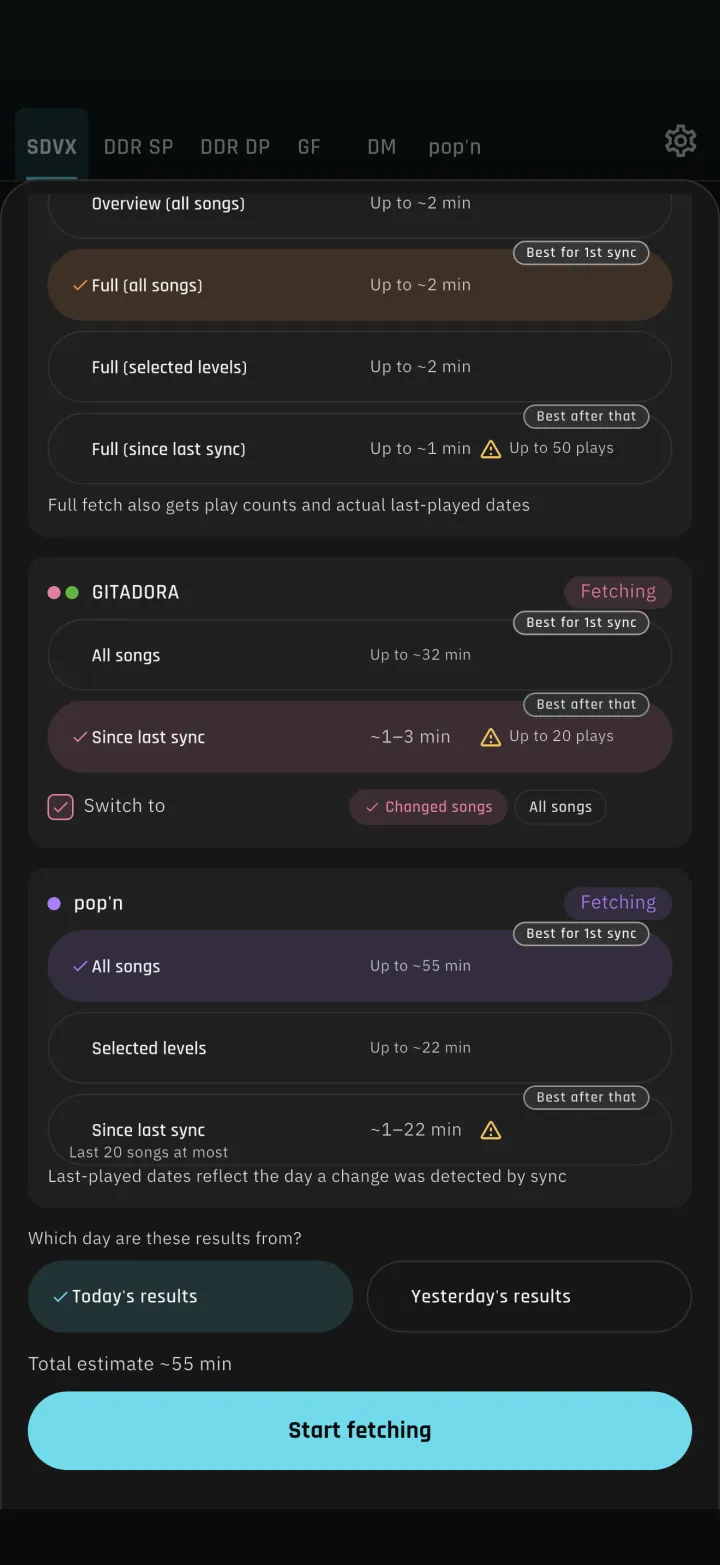
5-1Quick sync in one tap from HomeThe sync bar on Home switches between quick sync and normal sync. Quick sync checks whether your saved login is still valid and only opens the login screen when it has expired. Progress appears in the bar itself, so the screen no longer changes. Sending your weight to the official site uses the same check. 5-2See every recent playA history icon sits next to the heading of today's results. For DDR, GITADORA and pop'n it lists every play the sync picked up, grouped by day. Plays are stored beyond the official limit of 20, so syncing twice in one day keeps both batches. Tapping a GITADORA row opens its judgement breakdown. 5-3Fewer misses in GITADORA "Since last sync"When a session does not fit in the official play history, you can choose what the sync falls back to: only songs whose scores changed, or every song. The sync screen also states that the history holds at most the 20 most recent plays.6Home and song details
6-1Choose the window for neglected songsThe neglected-songs card on Home switches between 90 days, six months and one year. Sorting on the growth board now matches the Tier List. 6-2A tidier song detail sheetThe pencil that opens manual entry moved to the end of the record row, and the chart data column is dropped when there is not enough width. The memo field is no longer hidden by the keyboard.7DDR chart preview
7-1Three freeze arrow stylesFreeze arrows can be drawn in three ways: full, thin, or head only. 7-2Ghost-tap modeStep notes gained a ghost-tap mode with arrow buttons, beat division, move up and down, and delete.8Regions and other fixes
1-1
-
1-1Three health widgets on the growth board
ALM4GEST now reads weight, body fat percentage and active energy from Apple Health (Health Connect on Android) and shows them as three widgets on the growth board. A stacked bar chart puts your play volume next to your weight, so you can see how your weight changes on days you played DDR and days you did not.
-
1-2Weight entry and a device guide
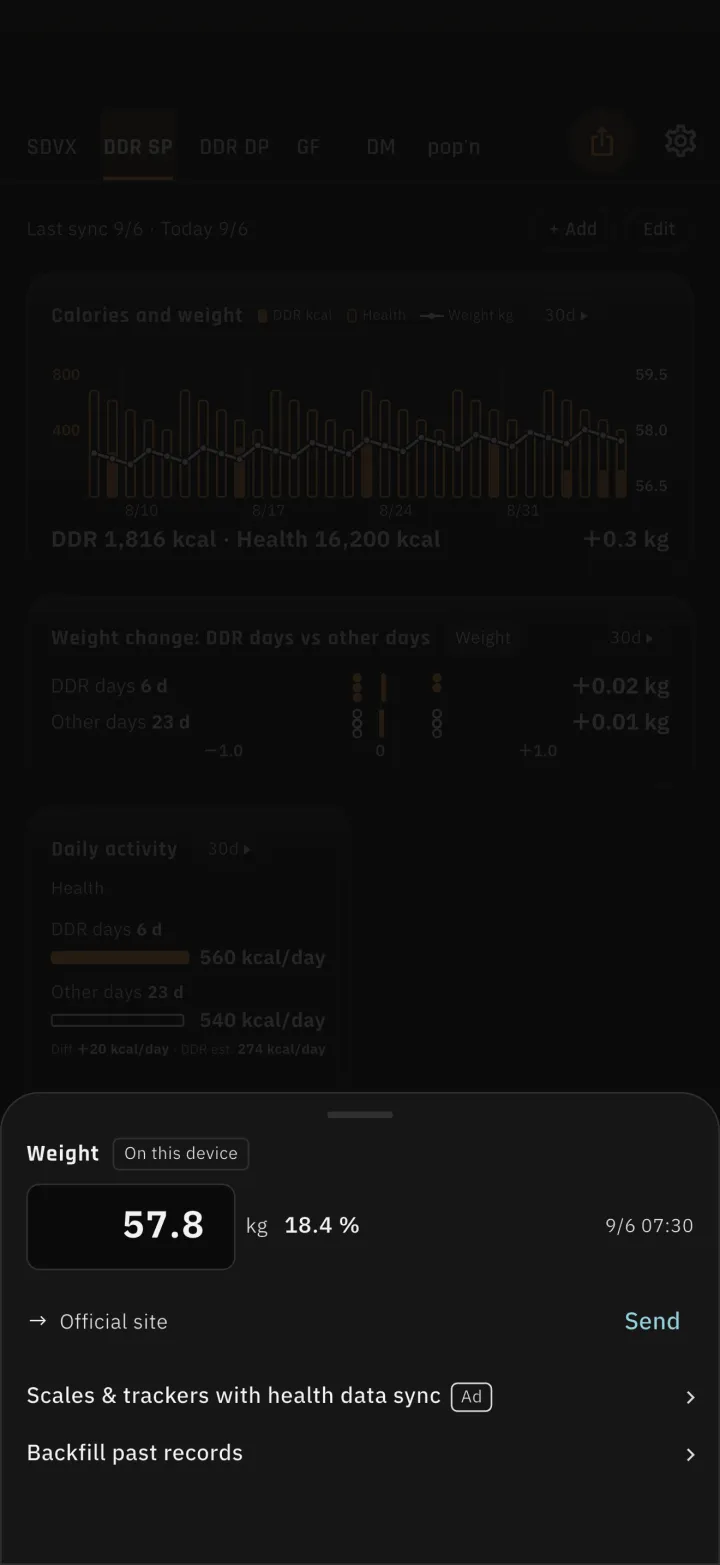
You can enter weight in the app, and send it to the weight field on the official site. Settings and the weight sheet now list scales and trackers that work with Apple Health or Health Connect, and show which of the values this app reads (weight, body fat, active energy) each device supports.
-
1-3Fill in past weight by hand
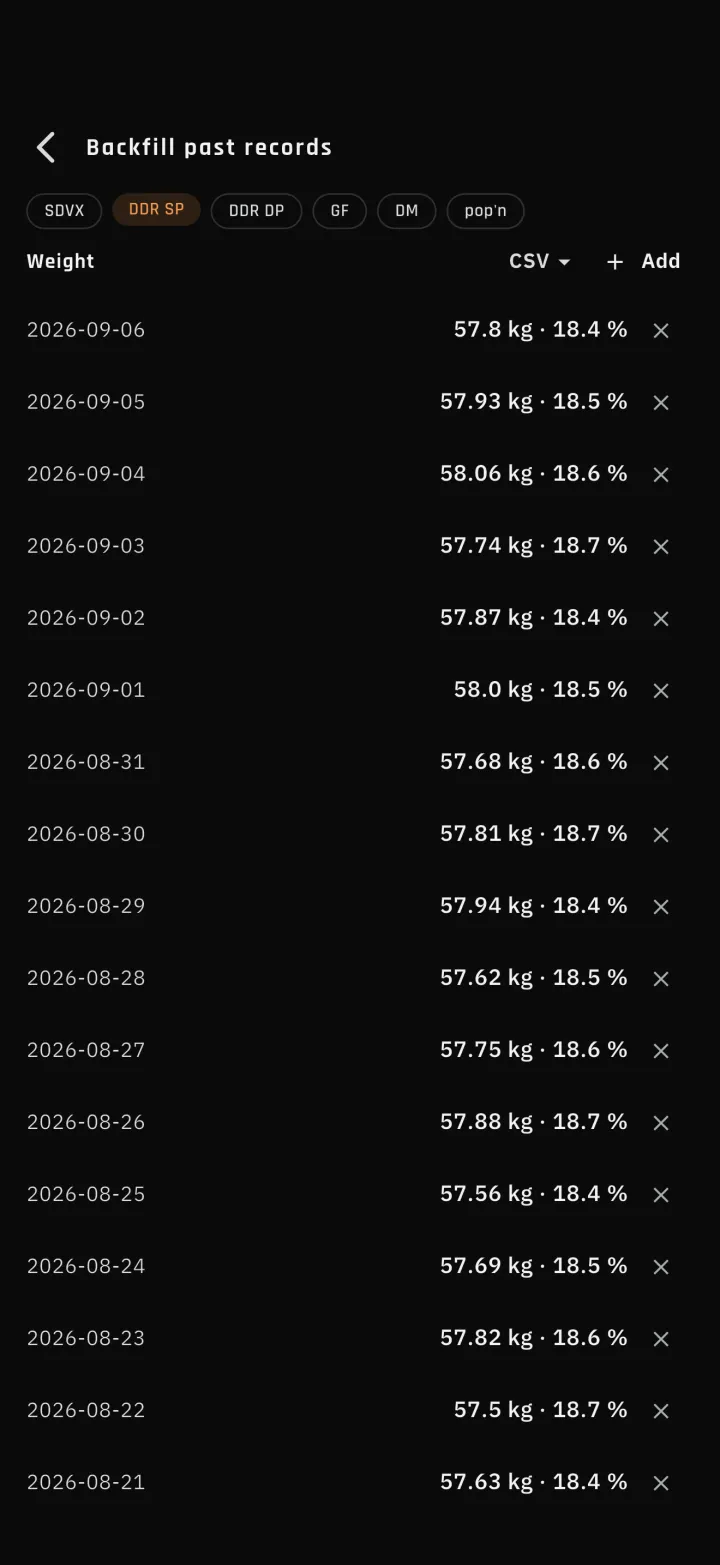
Weight joins the manual backfill for past records. Records from Health take priority: manual entry and CSV import never overwrite a day that came from Health.
-
2-1Favorites became saved lists
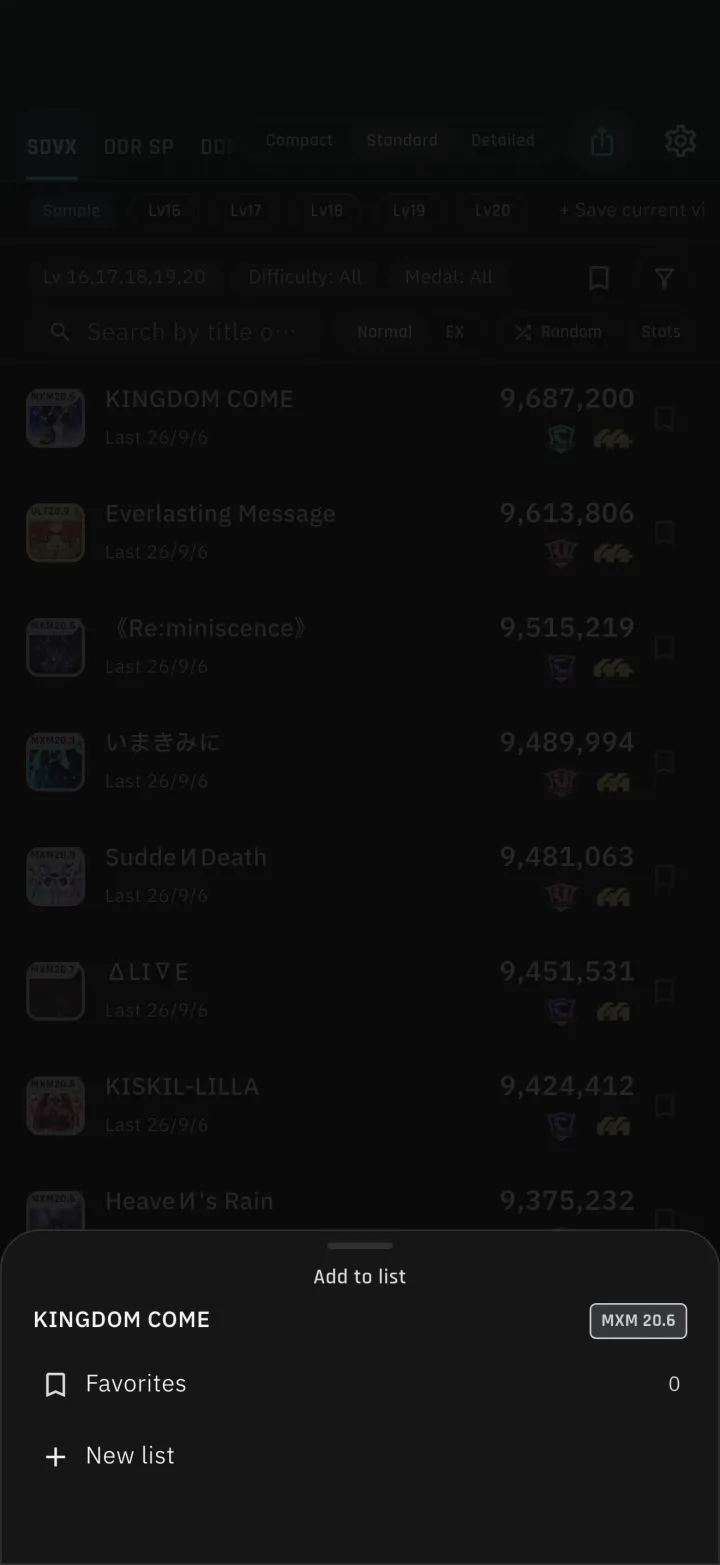
A chart can belong to several lists, and each list can be reordered by hand. The song list can be filtered by list.
-
2-2Filter by version
All four games can now be filtered and sorted by the version a song first appeared in. Versions are chosen from their official logos.
-
2-3More room in the list
Scrolling down hides the filter row, so the list gets taller. Buttons appear to jump straight to the bottom when you scroll down, and to the top when you scroll up.
-
3-1Switch between current and all time
The song list, target songs, recommendations and pop'n class can all be read from either the current version or your all-time records. The switch sits to the right of "Recommended songs" on the target song list. You can also filter by whether a current-version score exists.
-
4-1Category tabs
DDR, pop'n and GITADORA Tier Lists gained category tabs, so you can show only the category you care about. The bar that counts what you have cleared now sits between the tabs and the table.
-
4-2Any threshold in a custom Tier List
Goal thresholds can be typed in directly, including values that are not in the preset list. The level picker and the category editor were rebuilt as well.
-
5-1Quick sync in one tap from Home
The sync bar on Home switches between quick sync and normal sync. Quick sync checks whether your saved login is still valid and only opens the login screen when it has expired. Progress appears in the bar itself, so the screen no longer changes. Sending your weight to the official site uses the same check.
-
5-2See every recent play
A history icon sits next to the heading of today's results. For DDR, GITADORA and pop'n it lists every play the sync picked up, grouped by day. Plays are stored beyond the official limit of 20, so syncing twice in one day keeps both batches. Tapping a GITADORA row opens its judgement breakdown.
-
5-3Fewer misses in GITADORA "Since last sync"
When a session does not fit in the official play history, you can choose what the sync falls back to: only songs whose scores changed, or every song. The sync screen also states that the history holds at most the 20 most recent plays.
-
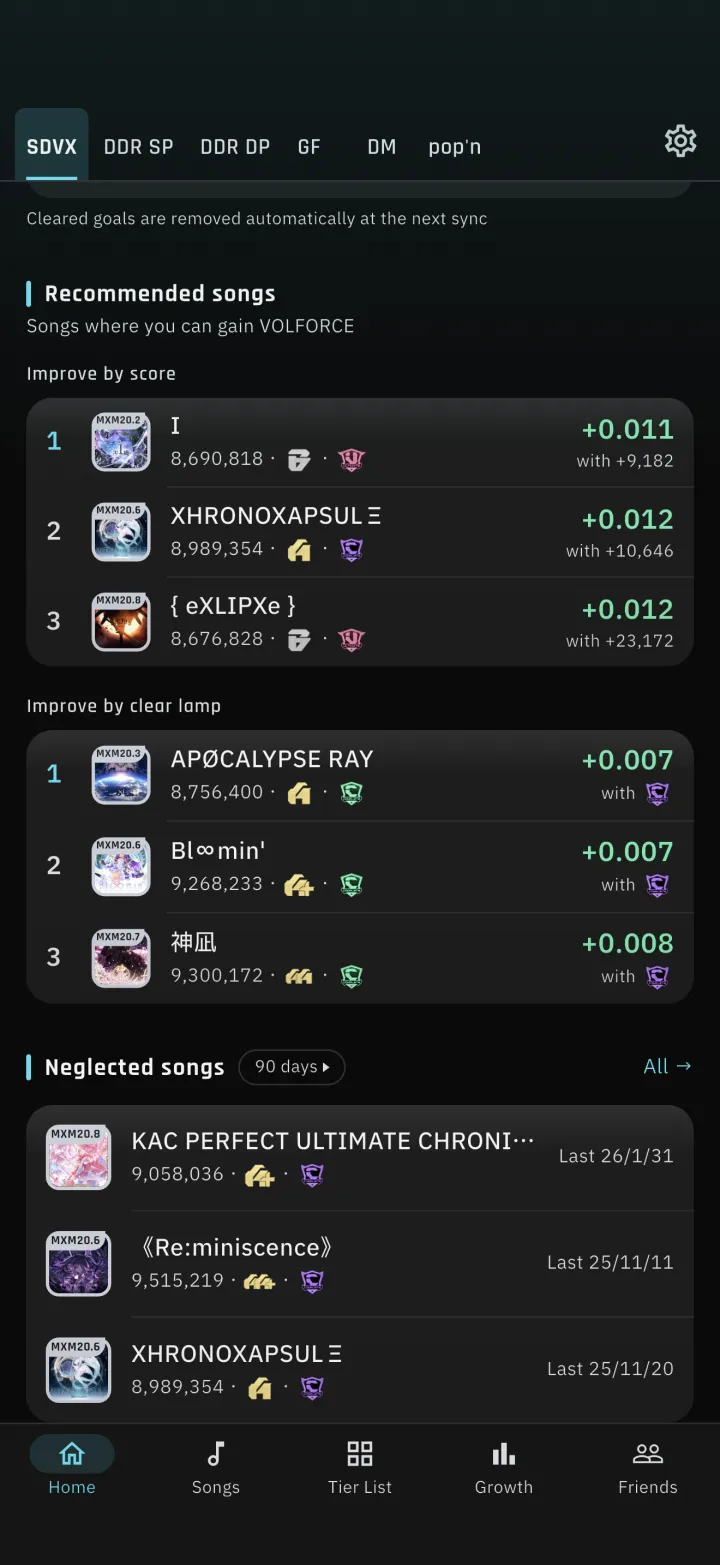
6-1Choose the window for neglected songs
The neglected-songs card on Home switches between 90 days, six months and one year. Sorting on the growth board now matches the Tier List.
-
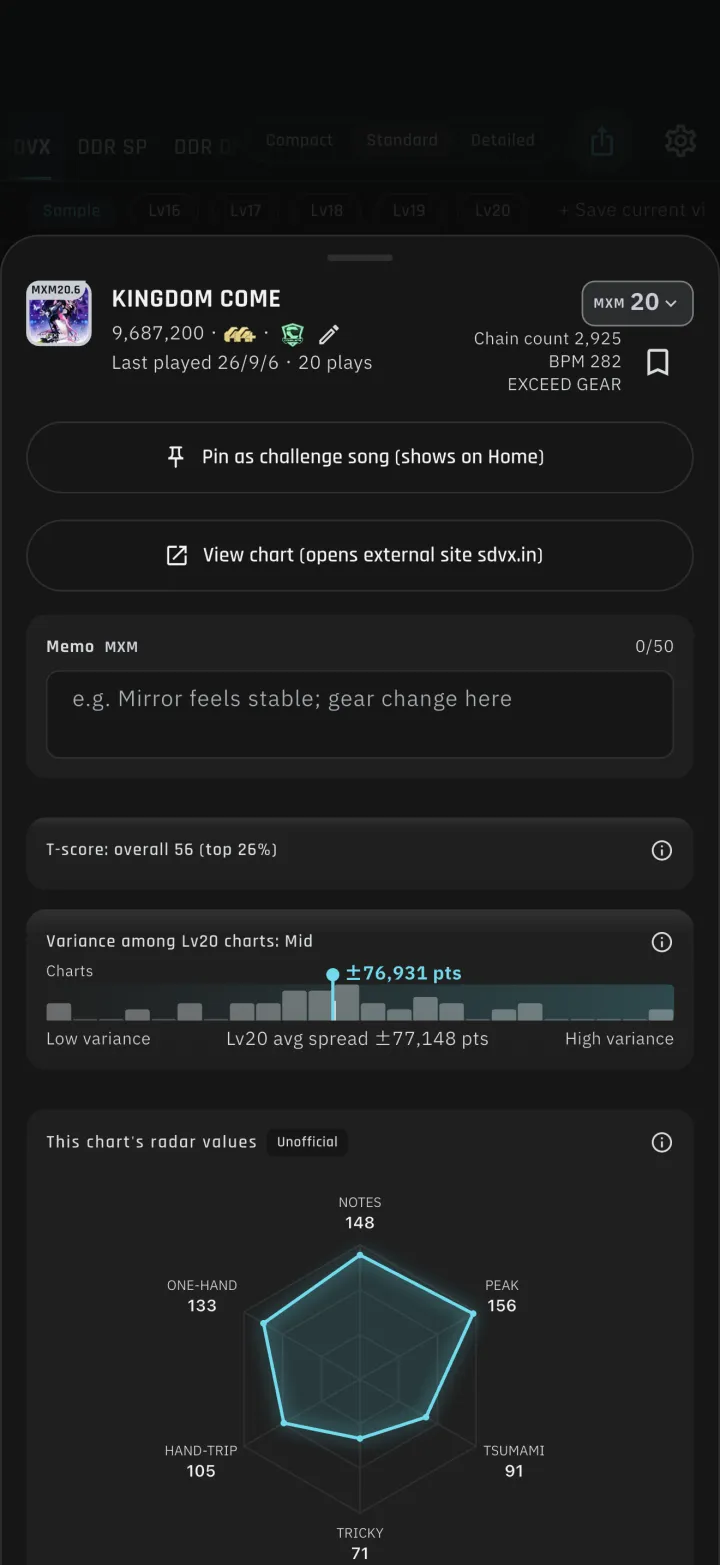
6-2A tidier song detail sheet
The pencil that opens manual entry moved to the end of the record row, and the chart data column is dropped when there is not enough width. The memo field is no longer hidden by the keyboard.
-
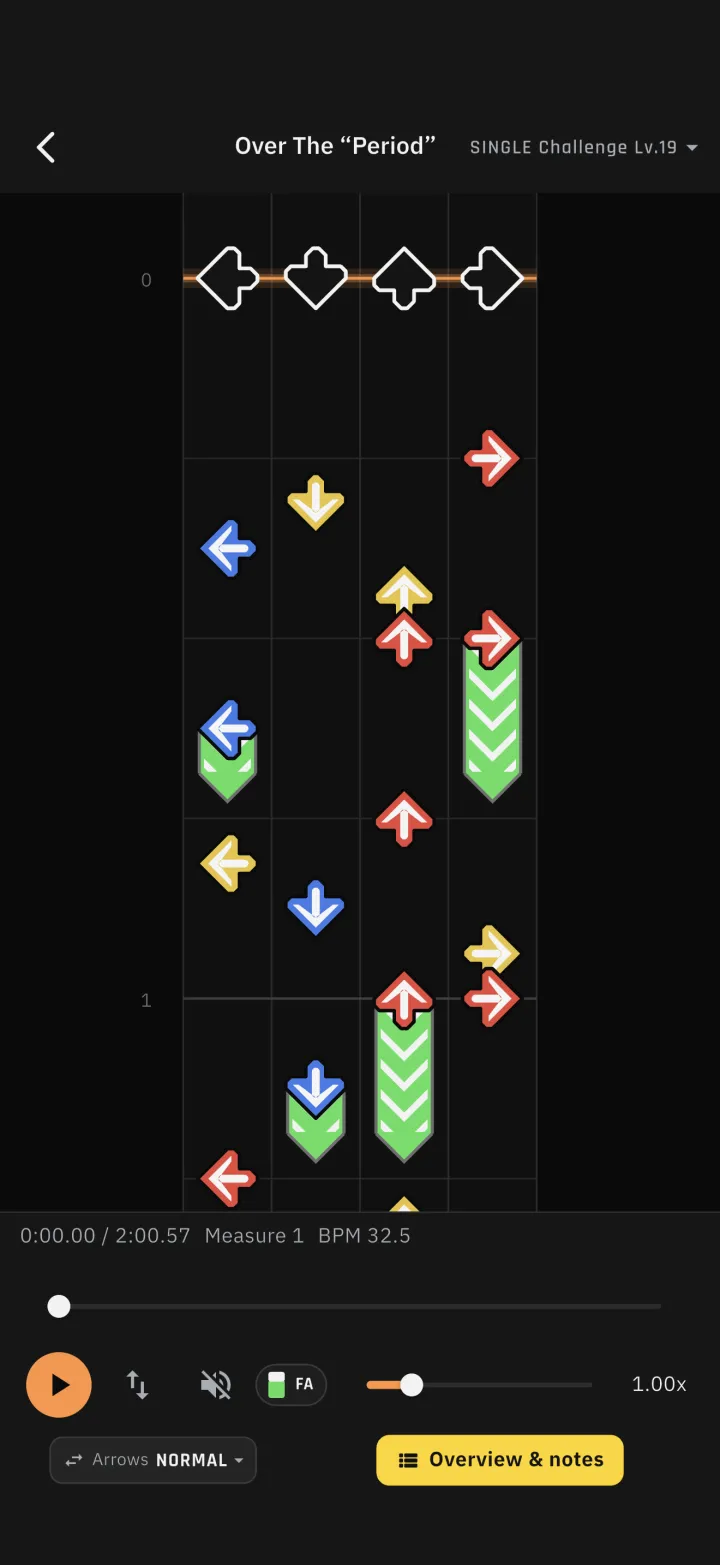
7-1Three freeze arrow styles
Freeze arrows can be drawn in three ways: full, thin, or head only.
-
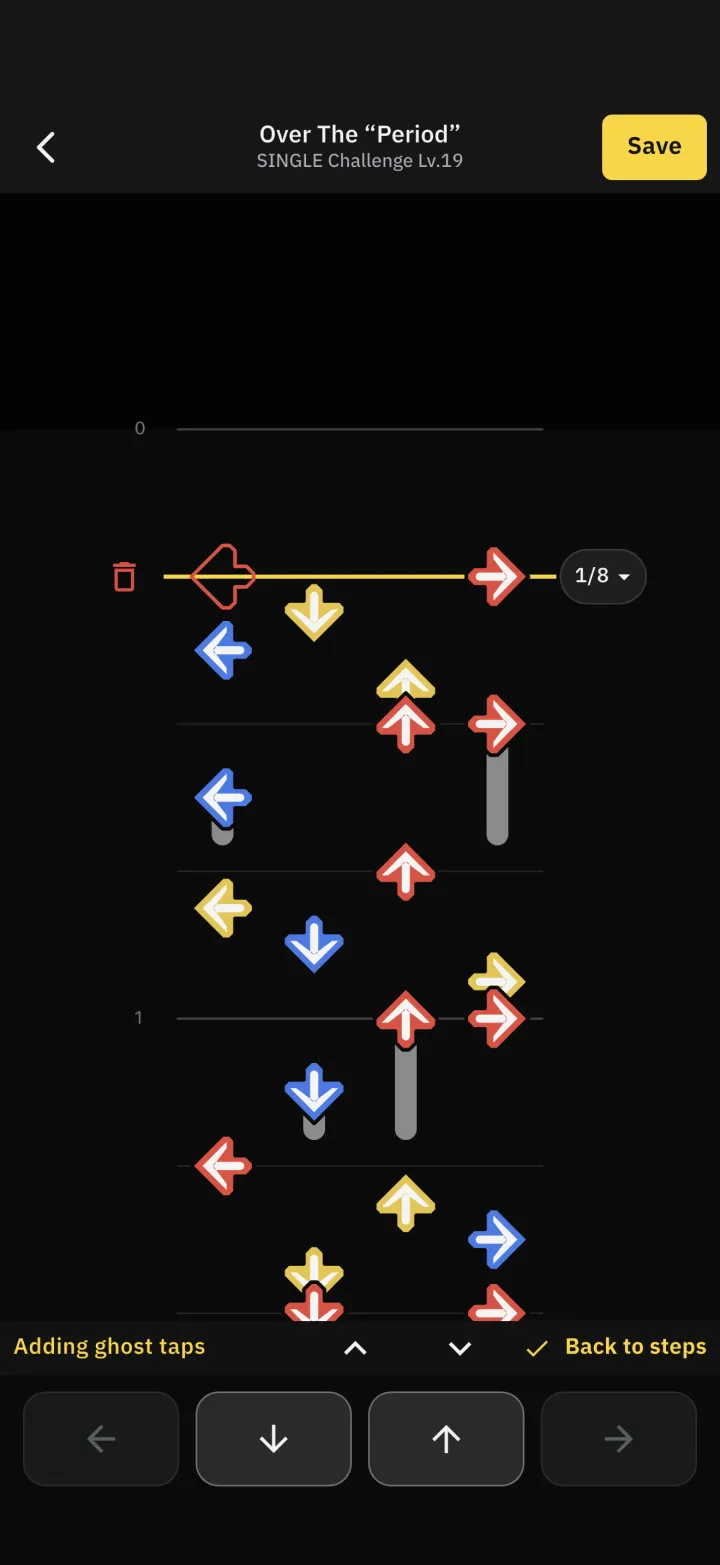
7-2Ghost-tap mode
Step notes gained a ghost-tap mode with arrow buttons, beat division, move up and down, and delete.